

What is LLM Council?
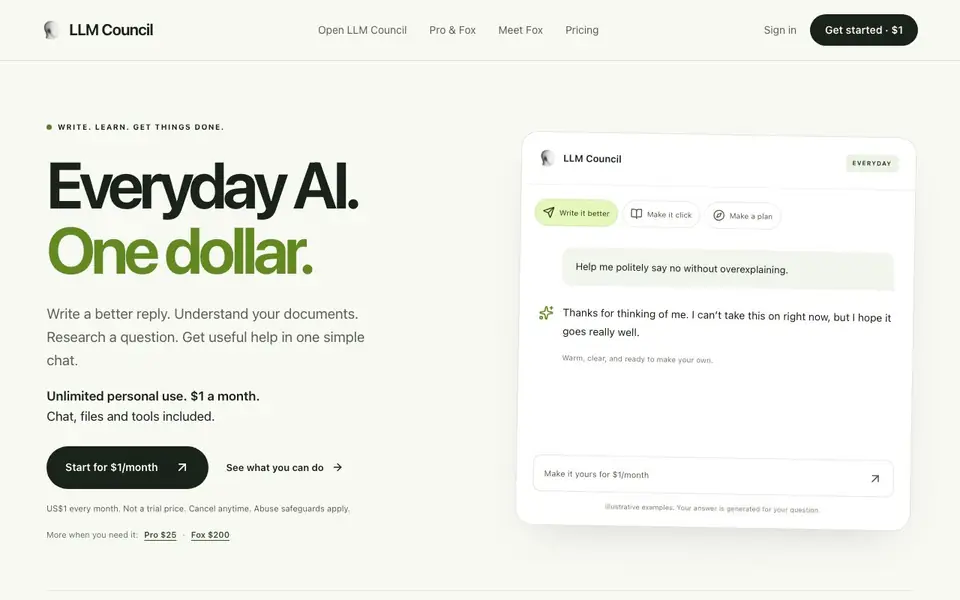
LLM Council is an AI chat assistant designed for everyday tasks. It combines chat, file tools, and saved conversations into one simple interface. You can write better replies, understand documents, research questions, and get practical help without juggling multiple apps.
You start by opening the chat and asking for what you need. The $1 plan uses one capable model chosen for your task. If you want more perspectives, Pro at $25 a month lets multiple AI models answer independently, challenge each other, and merge the useful parts into one response. Fox at $200 adds a frontier work agent that brings research, files, and finished documents into one chat.
It suits anyone who wants affordable, everyday AI help. The $1 plan includes unlimited personal use with abuse safeguards and no daily message quota. Pro adds research with sources, longer documents, and the ability to create Word, PDF, slides, and spreadsheets. Fox is for bigger projects where you need a deeper review and polished deliverables.
LLM Council features
- Unlimited personal use: Chat, agents, files, and tools together with no daily message quota on the $1 plan.
- One capable model: The system picks an efficient model for your task on the entry plan.
- Multiple model council: Pro lets up to five models review your question independently and combine perspectives.
- Document tools: Ask about your files, make changes, and create shareable content.
- Saved conversations: Your chats and work are stored so you can return to them later.
What you can do with LLM Council
- Write a polite reply or a clearer CV when you need the right words.
- Break down a difficult topic and ask follow-up questions to learn at your own pace.
- Turn a weekend project or new habit into a plan starting with your time and budget.
- Research a question with sources and longer documents on the Pro plan.
How to get started with LLM Council
- Go to the LLM Council website and click 'Get started · $1'.
- Create your account and choose the $1 monthly plan (or upgrade to Pro or Fox later).
- Open the chat, ask your question or upload a file, and use the tools as needed.
Tips for better results with LLM Council
- Start with the $1 plan and ask LLM Council for one specific task, like drafting a reply or summarizing a document, to see if its output matches your needs before upgrading.
- Use LLM Council's saved conversations feature to revisit past chats and refine your questions, building on earlier answers instead of starting from scratch each time.
- On the Pro plan, ask LLM Council to have multiple models review your question, then compare their merged response against your own judgment to catch blind spots.
- Upload your files directly into LLM Council and ask follow-up questions about specific sections, rather than pasting long text, to get more precise and grounded answers.
LLM Council pricing
LLM Council is a paid product. Check llmcouncil.ai for current plans and whether a demo or trial is offered.
What to check before you rely on LLM Council
- Check whether the $1 plan's unlimited personal use includes commercial work, since the website only mentions abuse safeguards and does not state a commercial license.
- Verify which models are available on your plan, as the website says model availability depends on plan and effort setting but does not list them for each tier.
- Confirm how your data is handled and whether uploaded files are used for training, because the website does not state a privacy policy or data retention details.
Who LLM Council is for
LLM Council suits individuals, students, professionals and small teams. If that is not you, the AI chatbots below may fit better.
Similar tools compared with LLM Council
| Tool | What it is | Pricing |
|---|---|---|
| LLM Council | Everyday AI chat assistant for $1 a month | Paid |
| SiChatApp | Free browser chat with multiple AI models | Freemium |
| ChatGPT | AI chatbot for chat, work, and creation | Freemium |
| Gemini | AI assistant for chat and tasks | Freemium |
| Kimi | AI assistant for coding and knowledge work | See website |
LLM Council FAQ
Is it really $1 a month?
Yes. The entry plan costs US$1 every month, billed monthly, and it is not a trial price. You can cancel anytime and keep access through your paid period.
What do I get for $1?
You get unlimited personal use with abuse safeguards, one capable model chosen for your task, chat with agents, files and tools together, and saved conversations. There is no daily message quota.
How does LLM Council choose a model?
The $1 plan uses one efficient model selected for your task. On Pro, multiple models like GPT, Claude, Gemini, and DeepSeek answer independently and their useful differences are merged into one response.
Is usage unlimited?
The $1 plan says unlimited personal use with abuse safeguards and no daily message quota. Pro and Fox mention fair use applies, and the website does not state specific limits for those plans.
Does LLM Council have a mobile app or work in a web browser?
The LLM Council website does not mention a dedicated mobile app. It describes the service as a chat you open when you need help, which suggests it runs in a web browser. To confirm whether an app exists, check the LLM Council website or contact their support.
Can LLM Council export my conversations or files to other tools?
The LLM Council website mentions creating Word, PDF, slides, and spreadsheets on the Pro plan, but it does not specify exporting chats or files to external apps. For details on export options beyond those formats, check the LLM Council website or its help documentation.
Does LLM Council require creating an account before I can use it?
The LLM Council website shows a sign-in option and a "Get started" button, which implies you need an account to use the service. It does not explicitly state whether you can try it without an account. Check the website's sign-up flow for the exact requirement.


