

What is Kilo | Code Reviewer?
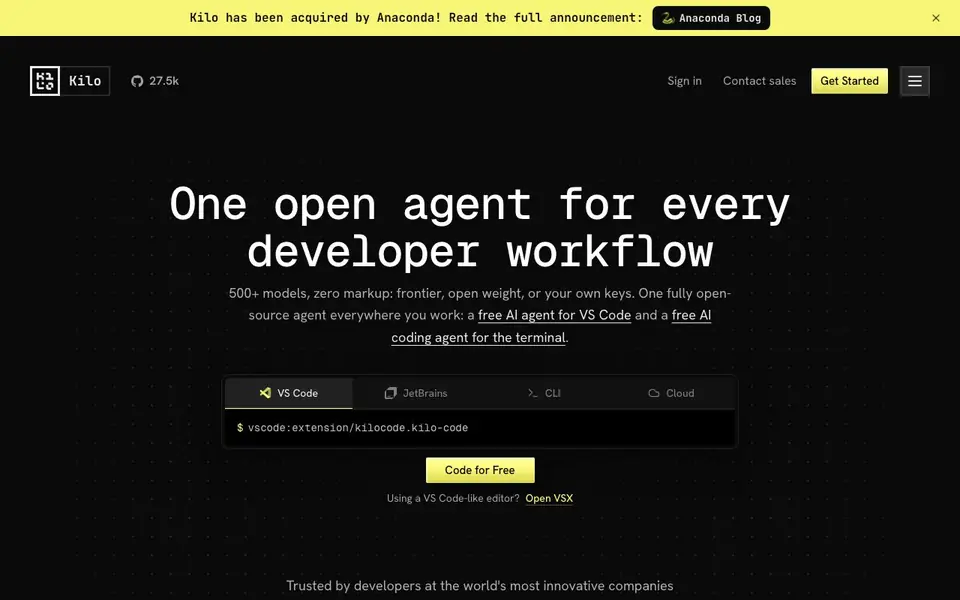
Kilo is an open source AI coding agent designed for developers who want flexibility and control. It works in VS Code, JetBrains, CLI, and cloud environments, so you can use the same agent everywhere you code. The tool supports over 500 models, including frontier, open weight, and your own keys, with no markup on AI inference.
You start by installing the Kilo extension in your preferred editor or using the CLI. From there, you can switch between specialized modes like Code, Architect, Debug, and Ask. Auto Model routing picks the best model for your task and budget, whether you choose Efficient, Frontier, or Free options. You can also bring your own API keys or run local models for privacy.
Kilo suits individual developers and teams who want an open, auditable coding assistant. Because it is MIT-licensed, you can inspect, fork, or self-host it. The website mentions features like cloud agents, parallel worktrees, and Slack integration, but does not detail all limits or enterprise options.
Kilo | Code Reviewer features
- Multi-surface support: Use the same agent in VS Code, JetBrains, CLI, and cloud agents.
- 500+ models: Access frontier, open weight, or your own keys with zero markup.
- Auto Model routing: Automatically picks the right model for your budget and task.
- Specialized modes: Switch between Code, Architect, Debug, and Ask without changing tools.
- Open source: MIT-licensed, so you can inspect, fork, modify, or self-host it.
What you can do with Kilo | Code Reviewer
- Write and refactor production-ready code with AI that understands your codebase.
- Plan complex features with structured guidance before writing code.
- Identify and fix bugs by reading errors and tracing issues.
- Review code and run cloud agents without switching tools.
How to get started with Kilo | Code Reviewer
- Install the Kilo extension in VS Code, JetBrains, or use the CLI.
- Choose your model strategy: Efficient, Frontier, or Free, or bring your own key.
- Start coding in your preferred mode, like Code, Architect, or Debug.
Tips for better results with Kilo | Code Reviewer
- Start with Auto Model in Efficient mode to learn how Kilo routes tasks before manually selecting models for cost-sensitive work.
- Use Kilo's Architect mode to break down complex features into structured steps, then switch to Code mode to implement the plan.
- Bring your own API keys in Kilo to avoid markup and keep model choices under your control, especially for frequent coding sessions.
- Run Kilo in Debug mode when tracing errors, as it reads issues and suggests fixes without you needing to switch tools.
Kilo | Code Reviewer pricing
Kilo | Code Reviewer has a free way to start, with paid plans for heavier use. Check kilo.ai for current limits and prices.
What to check before you rely on Kilo | Code Reviewer
- Verify Kilo's free tier limits and whether Auto Model Free includes experimental models, as the website does not state specific usage caps.
- Check if your preferred editor version is fully supported, since Kilo lists VS Code, JetBrains, CLI, and cloud but not all versions.
- Confirm data handling for cloud agents and Slack integration, as the website does not detail privacy or retention policies for those features.
Who Kilo | Code Reviewer is for
Kilo | Code Reviewer suits developers, engineering teams and open source contributors. If that is not you, the AI coding tools below may fit better.
Similar tools compared with Kilo | Code Reviewer
| Tool | What it is | Pricing |
|---|---|---|
| Kilo | Code Reviewer | Open source AI coding agent | Freemium |
| Tabnine | Agentic quality engineering platform for AI code | See website |
| CodeRabbit | AI pull request reviewer and prioritizer | Free trial |
| Cursor | AI coding agent for ambitious software | See website |
| Claude Code | AI coding agent for terminal and IDE | Paid |
Kilo | Code Reviewer FAQ
Is Kilo Code free?
Yes, Kilo offers a free version. The website says you can start with Kilo Auto Free with no credit card required. There are also paid options for more capable models, so it follows a freemium model.
Which IDEs and platforms does Kilo support?
Kilo works in VS Code, JetBrains (including IntelliJ, PyCharm, WebStorm), CLI, and cloud agents. It also integrates with Slack, so you can use it where you work.
Can I bring my own API key?
Yes, you can bring your own API keys. Kilo supports 500+ models with zero markup, and you can also use local models for privacy. This gives you control over costs and data.
How does Kilo handle code privacy?
Kilo is open source, so you can inspect everything. The website mentions you can audit prompts, context windows, and decisions. It also supports local models, which helps keep your code private. For specific data policies, check the website's knowledge base.
Can Kilo export or connect to other tools like Slack?
Yes, Kilo integrates with Slack, as mentioned on its website. It also supports cloud agents and parallel worktrees. For specific export options or other integrations, the website does not provide details. Check the Kilo documentation or contact sales for more information.
Does Kilo require an account to use?
Kilo offers a free plan that starts without a credit card, but you likely need to sign in to use it. The website mentions signing in and getting started, but does not specify if an account is mandatory for all features. Check the sign-up process on the Kilo website for exact requirements.
Is Kilo suitable for code review tasks specifically?
Yes, Kilo includes a Code Reviewer feature and a Code Review mode, as shown in its features. It also supports cloud agents for review workflows. The website highlights code review as a key use case, so it is designed for that purpose. For detailed capabilities, refer to the Kilo documentation.


