

What is Ellipsis?
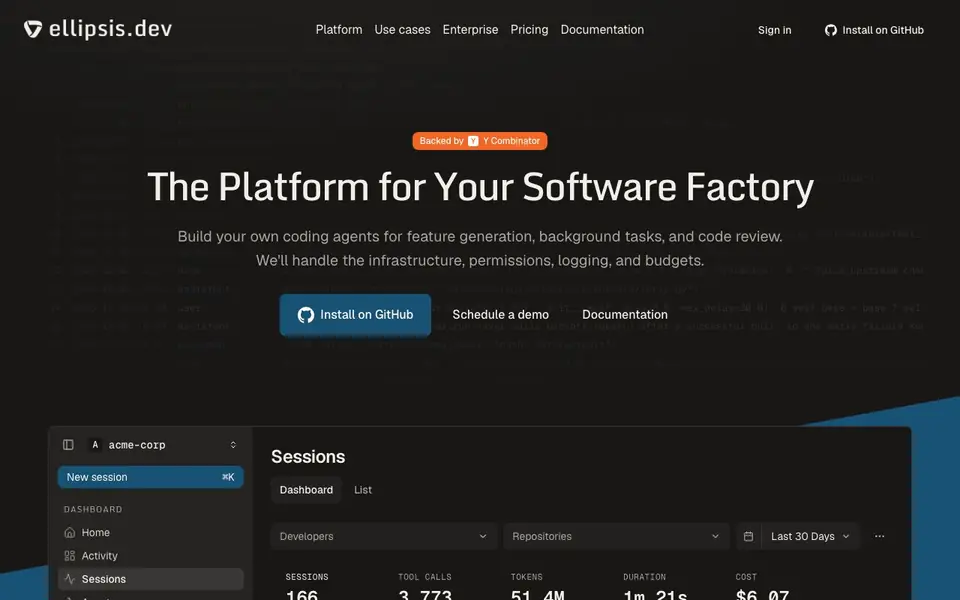
Ellipsis is a platform for running coding agents in the cloud. You define agents as config files in your repository, and Ellipsis handles the infrastructure, permissions, logging, and budgets. It's built for teams that want custom agents for feature generation, background tasks, and code review without managing servers.
You start by installing Ellipsis on GitHub and writing an agent config in YAML. You set the repositories, setup hooks, compute, triggers, and budget for each agent. Ellipsis then runs the agent in a cloud environment, using tools like Bash, Read, Edit, Grep, and Glob to work on your code. You can watch sessions live, see tool calls, tokens, and costs per session.
You can switch between models or harnesses by changing one line in your config, for example moving from Claude Code to Codex or from Anthropic to OpenAI. The platform shows dashboards with session stats, CLI usage, and MCP integrations like Linear and Slack. It's suited for development teams that want configurable, automated coding workflows with full visibility into what agents do.
Ellipsis features
- Config-driven agents: Define each agent's repositories, triggers, compute, and budget in YAML.
- Cloud infrastructure: Ellipsis manages the environment, permissions, logging, and budgets for you.
- Model flexibility: Switch between Claude Code and Codex or Anthropic and OpenAI with a one-line change.
- Live session monitoring: Watch sessions in real time with tool calls, tokens, and cost per session.
- Integration support: Use MCP integrations like Linear and Slack within your agent workflows.
What you can do with Ellipsis
- Build custom coding agents for feature generation in your repositories.
- Automate background tasks like issue triage or dependency updates.
- Run code review agents on pull requests with custom prompts.
- Investigate production issues by giving agents access to logs and code.
How to get started with Ellipsis
- Install Ellipsis on GitHub from the website.
- Create an agent config file in your repository using YAML.
- Set triggers, repositories, and budget, then let Ellipsis run the agent in the cloud.
Tips for better results with Ellipsis
- Start with a simple agent config in YAML that targets one repository and one trigger, then test it on a small pull request before scaling to broader workflows.
- Use Ellipsis's live session monitoring to watch tool calls and costs in real time, and adjust your agent's budget or compute settings based on what you observe.
- Switch between models like Claude Code and Codex by changing one line in your config, and compare session costs and token usage to pick the best fit for your tasks.
- Define clear setup hooks and repository scopes in your Ellipsis agent config to ensure the agent has the right context and permissions for reliable code edits.
Ellipsis pricing
Ellipsis’s homepage does not list prices. Check ellipsis.dev for current plans.
What to check before you rely on Ellipsis
- Check whether the pricing page lists per-session or per-seat costs, since the website does not state any pricing details for Ellipsis.
- Verify that your GitHub repositories and permissions align with what Ellipsis can access, and confirm the platform supports your team's specific repository setup.
- Review the export and logging options for sessions, as the website does not specify which formats or retention periods are available for your data.
Who Ellipsis is for
Ellipsis suits development teams, engineering managers, platform engineers and devops teams. If that is not you, the AI coding tools below may fit better.
Similar tools compared with Ellipsis
| Tool | What it is | Pricing |
|---|---|---|
| Ellipsis | Managed cloud coding agents platform | See website |
| Tabnine | Agentic quality engineering platform for AI code | See website |
| CodeRabbit | AI pull request reviewer and prioritizer | Free trial |
| Cursor | AI coding agent for ambitious software | See website |
| Claude Code | AI coding agent for terminal and IDE | Paid |
Ellipsis FAQ
What does Ellipsis do?
Ellipsis runs coding agents in the cloud. You define agents as config files in your repo, and it handles infrastructure, permissions, logging, and budgets. Agents can build features, fix bugs, and review code.
How do I create an agent with Ellipsis?
You write a YAML config file in your repository. You specify the agent's name, prompt, model, repositories, triggers, and budget. Ellipsis then runs the agent in a cloud environment with tools like Bash and Edit.
Can I switch between different AI models?
Yes. You change one line in your agent config to switch from Claude Code to Codex, or from Anthropic to OpenAI. You don't need to rebuild your agent.
What does Ellipsis cost?
The website does not state pricing details. It has a pricing page in the navigation, so check there for plan options and costs.
Does Ellipsis work with GitLab or Bitbucket, or only GitHub?
The Ellipsis website and documentation focus on installing Ellipsis on GitHub. It does not mention support for GitLab or Bitbucket. To confirm whether other Git hosts are supported, check the Ellipsis documentation or contact their team.
Can Ellipsis export session logs or data to external tools like Splunk or DataDog?
The Ellipsis website shows dashboards with session stats and mentions MCP integrations like Linear and Slack. It does not mention exporting logs to external monitoring tools. For specific export options, review the Ellipsis documentation or API section on their site.
Does Ellipsis require a paid plan, or is there a free tier for individuals?
The Ellipsis pricing page is not detailed in the provided source, and the pricing label is unknown. The website does not mention a free plan or specific costs. To learn about pricing tiers, visit the Ellipsis pricing page or schedule a demo through their site.


