
What is eleven?
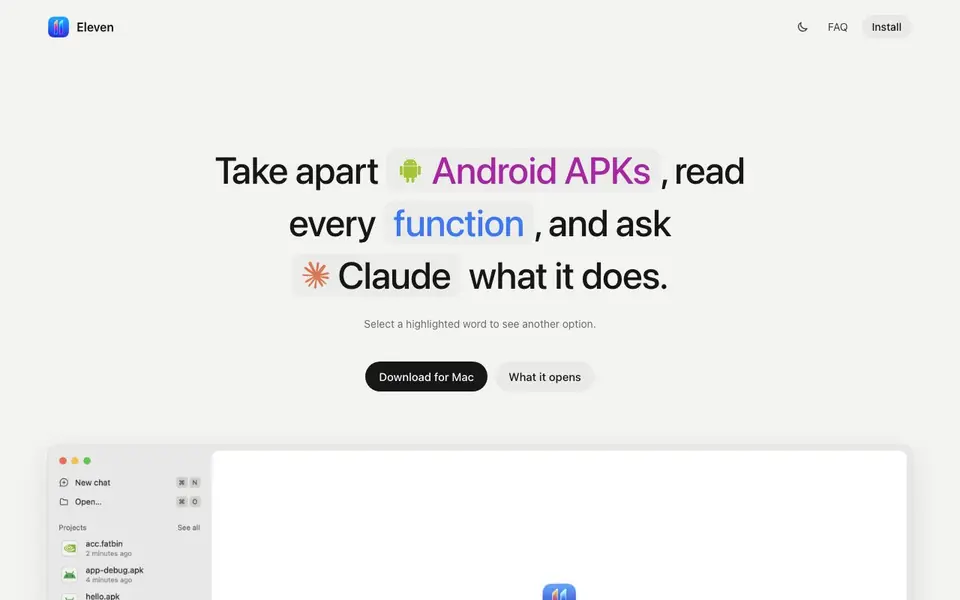
Eleven is a desktop app for Mac, Windows, and Linux that helps you take apart software and understand what it does. You drop an app or binary onto the window, and it opens as a project with readable code, notes, and your AI agent side by side. It works with agents you already use, like Claude, Codex, Gemini, Cursor, OpenCode, and Aster, through the Agent Client Protocol.
You can point at exact functions, search with @ to find any function or string, and select lines to ask questions with ⌘L. The agent can rename functions, leave notes, suggest patches, and you approve or decline its edits. Eleven shows pseudocode, assembly, control-flow graphs, and hex views from Ghidra or Rizin, plus references, safe patching, a debugger, and build comparisons.
It opens Android APKs as Java, GPU kernels as PTX, and supports Mach-O, ELF, PE, shaders, and ML models. Everything runs locally, and your agent's reads go to its provider. It suits security researchers, developers checking dependencies, and anyone curious how an app works. You need an agent subscription to use the AI features, but reading and patching work without one.
eleven features
- Decompilation: Android apps open as readable Java or Kotlin with jadx, plus Dalvik bytecode.
- Agent integration: Works with any agent speaking the Agent Client Protocol, including Claude and Codex.
- Function views: See pseudocode, assembly, control-flow graph, and hex for every function.
- Safe patching: Byte patches are written to a copy in Downloads, never the original file.
- History and undo: Every rename, note, and patch is logged and reversible with ⌘Z.
What you can do with eleven
- Reverse engineer an Android APK to understand its functions.
- Check a dependency's code for security issues before using it.
- Ask an AI agent to explain a specific function in a binary.
- Compare two builds to see what changed between versions.
How to get started with eleven
- Download and install Eleven on your Mac, Windows, or Linux machine.
- Drop an app or binary onto the window, or ask about one by name.
- Sign in to your AI agent, then start asking questions and exploring code.
Tips for better results with eleven
- Start by dropping a small binary or APK onto Eleven to learn the interface, then move to larger files once you are comfortable with the workflow.
- Use the @ search in Eleven to jump directly to any function or string, which saves time when exploring unfamiliar codebases.
- Select lines in pseudocode or assembly and press ⌘L to ask your agent about them, keeping the answer right under the code for quick context.
- When patching with Eleven, always review the suggested edits carefully and use the history log to undo any change you are unsure about.
eleven pricing
eleven’s homepage does not list prices. Check eleven.chizi.app for current plans.
What to check before you rely on eleven
- Check that your AI agent subscription is active, since Eleven's AI features require one, though reading and patching work without it.
- Verify that your operating system is supported—Eleven runs on Mac, Windows, and Linux, but confirm your specific version before installing.
- Note that the pricing for Eleven is not listed on the website, so contact the developer or check the app store for current costs before committing.
Who eleven is for
eleven suits security researchers, developers and curious users. If that is not you, the AI coding tools below may fit better.
Similar tools compared with eleven
| Tool | What it is | Pricing |
|---|---|---|
| eleven | Agent-first reverse engineering tool | See website |
| Tabnine | Agentic quality engineering platform for AI code | See website |
| CodeRabbit | AI pull request reviewer and prioritizer | Free trial |
| Cursor | AI coding agent for ambitious software | See website |
| Claude Code | AI coding agent for terminal and IDE | Paid |
eleven FAQ
Who is Eleven for?
Anyone who needs to know what a program really does: security researchers, developers checking a dependency, and people curious how an app works.
Do I need to install anything else?
No, Eleven brings its own fast engine, so the first file opens right away. Java and Ghidra download in the background on first launch. The only step is signing in to your agent.
Which agents work with it?
Any agent that speaks the Agent Client Protocol, including Claude, Codex, Gemini, Cursor, OpenCode, and Aster. Eleven finds the ones already on your computer.
Does it change the files I open?
No. Renames, notes, and code types live in the project, and byte patches are written to a new copy in Downloads. Your original files stay untouched.
What file formats can Eleven open?
Eleven opens Mach-O, ELF, PE, Android APKs (as Java via jadx), GPU kernels (PTX), shaders, and ML models like.gguf,.safetensors,.onnx, and.pt. It also supports.metallib,.air, and.spv. The website lists these formats, so check it for any updates.
Does Eleven work on Linux?
Yes, Eleven is a desktop app for Mac, Windows, and Linux. The website confirms these platforms. You can download it for Mac, and it supports Linux and Windows as well. No additional installation is needed beyond signing in.
Can I use Eleven without an AI agent subscription?
Yes, you can read and patch files without an agent subscription. The AI features require an agent you already use, like Claude or Codex, and that agent's subscription. The website says reading and patching work without one, but you need to sign in to use Eleven.


