

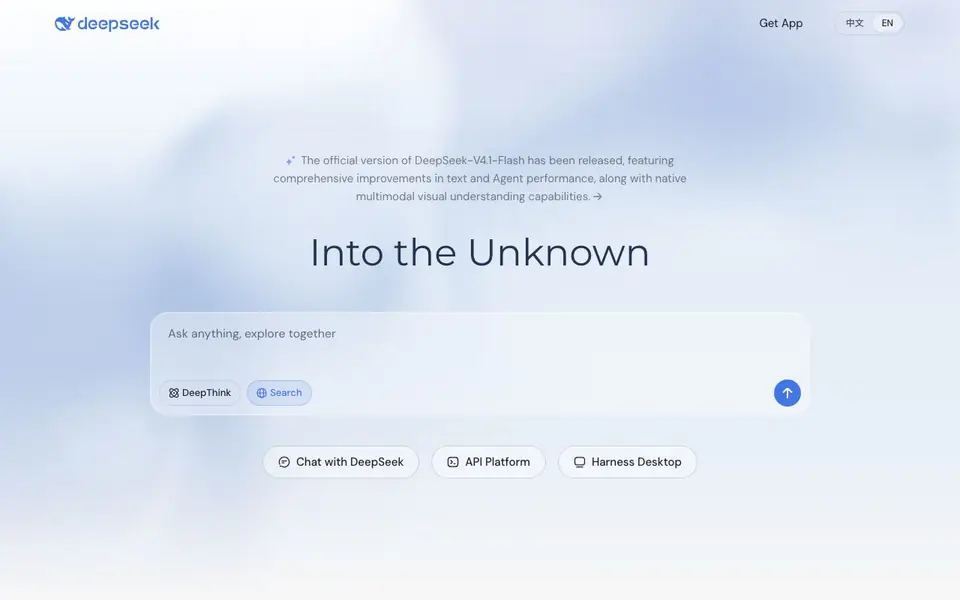
What is DeepSeek?
DeepSeek is an AI research company that builds and open-sources large language models. You can chat with models like DeepSeek-V4.1-Flash directly on the web or through the mobile app. The latest version adds native multimodal visual understanding, so it can process images alongside text.
To get started, you can use the DeepSeek Web interface or download the app by scanning a QR code. For developers, the API Platform lets you integrate DeepSeek models into your own applications. There is also a desktop tool called DeepSeek Harness for a more dedicated workspace.
DeepSeek suits anyone who wants a capable AI assistant for conversation, research, or coding help. Developers can benefit from the open-source models and API access. The website does not state specific pricing details for the chat or API, so you would need to check the API pricing page for costs.
DeepSeek features
- DeepThink: Engages in deeper reasoning to tackle complex questions step by step.
- Search: Lets you combine chat with web search for up-to-date answers.
- Multimodal understanding: Processes images natively in the latest V4.1-Flash model.
- API Platform: Gives developers a way to build apps on DeepSeek models.
- Open-source models: Provides frontier LLMs you can download and run yourself.
What you can do with DeepSeek
- Chat with an AI assistant for everyday questions and tasks.
- Integrate DeepSeek models into your own software via the API.
- Use DeepThink for detailed reasoning on complex problems.
- Search the web while chatting to get current information.
How to get started with DeepSeek
- Go to the DeepSeek website and open the Web chat interface.
- Type a question or prompt and use DeepThink or Search as needed.
- For app use, scan the QR code to download the mobile app.
Tips for better results with DeepSeek
- Enable DeepThink for complex questions that need step-by-step reasoning, and keep it off for simple queries to get faster responses.
- Use the Search feature in DeepSeek when you need current information, since the model alone may not know recent events.
- Attach images to your chat in DeepSeek V4.1-Flash to leverage its multimodal understanding for tasks like analyzing charts or screenshots.
- For coding help, describe your problem with specific error messages or code snippets so DeepSeek can give more targeted solutions.
DeepSeek pricing
DeepSeek’s homepage does not list prices. Check deepseek.com for current plans.
What to check before you rely on DeepSeek
- Check the API pricing page before committing, as the website does not state costs for chat or API usage.
- Verify your plan limits for message volume or API calls, since the site does not list any usage caps.
- Review the privacy policy to understand how your chat data and uploaded images are handled, as this is not detailed on the main page.
Who DeepSeek is for
DeepSeek suits general users, developers and researchers. If that is not you, the AI chatbots below may fit better.
Similar tools compared with DeepSeek
| Tool | What it is | Pricing |
|---|---|---|
| DeepSeek | AI chat and open-source model platform | See website |
| SiChatApp | Free browser chat with multiple AI models | Freemium |
| ChatGPT | AI chatbot for chat, work, and creation | Freemium |
| Gemini | AI assistant for chat and tasks | Freemium |
| Kimi | AI assistant for coding and knowledge work | See website |
DeepSeek FAQ
What can I do with DeepSeek?
You can chat with the AI for answers, use DeepThink for deeper reasoning, and search the web within conversations. The latest model also understands images, so you can ask questions about visual content.
Is DeepSeek free to use?
The website does not state whether the chat is free or paid. For API usage, there is a dedicated pricing page, but the exact costs are not listed on the homepage.
Who is DeepSeek for?
It is for anyone who wants a capable AI assistant, from casual users asking questions to developers who want to integrate the models into their own applications or run open-source versions.
Can I use DeepSeek on my phone?
Yes. The website shows a QR code to scan to get the DeepSeek app, so you can chat on mobile. There is also a desktop tool called DeepSeek Harness.
Does DeepSeek have a desktop app for Windows or Mac?
DeepSeek offers a desktop tool called DeepSeek Harness for a dedicated workspace. The website does not specify which operating systems it supports, so check the Downloads section on deepseek.com to see if it is available for Windows, Mac, or both.
Can I use DeepSeek without creating an account?
The DeepSeek website does not state whether an account is required to use the web interface or mobile app. To find out, you can try starting a chat on deepseek.com or check the app's sign-in process after downloading it.
What can DeepSeek export or connect to, like Google Drive or Notion?
The DeepSeek website does not mention any export options or integrations with external services like Google Drive or Notion. For details on what you can export or connect, check the API Docs or contact support through the website.


