

What is Altered Studio?
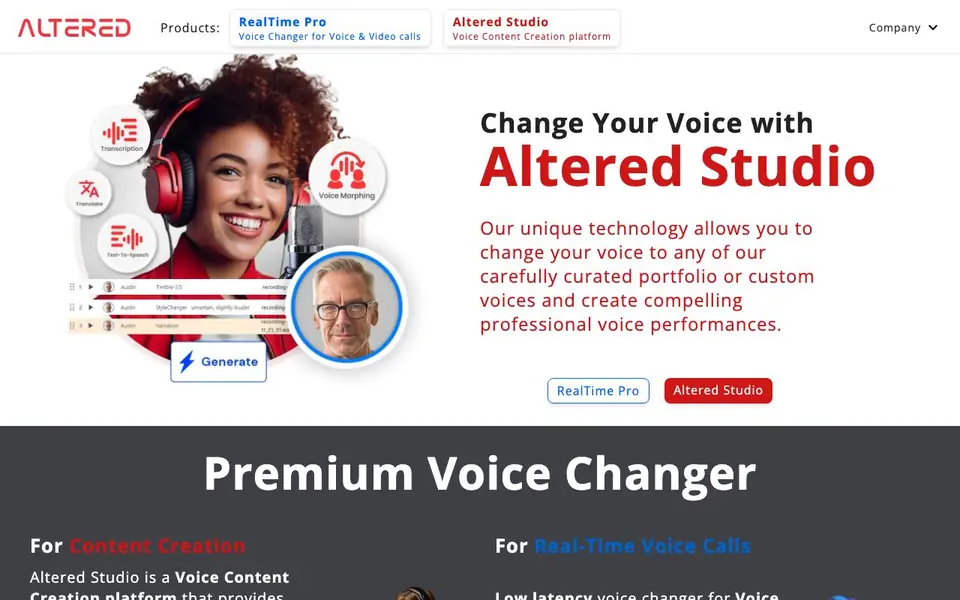
Altered Studio is a voice content creation platform. It combines several voice AI technologies into one app for media production. You can morph your voice, clone voices, edit voice recordings, and use natural text-to-speech. A separate product, RealTime Pro, handles live voice changing for calls and gaming.
For media production, you use Altered Studio to change voices in audio and video files. The Voice Editor mixes classic effects with AI tools. You can clean recordings by removing background noise, fillers, and mouth artifacts. Voice cloning starts from just a few seconds of audio. Text-to-speech voices sound human-like.
For real-time use, RealTime Pro changes your voice during voice or video calls with low latency. It works on 1-4 CPU cores. Features include Voice Skins for gamers, accent translation for call centers, and Euphonia for voice restoration. The website says you can try Altered Studio for free, but does not state full pricing details.
Altered Studio features
- Speech-to-Speech Morphing: Change your voice into curated or custom voices while keeping your delivery's tempo and inflection.
- Voice Editor: Edit voice inside audio and video files using both traditional DSP effects and modern AI tools.
- Voice Cloning: Replicate a person's voice from just a few seconds of recordings for personalized, human-like voices.
- Prime Text-to-Speech: Generate natural, engaging narration that sounds like a real human, not robotic.
- AI Voice Cleaning: Remove background noises, voice fillers, and mouth artifacts, and optimize dialogue pacing in recordings.
What you can do with Altered Studio
- Create voiceovers for videos and podcasts with cloned or morphed voices.
- Change your accent to American or British during professional calls for clearer communication.
- Use Voice Skins to immerse yourself in gaming or AR/VR avatars with a changed voice.
- Restore your voice during calls if you have dysphonia or voice disfluencies.
How to get started with Altered Studio
- Download Altered Studio or Altered RealTime Pro from the website.
- Choose a voice from the curated portfolio or create a custom clone.
- Apply the voice to your recordings or live calls, then refine with the Voice Editor if needed.
Tips for better results with Altered Studio
- Start with a few seconds of clean, dry audio for voice cloning in Altered Studio to get the most accurate replica before applying it to longer recordings.
- Use Altered Studio's Voice Editor to remove background noise and fillers first, then morph the cleaned track so the AI has a clearer signal to work with.
- For media production, record your base performance with consistent tempo and inflection, since Altered Studio preserves your delivery style during speech-to-speech morphing.
- Test Altered Studio on a short clip with your target voice and compare the output against your original to fine-tune settings before committing to a full project.
Altered Studio pricing
Altered Studio has a free way to start, with paid plans for heavier use. Check altered.ai for current limits and prices.
What to check before you rely on Altered Studio
- Confirm your plan's usage limits for voice cloning and text-to-speech, since the website labels Altered Studio as freemium but does not state specific quotas or pricing tiers.
- Check whether the free version of Altered Studio includes commercial rights for your voiceovers, as the website does not specify licensing terms for generated content.
- Verify that your computer meets the hardware requirements for Altered Studio, especially if you plan to use high-quality morphing, since the site notes media production may need high-end GPUs.
Who Altered Studio is for
Altered Studio suits content creators, gamers, call center agents and people with voice conditions. If that is not you, the AI voice generators below may fit better.
Similar tools compared with Altered Studio
| Tool | What it is | Pricing |
|---|---|---|
| Altered Studio | AI voice changer and content creation platform | Freemium |
| ElevenLabs | AI voice generator and voice agents platform | Freemium |
| Murf | AI voice and conversational agent platform | See website |
| Resemble AI | AI deepfake detection and watermarking platform | See website |
| Speechify | AI text-to-speech and voice assistant | Freemium |
Altered Studio FAQ
What is the difference between Altered Studio and RealTime Pro?
Altered Studio is for media production, offering high-quality voice morphing and editing after recording. RealTime Pro is for live calls and gaming, prioritizing low latency and using only 1-4 CPU cores for instant transformations.
Can I clone any voice with Altered Studio?
Yes, Altered Studio lets you replicate a person's voice starting from just a few seconds of recordings. You can also request custom voice cloning services for specific voices like actors or family members.
Is Altered Studio free?
The website says you can try Altered Studio for free, but it does not specify whether there is a paid plan or what features are limited in the free version. Check the download page for details.
Does RealTime Pro work on any computer?
RealTime Pro uses only 1-4 CPU cores for voice transformation, but it requires an 8+ core CPU machine. The website does not list specific operating system or hardware requirements beyond that.
What audio and video formats can Altered Studio export?
Altered Studio's website does not list specific export formats. You can edit voice inside audio and video files, but for exact export options, check the app's documentation or contact support. The site focuses on features like voice morphing and cleaning, not on file format details.
Does Altered Studio run on Mac, Windows, or both?
The Altered Studio website does not specify which operating systems it supports. It is a downloadable application, but platform compatibility is not mentioned. To find out if it works on your system, check the download page or system requirements before installing.
What does the free plan of Altered Studio include?
The website says you can try Altered Studio for free, but it does not detail what the free plan includes, such as usage limits or feature restrictions. For specifics on the free tier, visit the pricing page or contact the Altered Studio team directly.


