

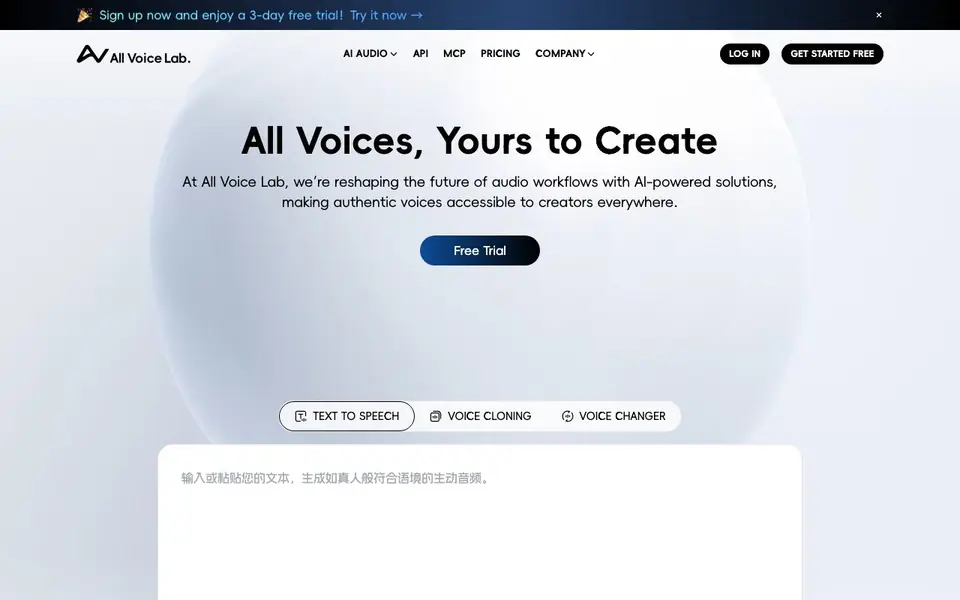
What is All Voice Lab?
All Voice Lab is an AI audio platform that turns text into lifelike speech, clones voices, changes voices, and translates videos. It is built for creators who need authentic, expressive audio for books, videos, and global content. The platform offers a large voice library you can filter by language and gender, or you can clone your own voice for a personal touch.
To get started, you sign up for a free trial and pick a tool like text to speech, voice cloning, or voice changer. You type your text, choose a voice, and generate audio. The technology reads sentiment in your text and adjusts tone, rhythm, and pitch in real time, so the speech sounds natural and emotionally expressive. You can also control speech duration and speed for precise results.
All Voice Lab supports 33 major languages, including English, French, German, Chinese, Japanese, and Korean, with consistent tone across languages. It suits audiobook narrators, video creators, and businesses localizing content. The platform also offers an API and MCP server for integrating voice AI into your own workflows. The website mentions a 3-day free trial and a proprietary model called MaskGCT that performs well on TTS benchmarks.
All Voice Lab features
- Emotionally expressive TTS: Adjusts tone, rhythm, and pitch in real time based on text sentiment for natural speech.
- Voice cloning: Clone your own voice for a personalized touch across your projects.
- Multilingual support: Generate audio in 33 major languages with consistent tone and style.
- Voice changer: Transform your voice for creative or professional use cases.
- API and MCP server: Integrate voice AI tools directly into your own applications and workflows.
What you can do with All Voice Lab
- Narrate your book with a realistic AI voice.
- Dub your video content into multiple languages for global audiences.
- Generate voiceovers for videos with emotionally expressive speech.
- Clone your voice to create consistent audio across projects.
How to get started with All Voice Lab
- Sign up for the 3-day free trial on the website.
- Choose a tool like text to speech, voice cloning, or voice changer.
- Enter your text, pick a voice, and generate your audio.
Tips for better results with All Voice Lab
- Start with the 3-day free trial and test the text to speech tool first, typing short sentences to hear how the emotion recognition adjusts tone and rhythm before committing to longer projects.
- Use All Voice Lab's voice cloning to create a consistent voice for your audiobook or video series, then apply that cloned voice across all your multilingual content to maintain brand identity.
- Experiment with the speech duration and speed controls in All Voice Lab to match your exact timing needs, especially for video dubbing where syncing with visuals is critical.
- For global projects, generate audio in one language first, then switch to other supported languages to check that the tone and style remain consistent, adjusting your text if the emotion feels off.
All Voice Lab pricing
All Voice Lab offers a free trial before you pay. Check allvoicelab.com for current plans.
What to check before you rely on All Voice Lab
- Confirm what happens after the 3-day free trial ends, since the website lists only a trial label and does not state any pricing plans or renewal costs.
- Check whether the free trial includes access to all features like voice cloning, video translation, and the API, as the website does not specify trial limitations.
- Verify the export formats and file quality options available for downloaded audio, since the website does not list supported formats or resolution settings.
- Review the privacy policy to understand how your cloned voice data is stored and used, as the website does not detail data handling for voice samples.
Who All Voice Lab is for
All Voice Lab suits creators, video producers, audiobook narrators and businesses localizing content. If that is not you, the AI voice generators below may fit better.
Similar tools compared with All Voice Lab
| Tool | What it is | Pricing |
|---|---|---|
| All Voice Lab | AI voice cloning and text-to-speech platform | Free trial |
| ElevenLabs | AI voice generator and voice agents platform | Freemium |
| Murf | AI voice and conversational agent platform | See website |
| Resemble AI | AI deepfake detection and watermarking platform | See website |
| Speechify | AI text-to-speech and voice assistant | Freemium |
All Voice Lab FAQ
What does All Voice Lab do?
It is an AI audio platform for text-to-speech, voice cloning, voice changing, and video translation. You can create realistic voiceovers, clone your own voice, and adapt content across 33 languages.
Is there a free trial?
Yes, the website says you can sign up now and enjoy a 3-day free trial. After that, you would need to check the pricing page for paid plans.
Who is All Voice Lab for?
It is for creators, video producers, audiobook narrators, and businesses that need authentic voice audio. It also suits developers who want to integrate voice AI through the API or MCP server.
What languages does it support?
It supports 33 major languages, including English, French, German, Chinese, Japanese, and Korean. The website says more languages are coming soon.
Can All Voice Lab export audio files in formats like MP3 or WAV?
The All Voice Lab website does not mention specific export formats. To find out what audio formats you can download, check the tool's interface after you start your free trial or contact their support team. The site focuses on generation features rather than file output details.
Does All Voice Lab work on mobile devices or only in a web browser?
All Voice Lab's website does not specify whether it has mobile apps or works on tablets. It appears to be a web-based platform, so you can likely access it through a browser on any device. For confirmation about mobile support, check their blog or contact support directly.
What does the 3-day free trial of All Voice Lab include?
The All Voice Lab website mentions a 3-day free trial but does not list specific limits, such as the number of characters you can generate or which features are included. To know exactly what the trial covers, sign up and explore the tools, or reach out to their team for details.


