

What is AIKON?
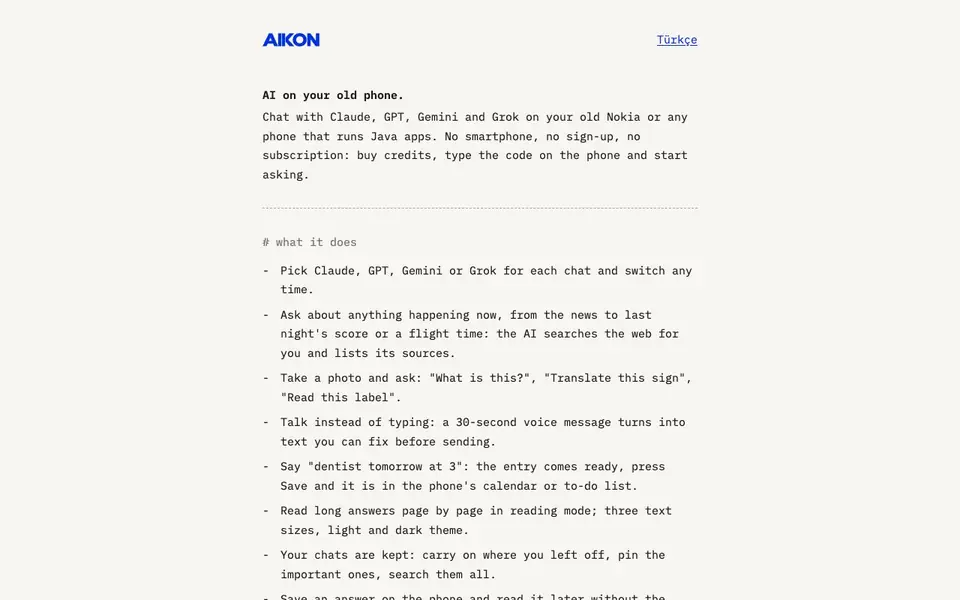
AIKON brings modern AI chat to old phones that run Java apps, like Nokia Series 40 and S60 models. You can pick Claude, GPT, Gemini or Grok for each conversation and switch anytime. No smartphone, sign-up or subscription is needed — you buy credits, type a code on the phone and start asking.
To use it, you buy a credit pack and receive a 16-digit code. On the phone's browser, you open m.aikonchat.com, save the security certificate once, install the AIKON app, and type in the code. Then you can ask about current events with web search, send photos for analysis, record voice messages that become text, and save calendar entries by voice.
AIKON suits people who prefer or need to use older phones. It supports reading long answers page by page, saving chats offline, and translating or simplifying answers. The app is in English or Turkish, and you can ask in any language. Photos and voice messages require a phone with a camera and voice recording. Credits are used per message length and model; failed requests cost nothing.
AIKON features
- Multiple models: Choose Claude, GPT, Gemini or Grok for each chat and switch anytime.
- Web search: Ask about current news, scores, or flight times and get sources listed.
- Photo analysis: Take a photo and ask what it is, translate a sign, or read a label.
- Voice messages: Record a 30-second voice message that turns into editable text.
- Offline reading: Save answers on the phone and read them later without internet.
What you can do with AIKON
- Ask for today's news and get sources on your old Nokia.
- Translate a street sign by taking a photo with your phone.
- Dictate a reminder like 'dentist tomorrow at 3' and save it to the calendar.
- Read long answers page by page in reading mode with adjustable text size.
How to get started with AIKON
- Buy a credit pack on the AIKON website and get a 16-digit code.
- On your phone's browser, open m.aikonchat.com and save the security certificate when prompted.
- Install AIKON, type in the code, and start chatting with your chosen AI model.
Tips for better results with AIKON
- Choose the cheapest model like GPT-6 Luna for short everyday questions to stretch your credits, and switch to Claude or GPT for complex tasks that need deeper reasoning.
- Use AIKON's web search for time-sensitive queries like news or scores, and verify the listed sources yourself since the AI can summarize inaccurately.
- Before sending a voice message, speak clearly and keep it under 30 seconds, then review the transcribed text on screen to fix errors before you send it.
- Save important answers offline with AIKON's reading mode so you can access them without internet, and pin chats you want to return to later for quick reference.
- Test AIKON with a short, low-cost message first to confirm your phone's certificate and app installation work before buying a larger credit pack.
- When translating a sign or label, hold the camera steady and frame the text fully in the photo to improve AIKON's photo analysis accuracy.
AIKON pricing
AIKON is a paid product. Check aikonchat.com for current plans and whether a demo or trial is offered.
What to check before you rely on AIKON
- Check the credit cost per message for the model you plan to use, since long chats, photos, and web search cost more than the listed base rates.
- Confirm your phone supports Java ME (MIDP 2.0) and HTTPS, and that it has a camera and voice recording if you need those features.
- Note that the website does not state how credits expire, refund policies beyond sales terms, or whether offline saved answers are exportable to other formats.
- Verify the security certificate fingerprint on your phone matches the one listed, to avoid connecting to an unofficial or compromised server.
- Check whether your phone's browser can handle the m.aikonchat.com page and certificate prompt, as older Java browsers may have limitations not listed.
Who AIKON is for
AIKON suits Nokia phone users, feature phone owners and people avoiding smartphones. If that is not you, the AI chatbots below may fit better.
Similar tools compared with AIKON
| Tool | What it is | Pricing |
|---|---|---|
| AIKON | AI chat for old Nokia phones | Paid |
| SiChatApp | Free browser chat with multiple AI models | Freemium |
| ChatGPT | AI chatbot for chat, work, and creation | Freemium |
| Gemini | AI assistant for chat and tasks | Freemium |
| Kimi | AI assistant for coding and knowledge work | See website |
AIKON FAQ
What phones does AIKON work on?
AIKON works on phones that run Java ME (MIDP 2.0) and support HTTPS. The site says it's tested on Nokia Series 40 and S60 phones, and it's made for old Nokia or any Java-capable phone.
How much does AIKON cost?
AIKON is not free; you buy credit packs. The site lists 5,000 credits for 4.99 USD, 11,000 for 9.99 USD, and 24,000 for 19.99 USD. Credits are used based on message length and the model you choose.
Can I use web search and photos with AIKON?
Yes. You can ask about current events and the AI searches the web and lists sources. You can also take a photo and ask questions about it, like 'What is this?' or 'Translate this sign'. Photos need a phone with a camera.
Do I need to sign up or subscribe?
No. The site says there's no sign-up and no subscription. You just buy credits, get a code, and type it on the phone. Your chats are kept on the phone, and you can pin or search them.
Can AIKON export or share chats to another device?
The AIKON website does not mention exporting or sharing chats to another device. It does say your chats are kept on the phone and can be read offline. For details on transferring data, check the app's menu or contact support at support@aikonchat.com.
Does AIKON work on any phone or only on Nokia models?
AIKON is made for phones that run Java ME (MIDP 2.0) with HTTPS, and it is tested on Nokia Series 40 and S60 phones. The website does not list other specific models. If you have a different Java phone, you can try opening m.aikonchat.com in its browser to see if it works.
What does the AIKON free plan include?
AIKON does not have a free plan. You buy a credit pack, starting at 4.99 USD for 5,000 credits, and receive a 16-digit code to activate the app. The website does not mention any free trial or free credits, so you need to purchase a pack to use it.


