

What is AIdeaFlow Podcast?
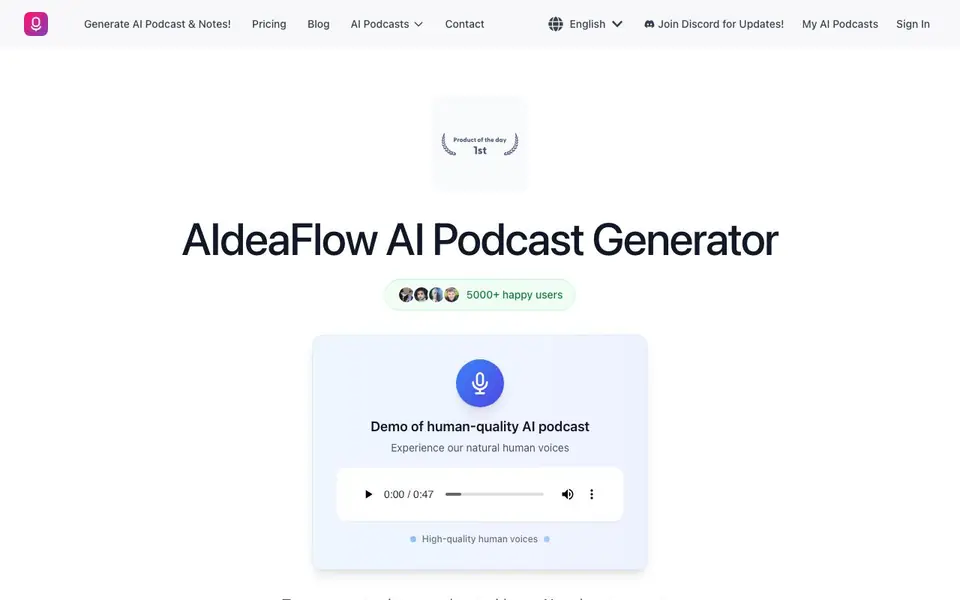
AIdeaFlow AI Podcast Generator is a tool that transforms written content into audio podcasts. It uses AI to create natural conversations between hosts, with over 120 lifelike voices across 50+ languages. You can generate professional-sounding podcasts in seconds, making it useful for students, professionals, and content creators.
To use it, you provide your text—like lecture notes, blog posts, or reports. The tool then processes the content, handles structure and pacing, and generates audio automatically. You can customize voice speed, emotional tone, background music, and add intros or outros. There are multiple AI models, from standard to premium quality.
The tool also offers voice cloning, so you can create podcasts that sound like you. It includes analytics to track performance and engagement. It suits educators, marketers, and busy professionals who want to turn written material into engaging audio for learning or commuting.
AIdeaFlow Podcast features
- 120+ Natural AI Voices: Choose from a wide range of lifelike voices across multiple languages for realistic conversations.
- Instant Generation: Create professional AI podcasts in seconds with automatic structure, pacing, and audio optimization.
- Global Language Support: Produce podcasts in 50+ languages with authentic pronunciation and cultural nuances.
- Full Customization: Control voice speed, emotional tone, background music, and custom intros or outros to match your brand.
- AI Voice Cloning: Clone your own voice to create personalized podcasts that sound exactly like you.
What you can do with AIdeaFlow Podcast
- Convert lecture notes into interactive podcast discussions for revision.
- Turn blog posts into engaging audio content for your audience.
- Transform industry reports into podcasts to stay updated while commuting.
- Create brand stories and product narratives with natural AI voiceovers.
How to get started with AIdeaFlow Podcast
- Sign in to your AIdeaFlow account on the website.
- Input your text or notes into the generator.
- Choose your AI voices, language, and customization options.
- Generate your podcast and download or share the audio.
Tips for better results with AIdeaFlow Podcast
- Start with concise, well-structured text like bullet points or short paragraphs to help AIdeaFlow create clearer, more natural podcast conversations without rambling.
- Experiment with different AI models in AIdeaFlow, from standard to premium, to find the quality and speed that best fits your content and production needs.
- Use AIdeaFlow's customization options to adjust voice speed, emotional tone, and background music so the podcast matches your intended audience and brand style.
- Test voice cloning with a short, clear sample of your voice to ensure AIdeaFlow captures your tone accurately before generating longer episodes.
AIdeaFlow Podcast pricing
AIdeaFlow Podcast’s homepage does not list prices. Check aideaflowpodcast.com for current plans.
What to check before you rely on AIdeaFlow Podcast
- Check if your plan includes the specific AI models and voice cloning features you need, since the website does not list pricing or plan limits.
- Verify the export formats and audio quality available for downloads, as the website does not specify which file types you can save.
- Review the privacy policy to confirm how your uploaded text and cloned voice data are stored and used, since this is not stated on the site.
Who AIdeaFlow Podcast is for
AIdeaFlow Podcast suits students, content creators, teachers and business professionals. If that is not you, the AI voice generators below may fit better.
Similar tools compared with AIdeaFlow Podcast
| Tool | What it is | Pricing |
|---|---|---|
| AIdeaFlow Podcast | AI podcast generator from text | See website |
| ElevenLabs | AI voice generator and voice agents platform | Freemium |
| Murf | AI voice and conversational agent platform | See website |
| Resemble AI | AI deepfake detection and watermarking platform | See website |
| Speechify | AI text-to-speech and voice assistant | Freemium |
AIdeaFlow Podcast FAQ
What does AIdeaFlow AI Podcast Generator do?
It turns text like notes, articles, or reports into AI-generated podcast conversations. The tool uses natural-sounding voices and handles structure, pacing, and audio automatically, so you get a finished podcast in seconds.
How many voices and languages are available?
The website states there are over 120 lifelike AI voices and support for 50+ languages. You can choose voices with authentic pronunciation and cultural nuances for global content.
Can I customize the podcast output?
Yes. You can control voice speed, emotional tone, background music, and add custom intros or outros. There are also multiple AI models from standard to premium quality.
Is there a free plan or pricing details?
The website does not state pricing or free plan details. Check the Pricing page on the site for current plans and what each includes.
Can AIdeaFlow AI Podcast Generator export or integrate with other platforms?
The AIdeaFlow website does not mention specific export formats or integrations with other platforms. You can generate and manage your podcasts within the tool, but for details on exporting or connecting to external services, check the site's documentation or contact support.
Does AIdeaFlow AI Podcast Generator require an account to use?
Yes, to use AIdeaFlow AI Podcast Generator you need to sign in, as the website shows a 'Sign In' option and a 'My AI Podcasts' section. This suggests you must create an account to save and manage your generated podcasts. For full details, visit the sign-in page.
What devices or platforms does AIdeaFlow AI Podcast Generator run on?
The AIdeaFlow website does not specify which devices or platforms the tool supports. It appears to be a web-based service, so you likely can access it through a browser on any device. For confirmation, check the site's FAQ or contact support.


