

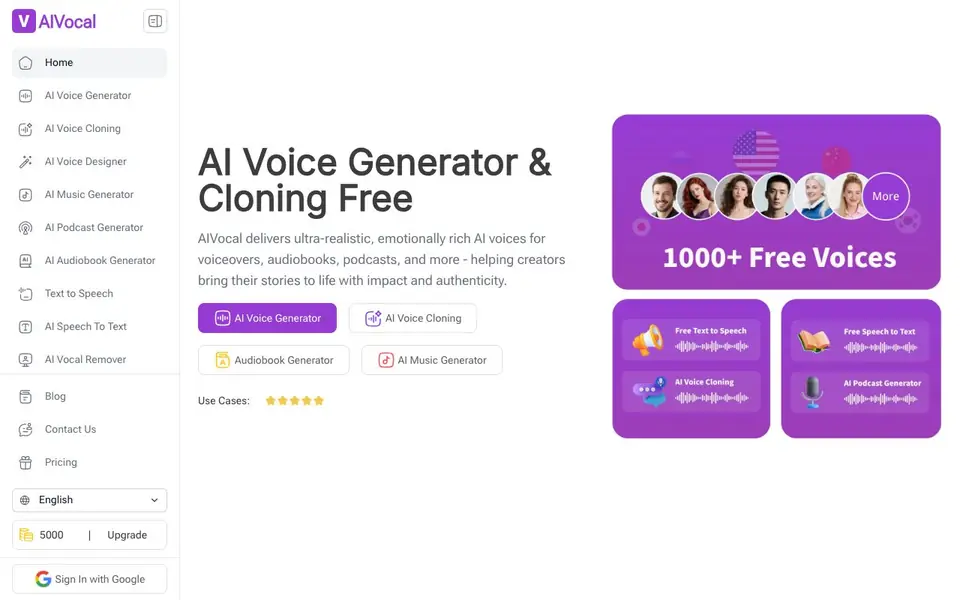
What is AI Voice Generator by AIVocal?
AIVocal is a free online platform that brings together many voice-related AI tools in one place. You can generate lifelike speech from text, clone voices, create podcasts and audiobooks, remove vocals from songs, and transcribe audio to text. It is built for creators, speakers, and professionals who work with audio regularly.
To get started, you pick a tool from the homepage, such as AI Voice Generator or AI Podcast Generator. You then enter your text or upload an audio file. The tool processes it and gives you the result, which you can download or export in formats like SRT and TXT for transcriptions. Many tools work without sign-up, and the platform supports over 140 languages with 900+ voices.
AIVocal suits podcasters, video creators, writers, and anyone needing quick voice tasks. The website highlights free access to most tools, though some features like voice cloning may require an account. It also offers mobile and desktop compatibility, so you can use it across devices.
AI Voice Generator by AIVocal features
- AI Voice Generator: Converts text to speech with 1000+ free voices across 24 languages, including mood and speech rate adjustments.
- AI Voice Cloning: Creates a digital copy of your voice for personalized voiceovers and content.
- AI Podcast Generator: Turns your notes into natural-sounding podcasts without recording or editing skills.
- MP3 to Text Converter: Transcribes audio files with 99.9% accuracy and supports one-click export to SRT and TXT.
- AI Vocal Remover: Isolates instrumental tracks or extracts vocals from any song, free and without sign-up.
What you can do with AI Voice Generator by AIVocal
- Generate voiceovers for videos and presentations using lifelike AI speech.
- Create audiobooks from written text for listening on the go.
- Transcribe meeting recordings or audio files into accurate text notes.
- Remove vocals from songs to create karaoke tracks or instrumental versions.
How to get started with AI Voice Generator by AIVocal
- Visit the AIVocal homepage and choose a tool like AI Voice Generator or AI Podcast Generator.
- Enter your text or upload an audio file, then adjust settings like voice, language, or mood.
- Generate your output and download it or export it in formats like SRT or TXT.
Tips for better results with AI Voice Generator by AIVocal
- Start with the AI Voice Generator for quick text-to-speech tasks, adjusting mood and speech rate to match your project's tone before exporting.
- Use the MP3 to Text Converter for meeting recordings, then export to SRT or TXT to save time on manual transcription and note-taking.
- For podcasts, feed AIVocal your raw notes and let the AI Podcast Generator structure them into a natural-sounding episode without editing skills.
- Test voice cloning with a short sample first, since it requires an account, and compare the cloned voice against your original for accuracy.
- Remove vocals from songs using the AI Vocal Remover without signing up, and check the instrumental track quality before using it in a project.
AI Voice Generator by AIVocal pricing
AI Voice Generator by AIVocal has a free way to start, with paid plans for heavier use. Check aivocal.io for current limits and prices.
What to check before you rely on AI Voice Generator by AIVocal
- Confirm whether the free tier covers the specific tool you need, since voice cloning may require an account and the site does not state all limits.
- Check the export formats for your task; transcriptions offer SRT and TXT, but other tools may not list their output options clearly.
- Verify the accuracy of transcriptions on your own audio, as the 99.9% claim may not hold for every file type or language.
- Review the privacy policy for uploaded audio, as the site does not state how your files are stored or used.
Who AI Voice Generator by AIVocal is for
AI Voice Generator by AIVocal suits podcasters, video creators, writers and content professionals. If that is not you, the AI voice generators below may fit better.
Similar tools compared with AI Voice Generator by AIVocal
| Tool | What it is | Pricing |
|---|---|---|
| AI Voice Generator by AIVocal | AI voice generator and cloning toolkit | Freemium |
| ElevenLabs | AI voice generator and voice agents platform | Freemium |
| Murf | AI voice and conversational agent platform | See website |
| Resemble AI | AI deepfake detection and watermarking platform | See website |
| Speechify | AI text-to-speech and voice assistant | Freemium |
AI Voice Generator by AIVocal FAQ
What can I do with AIVocal?
You can generate speech from text, clone voices, create podcasts and audiobooks, remove vocals from songs, and transcribe audio to text. It is an all-in-one voice toolkit for creators and professionals.
Is AIVocal good for podcasting?
Yes. The AI Podcast Generator turns your notes into natural-sounding podcasts without requiring recording or editing skills. It is designed specifically for podcast creation.
Can AIVocal transcribe live meetings or audio files?
Yes. The MP3 to Text Converter transcribes audio files with high accuracy and supports multiple languages. It also allows one-click export of SRT and TXT files, which is useful for meeting notes.
How much does AIVocal cost?
Most tools are free, including the AI Voice Generator, AI Vocal Remover, and MP3 to Text Converter. Some features may require an account or paid upgrade, but the website does not list specific pricing details.
Does AIVocal require an account to use its AI Voice Generator?
AIVocal's AI Voice Generator works without sign-up for many tools, as the website highlights free access to most features. However, some features like voice cloning may require an account. You can check the specific tool page on aivocal.io to see if sign-up is needed before you start.
What file formats can AIVocal's AI Voice Generator export or download?
AIVocal's AI Voice Generator lets you download or export your generated audio, and for transcriptions, it supports one-click export to SRT and TXT formats. The website does not list other export formats for audio files, so check the tool's interface on aivocal.io for the available options when you use it.
Can I use AIVocal's AI Voice Generator on mobile devices and desktop computers?
AIVocal is compatible with both mobile and desktop, so you can use its AI Voice Generator across devices. The website states this compatibility without specifying operating systems or app availability. You can access it through a web browser on your preferred device, and check aivocal.io for any platform-specific instructions.


