
What is agentplay?
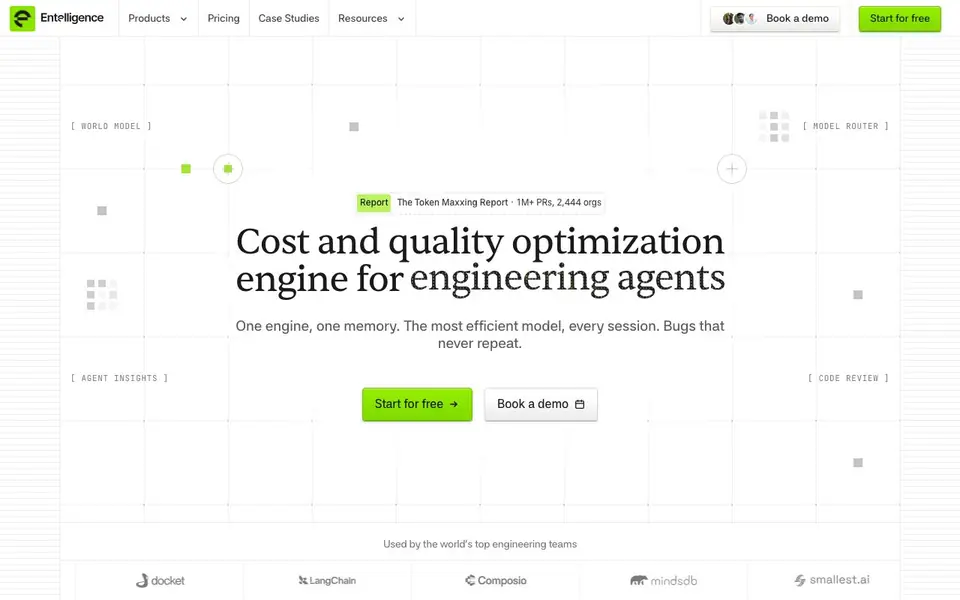
Entelligence is a cost and quality optimization engine for engineering teams that use AI coding agents. It sits between your agents and the models they call, routing every session to the model that meets your quality bar at the lowest cost. It also keeps a unified memory of your engineering stack, so context from sessions, PRs, deploys, and incidents accumulates instead of resetting each time.
You start by installing the Entelligence CLI and authenticating. Turn on the router, and it begins routing on your next session. The router escalates to a frontier model only when the work needs it, saving spend while holding quality. Agent Insights records every session in a graph, showing retry rates, token waste, and spend per engineer. Code Review uses the world model to catch bugs that match your team's past incidents.
The tool suits engineering teams that rely on coding agents and want to cut costs without sacrificing quality. The website mentions a free start and a demo booking, but does not detail specific pricing plans or limits. It also offers a CLI, a Q&A assistant called Ask Ellie, and a white paper on token usage.
agentplay features
- Model Router: Routes each session turn to the most efficient model that clears your quality floor.
- World Model: Builds a unified graph of sessions, PRs, deploys, and incidents for context.
- Code Review: Reviews every PR against your team's past bugs and review comments.
- Agent Insights: Attributes each session to its outcome, showing retry rates and token waste.
- Ledger: Tracks one row per session, including work, PR, landing status, and cost.
What you can do with agentplay
- Reduce AI coding agent spend by routing to cheaper models when quality holds.
- Catch potential incidents before merge with learned code review.
- Trace cost flow from a task through sessions and PRs to the project.
- Monitor per-engineer spend against merged PRs to find stalls.
How to get started with agentplay
- Install and authenticate the Entelligence CLI with a single curl command.
- Turn the router on with 'ellie router on' to start routing on your next session.
- Review Agent Insights and Code Review outputs in the dashboard.
Tips for better results with agentplay
- Install the Entelligence CLI and authenticate before your next coding session, then turn the router on so it starts routing immediately without extra setup steps.
- Use agentplay to replay your coding agent sessions and identify where the router escalated to a frontier model, so you can see if cheaper models would have held quality.
- Review Agent Insights dashboards weekly to spot retry rates and token waste per engineer, then adjust your quality floor to stop paying for unnecessary frontier model calls.
- Let the router start sessions on the cheapest model that clears your quality bar, and only escalate when needed, to cut spend while keeping output consistent.
agentplay pricing
agentplay has a free way to start, with paid plans for heavier use. Check entelligence.ai for current limits and prices.
What to check before you rely on agentplay
- Check the pricing page for plan limits and free tier caps, since the website mentions a free start but does not state specific usage limits or paid plan details.
- Verify that your coding agents and CLI workflows are compatible with Entelligence, as the site does not list supported agent platforms or integration requirements.
- Confirm how session data, PRs, and incidents are stored and whether your team's code context is kept private, because the website does not detail data retention or privacy policies.
Who agentplay is for
agentplay suits engineering teams, engineering managers and developer platform teams. If that is not you, the AI coding tools below may fit better.
Similar tools compared with agentplay
| Tool | What it is | Pricing |
|---|---|---|
| agentplay | AI cost and quality optimizer for engineering agents | Freemium |
| Tabnine | Agentic quality engineering platform for AI code | See website |
| CodeRabbit | AI pull request reviewer and prioritizer | Free trial |
| Cursor | AI coding agent for ambitious software | See website |
| Claude Code | AI coding agent for terminal and IDE | Paid |
agentplay FAQ
What does Entelligence do?
It optimizes cost and quality for AI coding agents. It routes each session to the most efficient model that meets your quality floor, reviews PRs against your team's incident history, and gives visibility into every agent run.
Is Entelligence free?
The website says 'Start for free' and offers a demo booking, but it does not specify whether there is a paid plan or what the free tier includes. Check the pricing page for details.
Who is Entelligence for?
It is for engineering teams that use AI coding agents and want to reduce spend while maintaining code quality. It suits teams that care about tracking agent behavior and preventing recurring bugs.
How does the Model Router work?
Every session starts on the model that clears your quality floor at the lowest spend. It escalates to a frontier model only when the work needs it, saving money on tasks that don't require top-tier models.
What does agentplay do in Entelligence?
agentplay is a feature in Entelligence that lets you replay your coding agent sessions. It is listed in the product menu as a new tool, but the website does not provide details on how it works or what you can do with the replays. Check the product docs or blog for more information.
Can I use agentplay without installing the Entelligence CLI?
The Entelligence website lists agentplay as a product feature, but it does not specify whether you need the CLI to use it. Since the CLI is described as the main way to interact with Entelligence, you likely need it, but the site does not confirm this. Check the docs or contact support for clarity.


