

What is AccuChats?
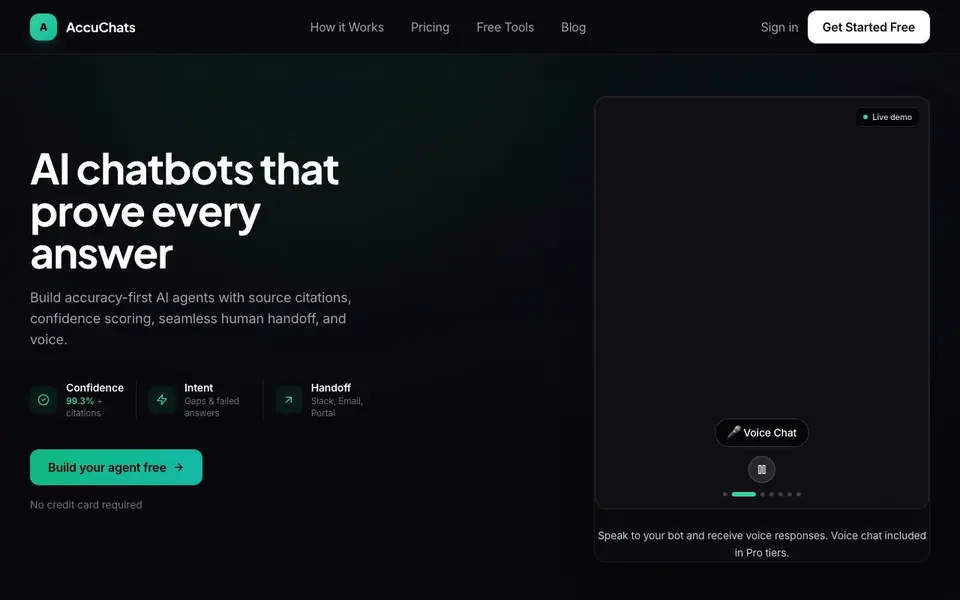
AccuChats is an AI chatbot platform focused on accuracy. Every answer your bot gives is verified and includes source citations, so customers can see where the information comes from. It also shows a confidence score for each response, flagging low-confidence answers before they reach your customers.
You start by training the bot on your content. Paste a URL or upload PDFs, and the AI processes them in minutes. Then you deploy the chatbot as a website widget, through an API, or in Slack with one line of code. When the bot is uncertain, it smoothly hands off the conversation to your team via Slack, email, or a portal.
AccuChats suits businesses that want trustworthy customer support without building from scratch. Setup takes about five minutes and needs no coding. The site mentions voice chat is included in Pro tiers, and there are free tools like a sitemap checker and AI chatbot audit that need no signup.
AccuChats features
- Guaranteed Accuracy: Every response is verified with confidence scoring, and wrong answers are flagged before they reach customers.
- Source Citations: Each answer links back to the exact document or page, so customers can verify the information themselves.
- Human Handoff: Low-confidence responses automatically transfer to Slack or email, avoiding dead ends in conversations.
- Voice Chat: Speak to your bot and receive voice responses, included in Pro tiers without a separate add-on.
- 5-Minute Setup: Paste your URL or upload PDFs, deploy the widget, and your chatbot is live with no coding required.
What you can do with AccuChats
- Train a demo bot on your website URL to see how AccuChats works without signing up.
- Deploy a widget on your site to answer customer questions with citations and confidence scores.
- Integrate the bot with Slack for internal support or team handoffs.
- Use intent analytics to spot gaps and failed answers in your customer queries.
How to get started with AccuChats
- Paste your website URL or upload PDFs to train the bot on your content.
- Choose a deployment option: website widget, API, or Slack.
- Monitor intent analytics and set up human handoff for low-confidence responses.
Tips for better results with AccuChats
- Train AccuChats on your most current URLs and PDFs first, then review the indexed pages to ensure the bot only answers from up-to-date content.
- Use AccuChats' confidence score as a filter: set a threshold for automatic handoff so low-confidence answers never reach customers without review.
- Test AccuChats with a live demo on your own website URL before committing, and ask edge-case questions to see how citations and handoff behave.
- Monitor AccuChats' intent analytics weekly to spot failed answers and gaps, then update your knowledge sources to close those holes.
AccuChats pricing
AccuChats has a free way to start, with paid plans for heavier use. Check accuchats.com for current limits and prices.
What to check before you rely on AccuChats
- Check which pricing tier you need: the website lists Starter, Business, and Enterprise, but does not state exact limits for messages or users per plan.
- Verify that your content is suitable for citation-based answers, since AccuChats relies on your uploaded PDFs and URLs for all source links.
- Confirm whether the free plan includes human handoff and voice chat, as the site only mentions voice for Pro tiers and does not specify free-tier features.
Who AccuChats is for
AccuChats suits customer support teams, business owners, developers and non-technical marketers. If that is not you, the AI chatbots below may fit better.
Similar tools compared with AccuChats
| Tool | What it is | Pricing |
|---|---|---|
| AccuChats | AI chatbot builder with verified answers | Freemium |
| SiChatApp | Free browser chat with multiple AI models | Freemium |
| ChatGPT | AI chatbot for chat, work, and creation | Freemium |
| Gemini | AI assistant for chat and tasks | Freemium |
| Kimi | AI assistant for coding and knowledge work | See website |
AccuChats FAQ
What does AccuChats do?
It builds AI chatbots that give verified answers with source citations and confidence scores. If the bot is unsure, it hands off to your team. You train it on your own content like URLs or PDFs.
Is there a free plan?
Yes, you can start for free with no credit card required. The site also offers free tools like a sitemap checker and AI chatbot audit that need no signup. Paid plans start at $39 per month.
Who is AccuChats for?
It's for businesses and teams that want accurate customer support chatbots. You don't need coding skills to set it up, but developers can use the API for custom integrations.
What can I connect AccuChats to?
The site lists Slack, email, WhatsApp, Notion, Stripe, and Zapier as tools it works with. You can also deploy it as a widget on your website or via a REST API.
Can AccuChats export chat transcripts or analytics data?
The AccuChats website does not mention exporting chat transcripts or analytics data. It shows an intent dashboard with gaps and failed answers, but there is no stated option to export that data. For details on data export, check the pricing page or contact their sales team through the site.
Does AccuChats run on mobile devices or only on desktop?
AccuChats is deployed as a website widget, via API, or in Slack, so it works wherever those platforms run, including on mobile browsers and apps. The website does not specify a dedicated mobile app for managing the bot. Check their documentation or support for platform-specific details.
What does the free plan of AccuChats include besides the demo?
The AccuChats website mentions you can build your agent free with no credit card required, and there are free tools like a sitemap checker and AI chatbot audit that need no signup. The free plan's exact limits, such as message volume or features, are not listed on the site. Check the pricing page for specifics.


