
What is Xavier AI?
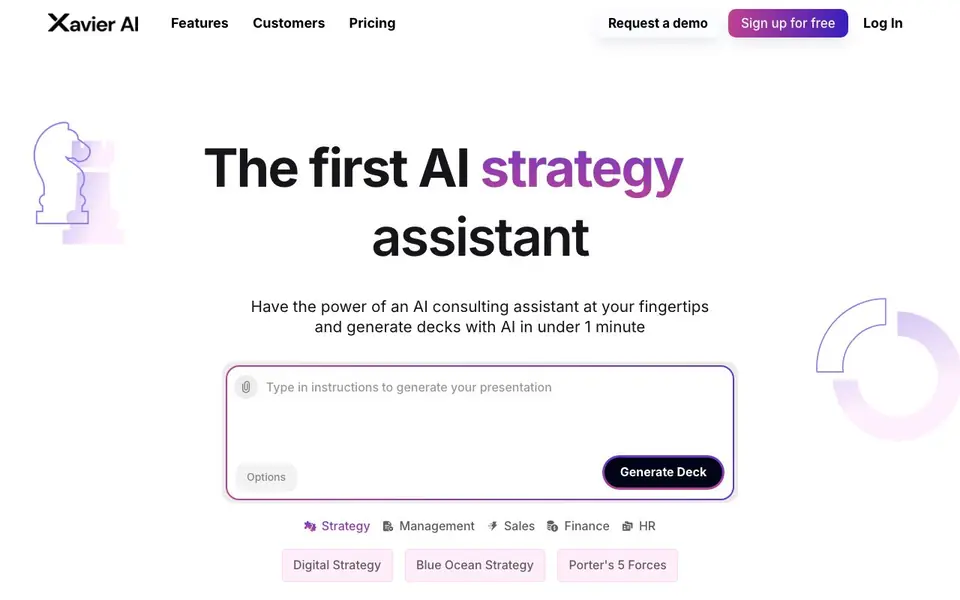
Xavier AI is an AI strategy assistant that builds complete strategy presentations for you. It covers areas like management, sales, finance, HR, and digital strategy, and can apply frameworks such as Blue Ocean Strategy and Porter's 5 Forces. You get a full deck from start to finish in about 30 seconds.
You start by picking a topic or framework, and the AI pulls information from trustworthy, easy-to-navigate sources. Each slide includes one-click provenance, so you can see where the facts come from. The tool adapts to your firm's branding and style with a single click, and you can export the final deck to PowerPoint.
The free plan gives you 50 AI slides per month with real verified sources and PowerPoint export. Paid plans add more slides, custom company templates, and options for self-serve or custom integration. It suits consultants, business leaders, and teams that need strategy decks quickly without starting from scratch.
Xavier AI features
- Strategy frameworks: Generates decks using models like Blue Ocean Strategy and Porter's 5 Forces.
- Verified sources: Pulls information from trustworthy sources with one-click provenance on each slide.
- Branding adaptation: Matches your firm's style and branding in one click.
- PowerPoint export: Lets you download your generated deck as a PowerPoint file.
- Custom templates: Paid plans include custom company templates and integration options.
What you can do with Xavier AI
- Create a management strategy deck for a board meeting in minutes.
- Generate a sales presentation with verified market data for a pitch.
- Build a finance overview deck using Porter's 5 Forces analysis.
- Adapt a digital strategy presentation to your company's branding instantly.
How to get started with Xavier AI
- Sign up for free on Xavier AI's website.
- Choose a strategy area or framework like management or Blue Ocean Strategy.
- Let the AI generate your deck, then export it to PowerPoint with verified sources.
Tips for better results with Xavier AI
- Pick a specific framework like Blue Ocean Strategy or Porter's 5 Forces before generating, so Xavier AI tailors the deck structure and content to that model rather than giving generic slides.
- Use Xavier AI's one-click provenance on every slide to verify the underlying sources, then replace or rephrase any data that doesn't match your internal numbers or context.
- Apply Xavier AI's branding adaptation after generating the deck, not before, so you can review the raw content first and then apply your firm's style without regenerating slides.
- Export your Xavier AI deck to PowerPoint early in your workflow, then edit the file directly for final touches, since the tool builds the full deck in about 30 seconds but may need manual adjustments.
- checks
Xavier AI pricing
Xavier AI has a free way to start, with paid plans for heavier use. Check xavier.ai for current limits and prices.
What to check before you rely on Xavier AI
- Check Xavier AI's free plan limit of 50 AI slides per month before starting a large project, since exceeding it requires upgrading to a paid plan, but the website doesn't state overage behavior.
- Verify that the sources Xavier AI cites are current and relevant to your industry, since the tool pulls from trustworthy sources but the website doesn't specify update frequency or coverage.
- Confirm that Xavier AI's PowerPoint export preserves all slide elements like charts and citations, as the website lists the feature but doesn't detail formatting fidelity or compatibility.
- checks
Who Xavier AI is for
Xavier AI suits consultants, business strategists, sales teams and executives. If that is not you, the AI presentation makers below may fit better.
Similar tools compared with Xavier AI
| Tool | What it is | Pricing |
|---|---|---|
| Xavier AI | AI strategy deck generator with verified sources | Freemium |
| Gamma | AI presentation, website, and document maker | Freemium |
| Beautiful.ai | AI presentation software for teams | See website |
| Pitch | Collaborative AI presentation workspace for teams | See website |
| Uizard | AI-powered UI design and prototyping tool | Freemium |
Xavier AI FAQ
What does Xavier AI do?
It creates strategy presentations for you using AI. You pick a topic or framework, and it generates a full deck with verified sources in about 30 seconds, which you can export to PowerPoint.
Is there a free plan?
Yes, the free plan gives you 50 AI slides per month, real verified sources with one-click provenance, and PowerPoint export. Paid plans start at $19 per month for more slides and custom templates.
Who is Xavier AI for?
It's for consultants, business leaders, and teams that need strategy decks quickly. It covers management, sales, finance, HR, and digital strategy, and supports popular frameworks like Porter's 5 Forces.
Can I use my company's branding?
Yes, Xavier AI adapts to your firm's branding and style in one click. Custom company templates are available on paid plans, including the Starter and Pro tiers.
Can Xavier AI export to formats other than PowerPoint?
The Xavier AI website mentions PowerPoint export as the available export option. It does not list other export formats like PDF or Google Slides. If you need a different format, check the website or contact their support to see if additional options are available.
Does Xavier AI run on mobile devices or only on desktop?
The Xavier AI website does not specify which devices or platforms the tool runs on. It is likely accessible through a web browser, but you should check the site or contact them directly to confirm whether mobile support is included.
What does the free plan of Xavier AI include exactly?
The free plan of Xavier AI gives you 50 AI slides per month, with real verified sources and one-click provenance on each slide. You also get PowerPoint export. It does not include custom company templates or Pro Data, which are part of paid plans.


