

What is AI PPT Maker?
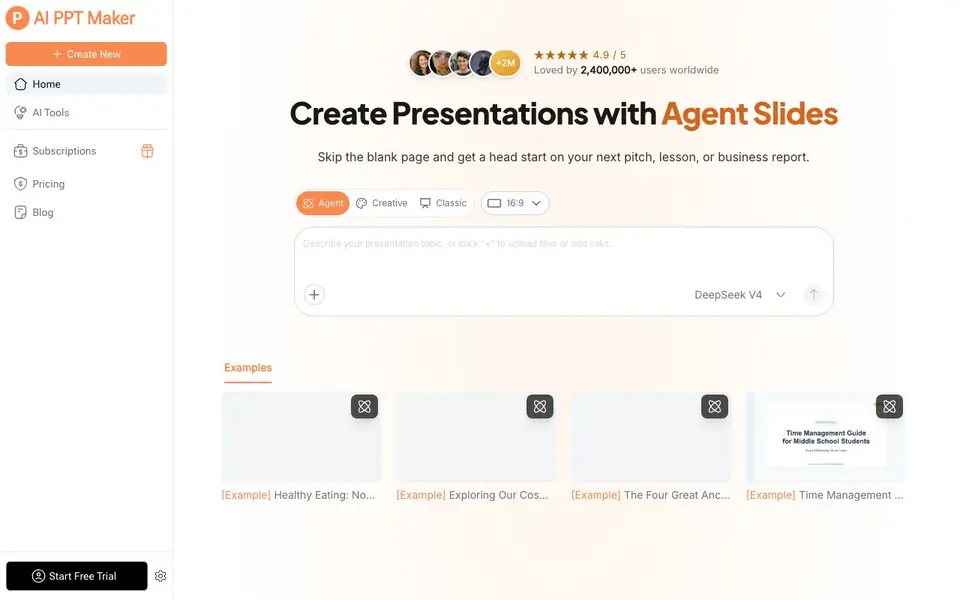
AI PPT Maker is a presentation tool that builds complete decks from a one-line prompt, a pasted outline, or an uploaded PDF, Word doc, or article. It handles structure, slide copy, charts, layout, and images automatically, so you skip the blank page and formatting work. The result is real, editable slides, not flat images, which you can refine in a visual editor.
You start by describing what you need or uploading your source material. The AI reads the context and, in about ten seconds, produces a structured outline with written slide copy, relevant charts, auto-arranged layouts, and matching images. Each slide also comes with speaker notes and a talk track. After generation, you can tweak any slide, switch the whole deck to a different style with one click, or apply a brand kit with your logo, fonts, and colors.
The tool suits people who need quick decks for pitches, lessons, or business reports. It supports 40+ languages for global audiences and exports to PPTX, PDF, or a shareable link that works with PowerPoint and Google Slides. The website highlights enterprise-grade security like AES-256 encryption, no training on your data, and regional data residency, but it does not list specific limits on free usage or plan details beyond a free trial option.
AI PPT Maker features
- One-prompt generation: Create a complete 10-20 slide deck from a single sentence, including narrative flow and section dividers.
- AI smart layout: Automatically balances text and visuals while unifying font sizes and colors across all slides.
- AI images and icons: Selects and places commercially licensed visuals and matching icon sets for you.
- Speaker notes and scripts: Adds a ready-to-read talk track to every slide so you can rehearse quickly.
- One-click restyle: Switches an entire deck to corporate, minimal, or tech-forward looks without changing the content.
What you can do with AI PPT Maker
- Create a marketing plan deck from a brief prompt in under a minute.
- Turn a PDF report into a structured business presentation with charts.
- Generate a lesson deck for middle school students on any topic.
- Restyle an existing pitch deck to match your company brand kit.
How to get started with AI PPT Maker
- Type a one-line prompt, paste an outline, or upload a PDF, Word doc, or article.
- Let the AI generate a structured outline, slide copy, charts, and images in about ten seconds.
- Polish slides in the visual editor, then export to PPTX, PDF, or a shareable link.
Tips for better results with AI PPT Maker
- Start with a detailed one-line prompt that includes your audience, key message, and desired tone so AI PPT Maker can generate a more relevant outline and slide copy.
- Upload a PDF, Word doc, or article instead of typing a prompt when you have existing content, and AI PPT Maker will extract the structure and charts for you.
- Use the one-click restyle feature after generating your deck to switch to a corporate, minimal, or tech-forward look without redoing your content.
- Review and edit the speaker notes AI PPT Maker adds to each slide, since they are generated automatically and may need adjustments for your actual presentation style.
AI PPT Maker pricing
AI PPT Maker has a free way to start, with paid plans for heavier use. Check aipptmaker.ai for current limits and prices.
What to check before you rely on AI PPT Maker
- Verify what the free plan includes, since the website does not list specific limits on usage or features beyond a free trial option.
- Check if your exported PPTX file opens correctly in your target software, as compatibility with PowerPoint and Google Slides is claimed but not guaranteed.
- Confirm the data residency and encryption details apply to your region, since the website mentions enterprise-grade security but does not specify all locations.
Who AI PPT Maker is for
AI PPT Maker suits business professionals, educators, marketers and students. If that is not you, the AI presentation makers below may fit better.
Similar tools compared with AI PPT Maker
| Tool | What it is | Pricing |
|---|---|---|
| AI PPT Maker | AI presentation maker with agent slides | Freemium |
| Gamma | AI presentation, website, and document maker | Freemium |
| Beautiful.ai | AI presentation software for teams | See website |
| Pitch | Collaborative AI presentation workspace for teams | See website |
| Uizard | AI-powered UI design and prototyping tool | Freemium |
AI PPT Maker FAQ
How does AI PPT Maker turn my idea into slides?
You describe what you need or upload a document. The AI reads the context and builds a structured outline with slide copy, charts, layout, and images in about ten seconds. You can then edit any slide in the visual editor.
Is there a free plan or trial?
The website mentions a free trial and a pricing page, but it does not state whether a permanent free plan exists. Check the Pricing section on their site for current plan details.
Can I use my own branding in the decks?
Yes. You can upload your logo, fonts, and hex colors into a brand kit. Every deck generated will automatically use those brand elements, so your slides stay on-brand.
What file formats can I export to?
You can export your deck to PPTX, PDF, or a shareable link. The site says the output is fully compatible with PowerPoint and Google Slides, and slides remain editable.
Does AI PPT Maker work on my phone or tablet?
The AI PPT Maker website does not mention a dedicated mobile app or specific mobile browser support. It appears to be a web-based tool, so you can likely access it through a browser on any device, but the website does not confirm this. Check the site's help or support pages for more details.
Can AI PPT Maker connect to my Google Drive or Dropbox to import files?
AI PPT Maker lets you upload a PDF, Word doc, or article directly from your device, but the website does not mention any cloud storage integrations like Google Drive or Dropbox. You can upload files from your computer, but for cloud imports, check the tool's documentation or contact support to see if it's available.
What are the limits of the free plan in AI PPT Maker?
The AI PPT Maker website highlights a free trial option but does not list specific limits on free usage, such as number of decks or slides. It says you can start a free trial, but for exact details on what's included, you'll need to visit the pricing page or start the trial to see the terms.


