

What is Uizard?
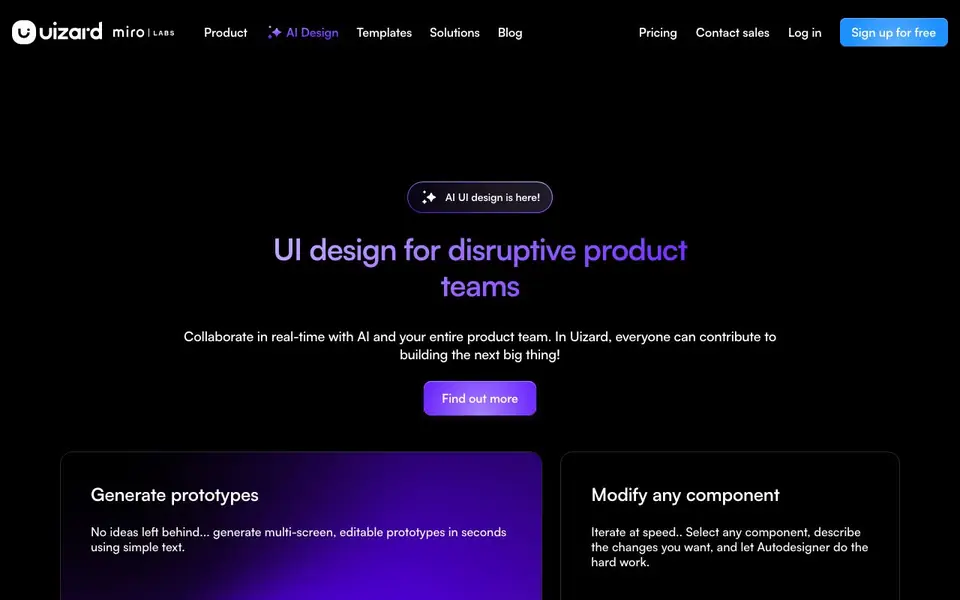
Uizard is an AI-powered design tool that lets you create UI designs for apps, websites, and desktop software quickly. You can generate multi-screen prototypes from simple text prompts, modify any component by describing changes, and create new themes instantly. It also includes a Screenshot Scanner to turn screenshots into editable mockups and a Wireframe Scanner to digitize hand-drawn sketches.
To get started, you sign up for free and choose a device type, write a prompt, pick a design style, and generate. The result is an editable component you can refine. You can also collaborate in real-time with your team, making it easy for everyone to contribute to a project.
Uizard suits product managers, designers, marketers, startup founders, consultants, and developers. It is designed for people who can use Google Slides or PowerPoint, so you don't need advanced design skills. The website highlights features like predictive heat maps and a powerful design tool, but does not specify limits on usage or file sizes.
Uizard features
- Autodesigner 2.0: Generate entire projects, screens, and themes from text prompts in seconds.
- Screenshot Scanner: Turn any screenshot into an editable mockup for quick iteration.
- Wireframe Scanner: Digitize your hand-drawn wireframe sketches into digital designs.
- Theme generation: Create new themes instantly to change the style of your project.
- Real-time collaboration: Work together with your product team on designs simultaneously.
What you can do with Uizard
- Create a mobile app mockup from a text description for a client pitch.
- Turn a screenshot of a competitor's app into an editable prototype for analysis.
- Digitize a hand-drawn wireframe to start a website design project.
- Generate a new theme for a prototype to match a brand's visual identity.
How to get started with Uizard
- Sign up for free on Uizard's website.
- Choose a device type, write a text prompt, and select a design style.
- Generate your design, then edit components or collaborate with your team.
Tips for better results with Uizard
- Start with a detailed text prompt that describes the screens, layout, and style you want, then generate a project with Uizard to see the initial result.
- Use Uizard's Screenshot Scanner to convert a competitor's app screenshot into an editable mockup, then modify components by describing changes in plain language.
- After generating a theme in Uizard, review each screen individually to ensure the new style fits your content, then adjust specific components as needed.
- For hand-drawn sketches, scan them with Uizard's Wireframe Scanner, then refine the digital output by selecting elements and describing the changes you want.
Uizard pricing
Uizard has a free way to start, with paid plans for heavier use. Check uizard.io for current limits and prices.
What to check before you rely on Uizard
- Check the free plan's limits on projects, screens, or exports before relying on Uizard for client work, as the website does not specify these details.
- Verify whether Uizard's free tier includes real-time collaboration for your team, since the site highlights the feature but does not state plan restrictions.
- Confirm the export formats available (like PNG, PDF, or code) and whether they are included in the free plan, as the website does not list them explicitly.
Who Uizard is for
Uizard suits product managers, designers, marketers and startup founders. If that is not you, the AI design tools below may fit better.
Similar tools compared with Uizard
| Tool | What it is | Pricing |
|---|---|---|
| Uizard | AI-powered UI design and prototyping tool | Freemium |
| Looka | AI logo maker and brand identity platform | Freemium |
| Clipdrop | AI photo editing and image generation suite | See website |
| Interior AI | AI interior design and virtual staging app | Freemium |
| Playground | AI design studio for graphics and images | Freemium |
Uizard FAQ
What can I create with Uizard?
You can create UI designs for mobile apps, websites, web apps, and tablet apps. This includes wireframes, mockups, and interactive prototypes. You can also generate themes and screens from text prompts.
Is Uizard free to use?
Uizard offers a free sign-up option, and the website mentions 'Sign up for free.' It also has paid plans, which you can see on their pricing page. So it is freemium.
Who is Uizard for?
Uizard is for product managers, designers, marketers, startup founders, consultants, agencies, and developers. It is designed for people who can use Google Slides or PowerPoint, so it is accessible to non-designers too.
Can I edit designs after generating them?
Yes, you can select any component and describe changes you want, and Autodesigner will update it. You can also generate new screens and themes for your project.
Can I use Uizard on my mobile phone or tablet?
Uizard is a web-based tool, so you can access it from any device with a browser, including mobile phones and tablets. The website does not mention dedicated mobile apps, so check the site for any updates on app availability.
Does Uizard offer a free plan, and what does it include?
Yes, Uizard has a freemium pricing model, meaning you can sign up and start using it for free. The website does not specify the exact limits of the free plan, such as the number of projects or exports. For details, check the pricing page.
Can I export my Uizard designs to other tools like Figma or Sketch?
Uizard allows you to generate editable prototypes, but the website does not mention specific export options to tools like Figma or Sketch. You can likely export as images or PDFs, but for exact formats, check the help center or contact support.


