

What is Interior AI?
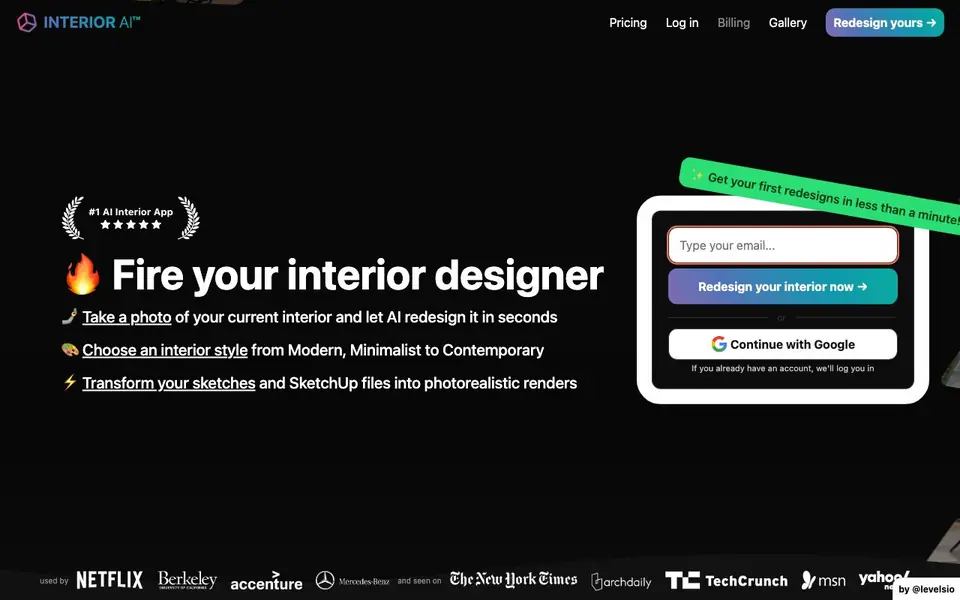
Interior AI is an app that uses artificial intelligence to redesign rooms from photos. You snap a picture of your current interior, pick a style like Modern or Minimalist, and get new design ideas in under a minute. It is also used for virtual staging of empty homes for real estate listings.
You start by uploading a photo of a room. Then you choose an interior style or a specific mode. The app generates redesigned versions of your space. You can also upload sketches or SketchUp screenshots to turn them into photorealistic renders. For outdoor areas, there is a mode to design gardens with plants and trees.
Interior AI can turn your designs into 3D environments you can walk through, and even create 3D flythrough videos. It is an official launch partner of World Labs. The Pro plan includes Virtual Staging AI with 1,000 stagings per month for $390 per year. The website mentions the app is used by interior designers and real estate agents.
Interior AI features
- Photo redesign: Upload a room photo and get new interior design ideas in seconds.
- Style selection: Choose from styles like Modern, Minimalist, or Contemporary for your redesign.
- Sketch2Image: Turn raw interior sketches into photorealistic renders in about 30 seconds.
- SketchUp support: Convert SketchUp wireframes or renders into high resolution photorealistic images.
- 3D walkthroughs: Explore your interior designs as immersive 3D environments from any angle.
What you can do with Interior AI
- Redesign a living room photo to explore new furniture and color ideas.
- Virtually stage an empty home to make real estate listings more appealing.
- Turn a quick sketch into a photorealistic render to show clients.
- Design a garden or outdoor space with plants and trees from a photo.
How to get started with Interior AI
- Take a photo of your current interior or upload an existing one.
- Choose an interior style or a specific mode like Sketch2Image or Outdoor design.
- Wait less than a minute for your first redesigns, then explore or download them.
Tips for better results with Interior AI
- Upload a well-lit, straight-on photo of your room with minimal clutter to give Interior AI the clearest starting point for generating accurate redesigns.
- Experiment with different styles like Modern or Minimalist in Interior AI, then compare outputs to find the look that best matches your vision before committing.
- Use Interior AI's Sketch2Image mode by uploading a clean, simple sketch or SketchUp screenshot, and refine your draft to get a photorealistic render in about 30 seconds.
- For outdoor spaces, select the Outdoor design mode in Interior AI and provide a photo with visible ground and boundaries to help it place plants and trees realistically.
Interior AI pricing
Interior AI has a free way to start, with paid plans for heavier use. Check interiorai.com for current limits and prices.
What to check before you rely on Interior AI
- Check the freemium plan's limits on redesigns or renders per day or month, as the website does not specify these details clearly.
- Verify whether your uploaded photos and generated designs are stored or used for training, since the website does not state its data privacy policy.
- Confirm if the 3D walkthrough feature works on your device and browser, as the website does not list supported platforms or system requirements.
Who Interior AI is for
Interior AI suits interior designers, real estate agents and homeowners. If that is not you, the AI design tools below may fit better.
Similar tools compared with Interior AI
| Tool | What it is | Pricing |
|---|---|---|
| Interior AI | AI interior design and virtual staging app | Freemium |
| Looka | AI logo maker and brand identity platform | Freemium |
| Uizard | AI-powered UI design and prototyping tool | Freemium |
| Clipdrop | AI photo editing and image generation suite | See website |
| Playground | AI design studio for graphics and images | Freemium |
Interior AI FAQ
How does Interior AI redesign a room?
You upload a photo of a room, select a style or mode, and the AI generates redesigned versions. The website says you get your first redesigns in less than a minute.
Can I use Interior AI for real estate virtual staging?
Yes. The Virtual Staging AI feature fills empty homes with furniture and decor. The Pro plan includes 1,000 stagings per month for $390 per year.
Does Interior AI work with sketches or SketchUp files?
Yes. Sketch2Image turns raw sketches into photorealistic renders in about 30 seconds. You can also upload SketchUp screenshots and select SketchUp mode for high resolution renders.
Is there a free plan?
The website mentions a Pro plan with paid features, but it does not clearly state the details of a free plan. Check the pricing page on Interior AI's website for current options.
What file formats can I upload to Interior AI besides photos?
Interior AI accepts room photos, sketches, and SketchUp screenshots. You can upload a raw sketch or a SketchUp wireframe or render, and the app converts them into photorealistic images. The website does not list other file formats, so check the app's upload options for specifics.
Does Interior AI have a mobile app or is it only web-based?
Interior AI is described as an app, and you can access it through the website at interiorai.com. The website does not mention a dedicated mobile app for iOS or Android. To find out if a native app is available, check the official site or app stores.
What does the free plan of Interior AI include?
Interior AI has a freemium model, meaning you can start for free. The free plan likely lets you generate a limited number of redesigns, but the website does not specify exact limits. For details on what the free tier includes, visit the pricing page on interiorai.com.


