

What is Playground?
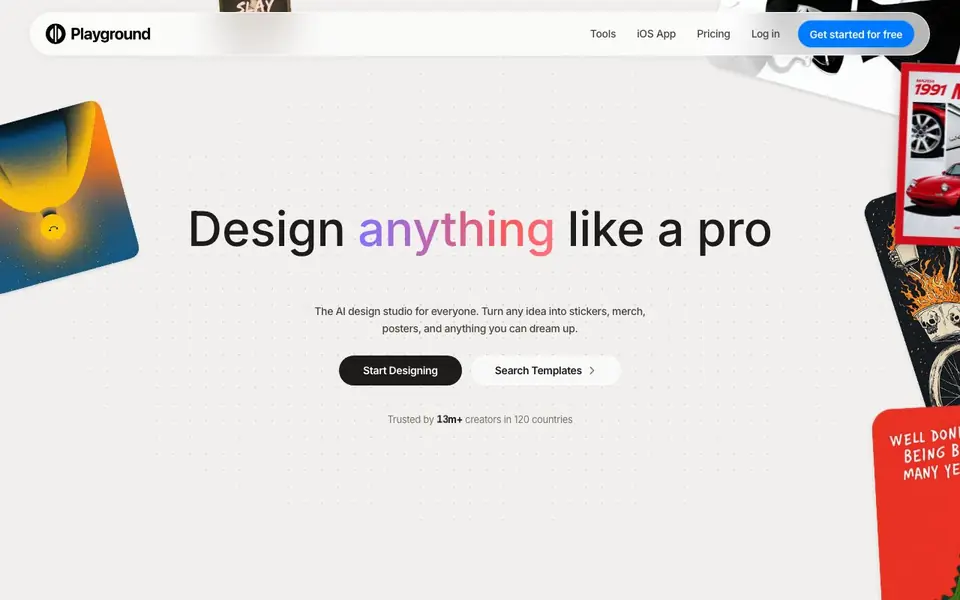
Playground is an AI design studio for everyone. You can turn any idea into stickers, merch, posters, and other graphics. It combines several powerful image AIs, including GPT Image 2, Nano Banana Pro, and Seedream, in one place. You get access to these tools for free to start, with no credit card required.
You begin by describing what you want, and the AI fills in the color, style, and layout. You can also start from thousands of templates across 24 categories, such as t-shirts, art, logos, and social media posts. These templates are designed to be customized, not just copied. Tools like background removal, upscaling, and AI resize let you refine your images. Every fix is non-destructive, so you can keep tweaking until it is right.
Playground suits crafters, small business owners, and anyone who wants to create professional-looking designs without prior experience. The website highlights an iOS app with a 4.9/5 rating based on over 5,400 App Store ratings. It also mentions print-ready output in days, making it practical for physical products. The site does not list specific pricing tiers beyond the free start.
Playground features
- Multiple AI models: Access GPT Image 2, Nano Banana Pro, and Seedream in one place for varied results.
- Template library: Choose from thousands of templates across 24 categories to start your design.
- Non-destructive edits: Every tool fix is reversible, so you can keep adjusting without losing your work.
- Background removal: Remove backgrounds from images with a single tool.
- AI resize: Resize your designs for different platforms and formats without losing quality.
What you can do with Playground
- Create a playful logo for a candy shop by typing a description.
- Design custom t-shirt graphics and stickers for your brand.
- Make social media posts and posters from templates.
- Generate mockups for products and merchandise.
How to get started with Playground
- Go to the Playground website and click "Get started for free".
- Describe your idea or pick a template from the library.
- Use the tools to refine your design, then download or print it.
Tips for better results with Playground
- Start with a detailed description of your design, including colors, style, and layout, so Playground's AI can match your vision more closely.
- Use Playground's template library across 24 categories to save time, then customize the design with non-destructive edits until it fits your needs.
- Try different AI models like GPT Image 2 or Nano Banana Pro in Playground for the same prompt to see which one produces the best result for your project.
- Leverage Playground's background removal and AI resize tools to refine images for different platforms, ensuring your final design works everywhere.
Playground pricing
Playground has a free way to start, with paid plans for heavier use. Check playgroundai.com for current limits and prices.
What to check before you rely on Playground
- Check if Playground's free tier includes all features you need, since the website does not list specific pricing tiers beyond the free start.
- Verify whether your designs are exported in formats compatible with your intended use, as the site does not state available export formats.
- Review Playground's data and privacy policy to understand how your uploaded images and prompts are handled, as this is not detailed on the website.
Who Playground is for
Playground suits crafters, small business owners, social media creators and hobbyists. If that is not you, the AI design tools below may fit better.
Similar tools compared with Playground
| Tool | What it is | Pricing |
|---|---|---|
| Playground | AI design studio for graphics and images | Freemium |
| Looka | AI logo maker and brand identity platform | Freemium |
| Uizard | AI-powered UI design and prototyping tool | Freemium |
| Clipdrop | AI photo editing and image generation suite | See website |
| Interior AI | AI interior design and virtual staging app | Freemium |
Playground FAQ
What can I create with Playground?
You can create logos, t-shirts, stickers, posters, social media posts, cards, invites, mockups, and more. The AI fills in color, style, and layout based on your description or template choice.
Is Playground free to use?
The website says it is free to start and requires no credit card. It mentions using powerful AI models like GPT Image 2 and Nano Banana Pro. Specific paid plan details are not stated on the homepage.
Who is Playground for?
It is for anyone who wants to design graphics without prior experience. The site mentions crafters, and reviews come from creators making stickers and apparel. It is also useful for small business owners and social media users.
Does Playground have a mobile app?
Yes, there is an iOS app available on the App Store. It has a 4.9/5 rating based on over 5,400 ratings. The website also mentions tools and templates accessible from the app.
Can I use Playground on my computer or only on mobile?
Playground is available as an iOS app, and the website mentions it can be used on the web. The site does not specify other desktop platforms like Windows or Mac apps. You can access Playground through your browser on a computer, but check the website for the latest platform details.
What can I export from Playground, and does it connect to other apps?
Playground supports print-ready output for physical products, as mentioned on the website. It does not list specific export formats or integrations with other apps like Adobe or Shopify. For details on exporting files or connecting to external tools, check the website's help or feature pages.
Does Playground require an account to start using it?
Playground offers a free start with no credit card required, but the website does not explicitly state whether you need to create an account. Typically, you would need to sign up to save your designs. Check the sign-up process on the website to confirm if an account is necessary.


