

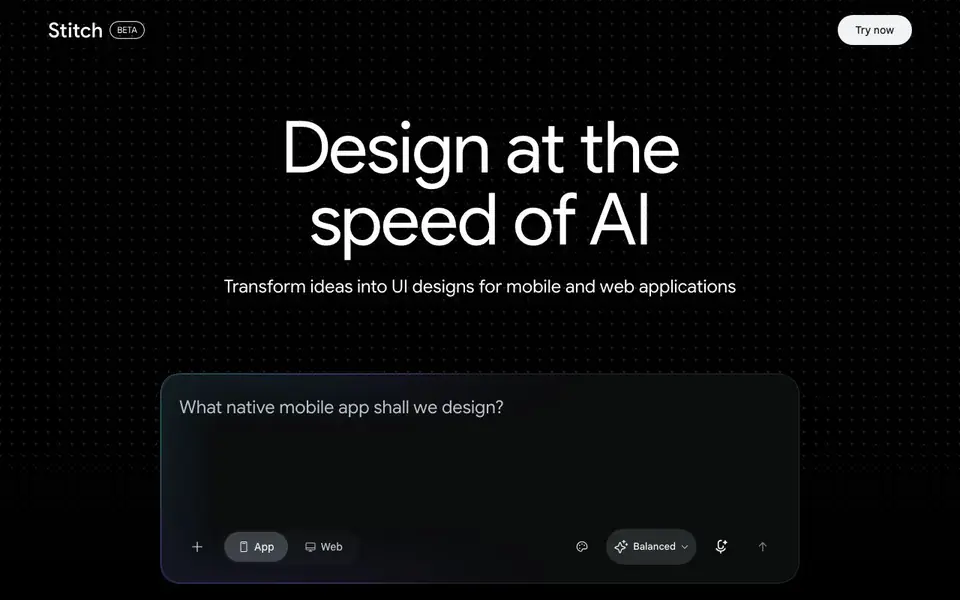
What is Stitch?
Stitch is a Google tool that helps you design app interfaces with AI. You can describe the screen you want, upload a sketch or screenshot, and Stitch generates UI designs for mobile or web apps. It grew out of Galileo AI, which Google acquired, and is available at stitch.withgoogle.com.
To use it, you start by telling Stitch what you need, or you upload a visual reference. Stitch then creates a design you can refine by chatting with it. When you are happy, you can paste the design into Figma or export front-end code to use in your project.
Stitch is free to use with a Google account during its current release. It suits designers, developers, and product teams who want to speed up ideation and prototyping. The tool focuses on UI generation, so you may still need other tools for full app development.
Stitch features
- Text-to-UI: Describe an app screen in plain language and Stitch generates a design for you.
- Sketch upload: Upload a hand-drawn sketch or screenshot to use as a starting point for your design.
- Chat refinement: Talk with Stitch to tweak and improve the generated interface until it fits your needs.
- Figma export: Paste your final design directly into Figma for further editing and collaboration.
- Code export: Export front-end code from your design to speed up development work.
What you can do with Stitch
- Create a mobile app login screen by describing the layout and colors.
- Upload a wireframe sketch and turn it into a polished UI design.
- Iterate on a web dashboard design by chatting with Stitch for changes.
- Export a finished design as code to hand off to your development team.
How to get started with Stitch
- Go to stitch.withgoogle.com and sign in with your Google account.
- Describe the app screen you want or upload a sketch or screenshot.
- Refine the design by chatting, then export it to Figma or as code.
Tips for better results with Stitch
- Start with a detailed description of your screen, including layout, colors, and elements, so Stitch generates a design closer to your vision from the first attempt.
- Upload a clean, high-contrast sketch or screenshot as a reference, and Stitch will better interpret the structure and spacing you intend for the interface.
- Use the chat refinement feature to make specific changes, like adjusting button placement or color, rather than regenerating from scratch, which saves time and keeps consistency.
- After refining your design in Stitch, export the code or paste it into Figma to test it in your actual project environment and catch any integration issues early.
Stitch pricing
Stitch is free to use according to its website.
What to check before you rely on Stitch
- Confirm that your Google account has access to Stitch, since it requires one and availability may vary by region or release stage.
- Check whether the free tier includes all features you need, like code export or Figma paste, as the website does not list any limits or paid plans.
- Review the generated code for licensing and ownership terms, since the website does not state what rights you have to use or modify the exported output.
Who Stitch is for
Stitch suits UI designers, app developers, product teams and prototypers. If that is not you, the AI design tools below may fit better.
Similar tools compared with Stitch
| Tool | What it is | Pricing |
|---|---|---|
| Stitch | AI app interface designer | Free |
| Looka | AI logo maker and brand identity platform | Freemium |
| Uizard | AI-powered UI design and prototyping tool | Freemium |
| Clipdrop | AI photo editing and image generation suite | See website |
| Interior AI | AI interior design and virtual staging app | Freemium |
Stitch FAQ
What does Stitch do?
Stitch is a Google tool that generates user interface designs for mobile and web apps. You describe a screen or upload a sketch, and it creates a design you can refine and export.
Is Stitch free to use?
Yes, Stitch is free to use with a Google account during its current release. The website does not mention any paid plans or limitations on usage.
Who is Stitch for?
Stitch is for designers, developers, and product teams who want to quickly create or iterate on app interfaces. It helps with design ideation and prototyping.
Can I export designs from Stitch?
Yes, you can paste your design into Figma or export front-end code. The website does not specify which code formats are supported, so check the tool for details.
Does Stitch require a Google account to use?
Yes, Stitch is free to use with a Google account during its current release. You will need to sign in with Google to access the tool at stitch.withgoogle.com. The website does not mention any other sign-in options, so plan to use a Google account.
What file formats can Stitch export designs in?
Stitch lets you export front-end code from your design, and you can also paste your final design directly into Figma. The website does not specify other file formats for export, such as PNG or PDF. For details on additional export options, check the tool's interface or help resources.
Can Stitch be used on mobile devices or only on desktop?
Stitch is a web-based tool available at stitch.withgoogle.com, so you can access it from any device with a browser, including mobile phones and tablets. The website does not mention dedicated mobile apps. For the best experience, use a modern browser on a desktop or laptop.


