

What is Looka?
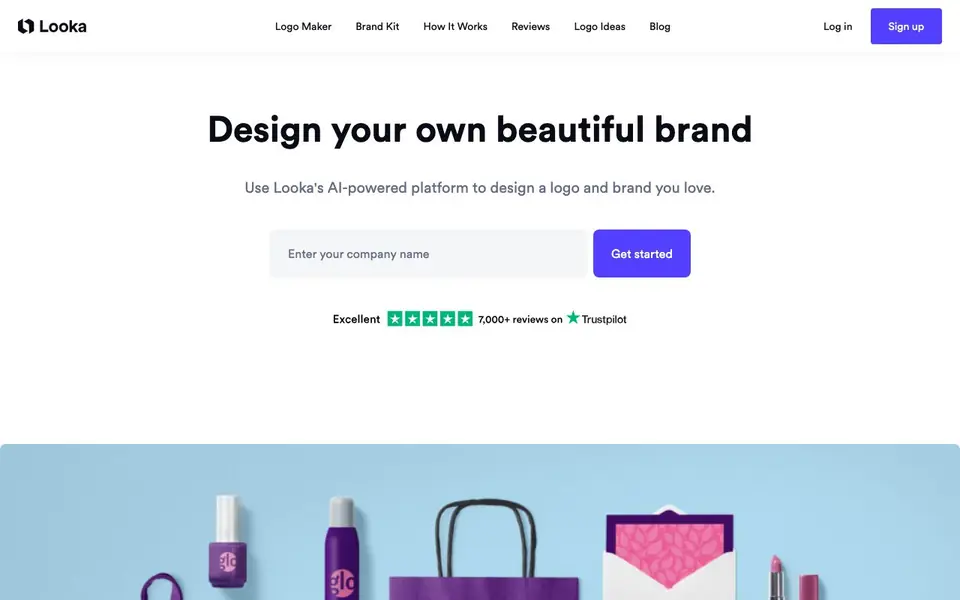
Looka is an AI-powered platform for creating a logo and building a brand identity. You start by entering your company name, and the AI generates many logo mockups. You can then tweak colors, symbols, and sizing in an easy editor, and preview your logo on items like T-shirts and pens.
Once your logo is finalized, Looka's Brand Kit uses your logo, colors, and fonts to create hundreds of branded marketing materials. You get 300+ templates for business cards, social media profiles, email signatures, invoices, and flyers. The kit also provides ready-to-go social media profile pictures and cover photos for platforms like YouTube, Twitter, and Facebook.
Looka suits entrepreneurs and small business owners who want a professional look without hiring a designer. The site mentions a live chat and email support team. It also notes a "Getting Started" guide that shows your logo's fonts and colors, and explains the best uses for different file types.
Looka features
- AI logo generation: Enter your company name and get hundreds of custom logo mockups instantly.
- Logo editor: Change colors, symbols, and sizing to fine-tune your design without design skills.
- Logo files: Receive 15+ file types including SVG, PNG, EPS, and PDF with color variations.
- Brand Kit: Create 300+ branded templates like invoices, flyers, and email signatures from your logo.
- Social media kit: Get ready-to-go profile pictures and cover photos sized for YouTube, Twitter, and Facebook.
What you can do with Looka
- Design a logo for a new business in minutes.
- Create branded business cards and print-ready files.
- Generate social media profile images and posts for your brand.
- Build a consistent brand identity with fonts and colors from your logo.
How to get started with Looka
- Enter your company's name on the Looka website to start generating logo ideas.
- Customize your chosen logo with the editor, adjusting colors, symbols, and sizing.
- Use the Brand Kit to apply your logo to templates and download your files.
Tips for better results with Looka
- Start by entering your company name and reviewing the generated logo mockups, then pick one that closely matches your vision before making any edits.
- Use Looka's editor to adjust colors, symbols, and sizing, and preview your logo on items like T-shirts to see how it looks in real-world contexts.
- After finalizing your logo, open Looka's Brand Kit to generate branded templates like business cards and social media posts, saving time on design.
- Check Looka's Getting Started guide to learn which file types suit different uses, so you export the right format for print or web.
Looka pricing
Looka has a free way to start, with paid plans for heavier use. Check looka.com for current limits and prices.
What to check before you rely on Looka
- Verify whether the free plan includes full-resolution logo files or only low-res previews, since the website does not specify download limits.
- Confirm if the Brand Kit and 300+ templates are included in the free tier or require a paid plan, as pricing details are not listed.
- Check Looka's privacy policy for how your logo and brand data are stored or used, since the website does not state data handling practices.
Who Looka is for
Looka suits entrepreneurs, small business owners, startups and non-designers. If that is not you, the AI design tools below may fit better.
Similar tools compared with Looka
| Tool | What it is | Pricing |
|---|---|---|
| Looka | AI logo maker and brand identity platform | Freemium |
| Uizard | AI-powered UI design and prototyping tool | Freemium |
| Clipdrop | AI photo editing and image generation suite | See website |
| Interior AI | AI interior design and virtual staging app | Freemium |
| Playground | AI design studio for graphics and images | Freemium |
Looka FAQ
How does Looka's logo maker work?
You enter your company name, and the AI generates many logo mockups. You then use an editor to tweak colors, symbols, and sizing until you like the design. You can preview it on real-life items like T-shirts.
Is Looka free to use?
The website says it is "100% free to use" and offers a "Get started for free!" call-to-action. However, it does not specify whether there are paid plans for additional features or file downloads, so check the site for details.
Who is Looka for?
Looka is aimed at entrepreneurs and small business owners who want to launch a brand without hiring a designer. It is designed for people with no design skills, as the AI does the heavy lifting while you keep creative control.
What can I create with Looka besides a logo?
With the Brand Kit, you can create business cards, social media profiles, email signatures, invoices, and flyers. There are 300+ templates matched to your brand identity and industry.
Can I use Looka without creating an account?
Looka's website does not mention whether you can use the logo maker without an account. To start creating a logo, you typically need to enter your company name, and the site likely requires you to sign up or log in to save and download your designs. Check the sign-up page for details.
What file formats does Looka provide for my logo?
Looka provides 15+ logo file types including SVG, PNG, EPS, and PDF. These come in black and white, color, and transparent background variations. This lets you use your logo across print and digital media. The website does not list every single format, so check the file download section after creating a logo.
Does Looka work on mobile devices?
Looka's website does not specify whether it has a mobile app or if the platform is fully mobile-friendly. Since it's a web-based tool, you can likely access it from a browser on your phone or tablet, but the editing experience may vary. Check the site's help or support pages for more information.


