

What is Napkin AI?
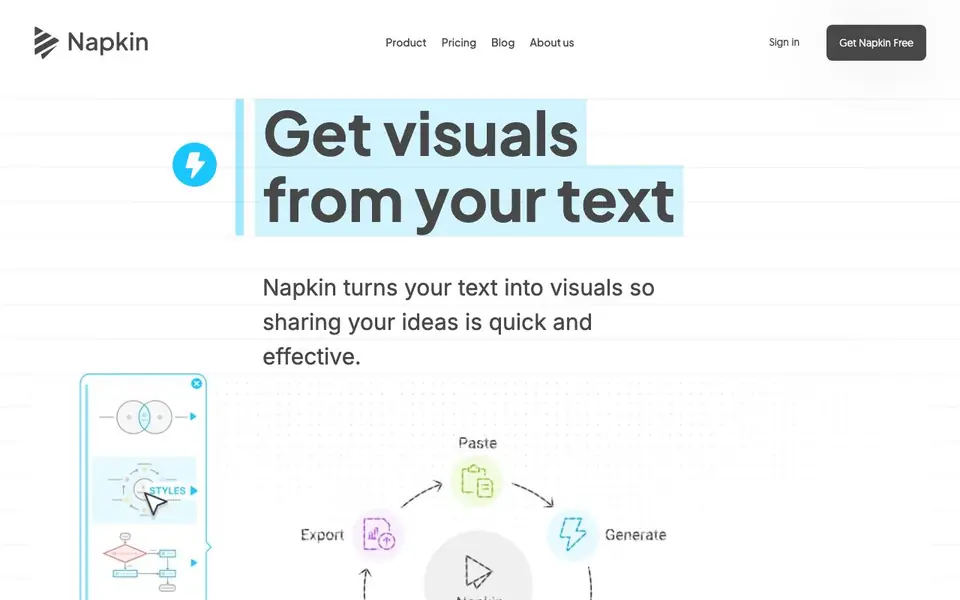
Napkin AI is a tool that converts your written text into visual formats like flowcharts, mind maps, infographics, data charts, and slides. You paste or import text, and it generates relevant visuals for you to choose from. It aims to make sharing ideas quick and effective, especially for presentations, blogs, social media, and documents.
To use it, you start by importing or pasting your text—no prompting needed. Then you click to generate visuals, and Napkin suggests the most relevant options based on your content. You pick the one that fits your idea, then polish it by changing anything until it feels right. Finally, you export your visual as a.ppt,.png,.pdf, or.svg file to use anywhere.
Napkin suits professionals like project managers, educators, and marketers who need clear visuals without design experience. The website highlights use cases for presentations, blogs, social media, and docs. It does not mention any specific limits, but you can start with a free plan and explore paid options on the pricing page.
Napkin AI features
- Text-to-visual generation: Paste text and get relevant visuals like flowcharts or mind maps instantly.
- No prompting needed: Works directly from your text, so you skip writing prompts.
- Customizable visuals: Change any element until the visual matches your intent.
- Multiple export formats: Save your visuals as.ppt,.png,.pdf, or.svg files.
- Use case templates: Create visuals tailored for presentations, blogs, social media, and docs.
What you can do with Napkin AI
- Create impactful slides for your next presentation.
- Turn blog posts into engaging infographics.
- Design visuals for social media to engage your audience.
- Make documents easier to read with clear diagrams.
How to get started with Napkin AI
- Paste or import your text into Napkin.
- Click to generate visuals and pick the one you like.
- Polish the visual and export it as.ppt,.png,.pdf, or.svg.
Tips for better results with Napkin AI
- Paste your raw text first, then review the visuals Napkin generates before editing anything, since the tool builds suggestions directly from your wording and structure.
- Use Napkin to turn a blog post or document section into a flowchart or mind map, then export as.svg for crisp scaling in presentations or print.
- After Napkin creates a visual, click into individual elements and adjust colors, labels, or layout until the diagram matches your intended message, not just the first suggestion.
- For slide decks, generate visuals in Napkin and export as.ppt, then refine the slide layout in your presentation software to keep the diagram editable and consistent.
- When using Napkin for social media, pick a simple text snippet with clear relationships, because dense paragraphs produce cluttered visuals that are harder to read at small sizes.
Napkin AI pricing
Napkin AI has a free way to start, with paid plans for heavier use. Check napkin.ai for current limits and prices.
What to check before you rely on Napkin AI
- Check the pricing page for what the free plan includes, since the website does not state any specific limits on visuals, exports, or usage.
- Verify whether your exported.ppt or.svg files retain editable elements, as the site only lists export formats without describing editability.
- Confirm how Napkin handles your pasted text for privacy, because the website does not mention data retention or whether your content is used to train models.
Who Napkin AI is for
Napkin AI suits project managers, educators, marketers and consultants. If that is not you, the AI presentation makers below may fit better.
Similar tools compared with Napkin AI
| Tool | What it is | Pricing |
|---|---|---|
| Napkin AI | AI tool that turns text into visuals | Freemium |
| Gamma | AI presentation, website, and document maker | Freemium |
| Beautiful.ai | AI presentation software for teams | See website |
| Pitch | Collaborative AI presentation workspace for teams | See website |
| Uizard | AI-powered UI design and prototyping tool | Freemium |
Napkin AI FAQ
How does Napkin AI work?
You paste or import your text, and Napkin generates relevant visuals like flowcharts, mind maps, or infographics. You pick one, customize it, and export it in formats like.ppt or.png. No design skills are needed.
Is Napkin AI free?
The website offers a 'Get Napkin Free' option, suggesting a free plan exists. For details on paid tiers or limits, check the pricing page on Napkin's website.
Who is Napkin AI for?
It's for professionals like project managers, educators, marketers, and consultants who need visuals from text. Use cases include presentations, blogs, social media, and documents.
What can I export from Napkin AI?
You can export your visuals as.ppt,.png,.pdf, or.svg files. This lets you use them in presentations, documents, or online content.
Does Napkin AI require an account to use?
The Napkin AI website does not explicitly state whether an account is required. To find out, check the sign-in or get started options on the site, or try the free plan to see what happens when you begin.
What devices or platforms does Napkin AI run on?
Napkin AI is a web-based tool, so it likely runs in any modern web browser on a computer, tablet, or phone. The website does not specify supported operating systems or browsers, so check the site for any system requirements if you need certainty.
What does the free plan of Napkin AI include?
The Napkin AI website mentions you can start with a free plan, but it does not list specific limits or features included. For details on what the free plan offers, visit the pricing page on the site to see the comparison between free and paid options.


