

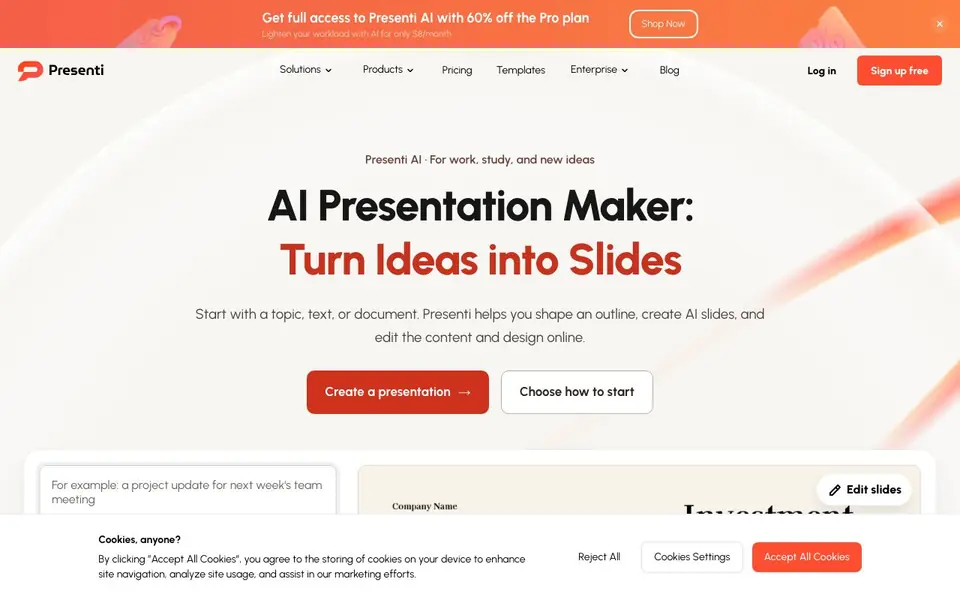
What is Presenti AI?
Presenti AI is an online presentation maker that starts from your idea, text, document, or template. It helps you shape an outline, generate slides, and then edit content, layout, colors, and typography in one workspace. You keep control before sharing or exporting your final deck.
To get started, you choose a starting point: a topic, keywords, a Word document, PDF, Markdown file, mind map, or a template. Presenti organizes the draft and applies a consistent visual style. You then review the structure, refine the message, and adjust the design to fit your audience.
It suits professionals, students, and anyone building pitch decks, lessons, reports, or team updates. The website mentions a free sign-up and a Pro plan discounted to $8 per month. It also lists comparisons with tools like Gamma, Beautiful.ai, and PowerPoint.
Presenti AI features
- Text to presentation: Turn notes or an outline into an editable slide draft.
- Word to presentation: Convert Word documents into polished, editable slides.
- PDF to presentation: Transform static PDFs into dynamic, editable presentations.
- Markdown to presentation: Convert Markdown syntax into visually appealing slides for developers.
- Mindmap to presentation: Turn brainstorming mind maps into structured, engaging slides.
What you can do with Presenti AI
- Create a pitch deck from a few keywords or a topic.
- Convert a Word report into a professional slide deck.
- Turn a PDF manual into an editable presentation for training.
- Build a lesson or team update from a template.
How to get started with Presenti AI
- Sign up for free on the Presenti website.
- Choose a starting point: topic, text, document, mind map, or template.
- Review the AI-generated outline and slides, then edit and export.
Tips for better results with Presenti AI
- Start with a detailed outline or Word document rather than a single topic, so Presenti AI has enough material to build a structured draft that matches your intended message.
- After Presenti AI generates your slides, review the outline first and refine the narrative before adjusting colors or fonts, so you lock in the story before the visual polish.
- Use the template option in Presenti AI when you need a consistent style for a pitch or lesson, then adapt the layout and typography to fit your specific audience.
- Export your final deck from Presenti AI only after you have manually checked every slide for accuracy and design consistency, since the AI draft may contain errors or awkward phrasing.
Presenti AI pricing
Presenti AI has a free way to start, with paid plans for heavier use. Check presenti.ai for current limits and prices.
What to check before you rely on Presenti AI
- Check whether the free plan in Presenti AI includes export and sharing features, since the website lists a Pro plan but does not state what the free tier limits are.
- Verify the export formats Presenti AI supports, as the site mentions exporting but does not list specific file types like PPTX or PDF.
- Confirm the data privacy policy for documents you upload to Presenti AI, because the website does not state how your files are stored or used.
Who Presenti AI is for
Presenti AI suits students, professionals, marketers and educators. If that is not you, the AI presentation makers below may fit better.
Similar tools compared with Presenti AI
| Tool | What it is | Pricing |
|---|---|---|
| Presenti AI | AI presentation maker with editable slides | Freemium |
| Gamma | AI presentation, website, and document maker | Freemium |
| Beautiful.ai | AI presentation software for teams | See website |
| Pitch | Collaborative AI presentation workspace for teams | See website |
| Uizard | AI-powered UI design and prototyping tool | Freemium |
Presenti AI FAQ
How does Presenti AI create a presentation?
You start with a topic, keywords, text, or a supported file like Word, PDF, Markdown, or a mind map. Presenti shapes an outline, generates slides, and applies a consistent visual style. You can then edit content and design in the workspace.
Is Presenti AI free to use?
The website says you can sign up free and start with a free plan. It also advertises a Pro plan at $8 per month with 60% off. For exact limits of the free plan, check the pricing page on their site.
Who is Presenti AI for?
It is for anyone creating presentations for work, study, or new ideas. That includes students making lessons, professionals building reports or team updates, and marketers creating pitch decks. The site lists solutions for education, sales, marketing, and pitch decks.
What file types can I convert into a presentation?
You can convert Word documents, PDFs, Markdown files, and mind maps into presentations. You can also start from plain text, a topic, or a template. The website does not list other file types, so check their docs for more.
Can Presenti AI export presentations to PowerPoint or PDF?
Presenti AI lets you share or export your finished presentation from the workspace, but the website does not specify the exact export formats, such as PowerPoint or PDF. To confirm what export options are available, check the app after signing up or contact support.
Does Presenti AI work on mobile devices or only on desktop?
Presenti AI is an online presentation maker, so it runs in a web browser. The website does not mention dedicated mobile apps or specific device support. You can likely use it on any device with a modern browser, but for the best experience, a desktop or laptop is recommended.
What does the free plan of Presenti AI include?
Presenti AI offers a free sign-up, and the website says you can start creating presentations for free. It does not list the exact limits of the free plan, such as the number of presentations or exports. For details on what the free plan includes, check the pricing page or sign up to see the features.


