

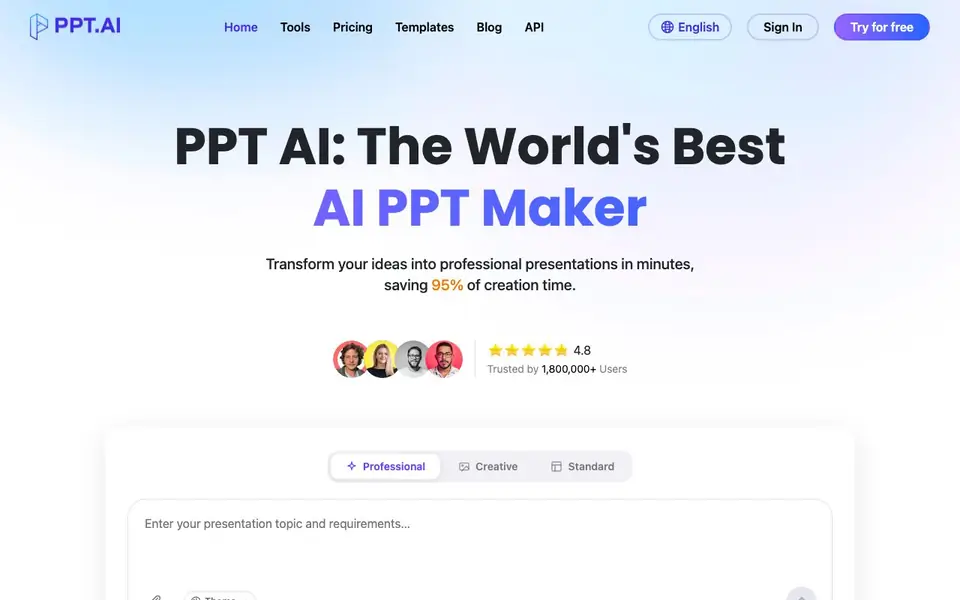
What is PPT AI?
PPT AI is an online presentation maker that builds complete slide decks from your input. You give it a topic, a document, a PDF, a webpage, or even a video, and it analyzes the content to create a structured outline and 20 or more professional slides. It uses several AI models, including DeepSeek, GPT-4o, Claude 3.5, and Gemini 2.0, to handle the content analysis and slide design for you.
To get started, you enter your topic or upload a file. The tool then generates an outline and builds your slides automatically. You can pick from its free template collection, which covers business, education, healthcare, marketing, and more. After that, you edit text, colors, and images with simple tools, and export to PowerPoint with all design elements preserved.
PPT AI suits anyone who makes presentations regularly—marketers, educators, business leaders, and students. The site claims you can save 95% of your creation time and that no training is needed. It also supports multiple languages through built-in translation, so you can create decks for international audiences.
PPT AI features
- Instant conversion: Turn documents, spreadsheets, audio, or video into 20+ slides in seconds.
- Multi-model engine: Uses DeepSeek, GPT-4o, Claude 3.5, and Gemini 2.0 for smarter content analysis.
- Free template library: Access professionally designed templates at no cost, even for free users.
- Smart design optimization: Layout and visual refinement keep your slides structured and styled.
- Easy editing and export: Modify text, colors, and images, then export in multiple formats.
What you can do with PPT AI
- Convert a Word document into a ready-to-use slide deck.
- Turn a webpage URL into a clean presentation instantly.
- Extract key points from a YouTube video into dynamic slides.
- Create a marketing pitch deck from a simple topic prompt.
How to get started with PPT AI
- Enter your topic or upload content like text, Word, PDF, or video.
- Let PPT AI analyze your input and generate a presentation outline and slides.
- Pick a template, edit the slides as needed, and export to PowerPoint.
Tips for better results with PPT AI
- Upload a detailed document or PDF instead of a short topic prompt, so PPT AI has enough context to build a structured outline and avoid generic slides.
- Review and edit the generated outline before PPT AI creates the full deck, since correcting the structure early saves you from redoing slides later.
- Pick a template from PPT AI's free library that matches your audience, then adjust colors and fonts to fit your brand before exporting to PowerPoint.
- Use PPT AI's multilingual translation feature to create decks for international teams, but proofread the translated text yourself for accuracy and tone.
PPT AI pricing
PPT AI has a free way to start, with paid plans for heavier use. Check ppt.ai for current limits and prices.
What to check before you rely on PPT AI
- Check whether the free plan includes export to PowerPoint or limits slide count, since the website does not state specific free-tier restrictions.
- Verify if your uploaded files are stored or deleted after conversion, as the site does not explain data retention or privacy practices.
- Confirm that the generated content matches your source material, because PPT AI may summarize or omit details from long documents or videos.
Who PPT AI is for
PPT AI suits business professionals, marketers, educators and students. If that is not you, the AI presentation makers below may fit better.
Similar tools compared with PPT AI
| Tool | What it is | Pricing |
|---|---|---|
| PPT AI | AI presentation maker from text and files | Freemium |
| Gamma | AI presentation, website, and document maker | Freemium |
| Beautiful.ai | AI presentation software for teams | See website |
| Pitch | Collaborative AI presentation workspace for teams | See website |
| Uizard | AI-powered UI design and prototyping tool | Freemium |
PPT AI FAQ
What is PPT AI and how does it work?
PPT AI is an AI presentation maker. You input text, a document, PDF, webpage, or video, and it analyzes the content to create a structured outline and 20+ professional slides. It uses multiple AI models to handle the design and layout for you.
How do I get started with PPT AI?
Go to the website and click "Try for free" or "Start for free." Then enter your topic or upload your content. The tool will generate an outline and slides automatically, which you can then edit and export.
What benefits do PPT AI free users receive?
Free users get access to the entire template collection at no cost, according to the site. You can create presentations from your content and use the smart design features. The site does not specify slide limits or export restrictions for free accounts.
What file formats does PPT AI support?
You can upload text, Word documents, PDFs, images, and videos as input. The site also mentions converting URLs and YouTube videos. For output, you can export to PowerPoint format with full design preservation.
Can PPT AI export presentations to Google Slides or Keynote?
The PPT AI website mentions exporting to PowerPoint format with full design preservation, but it does not mention exporting directly to Google Slides or Keynote. You can check the export options within the tool or contact support to see if those formats are available.
Does PPT AI work on mobile devices or only on desktop?
The PPT AI website does not specify which devices or platforms it supports. Since it is an online tool, it likely works in any web browser, but for the best experience, check if the site is responsive on your phone or tablet. You can also look for a mobile app in app stores, but the website does not mention one.
What does the PPT AI free plan include besides templates?
The PPT AI website says free users get access to the entire template collection at no cost. It does not specify other limits or features of the free plan, such as the number of presentations you can create or export options. For exact details, check the pricing page or sign up to see what's included.


