
What is WriteHuman?
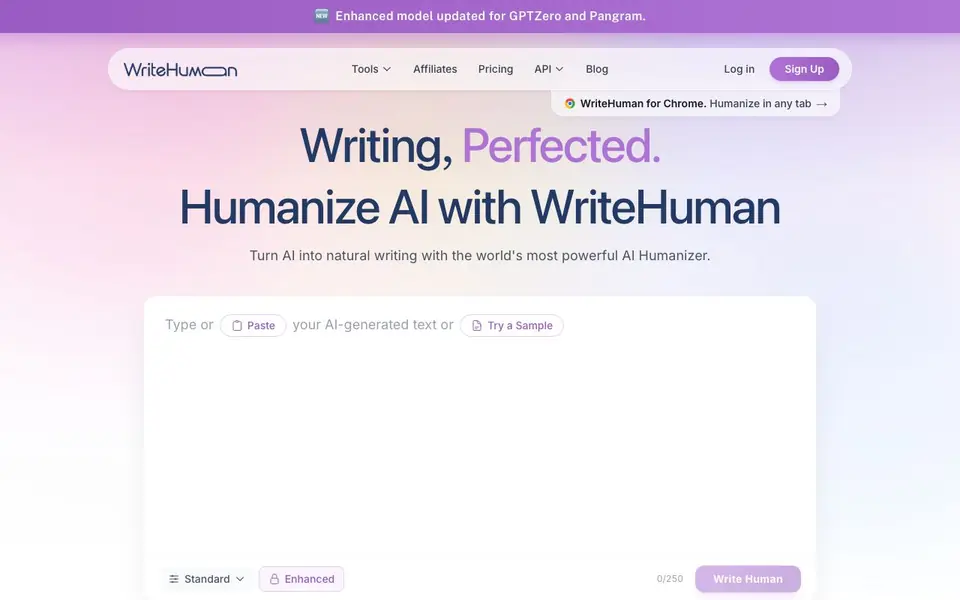
WriteHuman is a tool that takes text written by AI tools like ChatGPT, Claude, or Gemini and rewrites it so it reads as if a person wrote it. It also includes an AI detector to check whether text is likely AI-generated. The service works with over 40 languages and can handle everything from short snippets to long articles.
To use it, you copy your AI-generated text, paste it into the humanizer on the website, and click the "Write Human" button. Within seconds, you get back text with varied sentence lengths, more natural word choices, and a cadence that resembles human writing, while keeping your original meaning intact. The built-in detector shows an AI probability score for each sentence, so you can see which lines might still be flagged.
The tool is useful for writers, marketers, students, and anyone who wants to make AI-assisted content pass as human-written. It also offers a Chrome extension for humanizing text in any browser tab, plus an API for developers and businesses. The website mentions that it works with detectors like GPTZero and Pangram, and shows high human scores across various platforms after processing.
WriteHuman features
- AI Humanizer: Rewrites AI-generated text to sound natural and human-like.
- AI Detector: Checks text to see if it's AI-generated, with per-sentence probability scores.
- AI Image Detector: Detects whether images are AI-generated.
- Chrome Extension: Humanize and fix writing directly in any browser tab.
- API Access: REST endpoints to humanize and detect text programmatically.
What you can do with WriteHuman
- Rewrite AI-generated blog posts to sound more natural.
- Check your draft to see which sentences might be flagged as AI.
- Humanize marketing copy before publishing.
- Use the API to integrate humanization into your own app or workflow.
How to get started with WriteHuman
- Copy AI-generated text from ChatGPT, Claude, or any other AI tool.
- Paste the text into the humanizer on the WriteHuman website.
- Click "Write Human" to get your humanized text back in seconds.
Tips for better results with WriteHuman
- Paste your raw AI draft directly into WriteHuman and click Write Human, then review the output sentence by sentence to ensure the meaning survived the rewrite before you publish it.
- Use WriteHuman's built-in detector after humanizing to check each sentence's AI probability, and re-run any line scoring over 60% through the humanizer again for a cleaner result.
- For long articles, humanize in sections rather than all at once, since WriteHuman handles short snippets and long pieces, but smaller batches let you verify tone and accuracy more easily.
- If you write regularly in a browser, install the WriteHuman Chrome extension so you can humanize text in any tab without copying and pasting back and forth between tools.
WriteHuman pricing
WriteHuman has a free way to start, with paid plans for heavier use. Check writehuman.ai for current limits and prices.
What to check before you rely on WriteHuman
- Check the free plan's word limit and whether it resets daily or monthly, since the website labels WriteHuman as freemium but does not state exact free usage caps.
- Verify the humanized output still contains your key facts and figures, because WriteHuman rewrites for natural cadence and may drop or alter details if you don't review.
- Confirm the detector's per-sentence scores are acceptable for your target platform, as WriteHuman's website shows sample scores but does not guarantee results with every detector.
Who WriteHuman is for
WriteHuman suits writers, marketers, students and SEO agencies. If that is not you, the AI writing tools below may fit better.
Similar tools compared with WriteHuman
| Tool | What it is | Pricing |
|---|---|---|
| WriteHuman | AI humanizer and detector | Freemium |
| FreeSiTools | Free AI image prompt generator | Free |
| Jenni AI | AI academic writing and research assistant | Freemium |
| Wordtune | AI writing and paraphrasing assistant | Freemium |
| Grammarly | AI writing assistant for clear communication | Freemium |
WriteHuman FAQ
What does WriteHuman do?
WriteHuman rewrites AI-generated text so it reads like a human wrote it. It also includes an AI detector that shows the probability each sentence was AI-written, so you can see which parts might need more work.
Does WriteHuman have a free plan?
The website says you can try it free, and it offers a free plan with limited usage. For more features and higher limits, there are paid plans available.
Who is WriteHuman for?
It's for anyone who uses AI writing tools and wants the output to sound more natural, including bloggers, marketers, students, and SEO professionals. It also works for developers who want to integrate humanization via the API.
Which AI detectors does WriteHuman work with?
The website mentions that it works with detectors like GPTZero and Pangram, and shows high human scores across various platforms. It also has a built-in detector to check your text before you publish.
Can WriteHuman export or integrate with other tools like Google Docs or WordPress?
WriteHuman offers a Chrome extension that works in any browser tab, so you can humanize text directly in Google Docs or WordPress if you use Chrome. The website also mentions an API for developers and businesses to integrate WriteHuman into their own apps or workflows. For specific export features, check the API documentation or contact support.
Does WriteHuman have a free plan and what does it include?
WriteHuman is freemium, meaning it has a free plan. The free plan likely lets you try the humanizer and detector with limited usage, but the exact limits aren't specified on the website. To see what the free plan includes, visit the pricing page on writehuman.ai.
Is WriteHuman suitable for students to use on academic papers?
WriteHuman is listed as useful for students, and it can humanize AI-generated text to sound more natural, which might help with drafts. However, the website doesn't specifically address academic integrity policies. You should check your institution's guidelines on AI use and consider using the detector to review your work before submission.


