

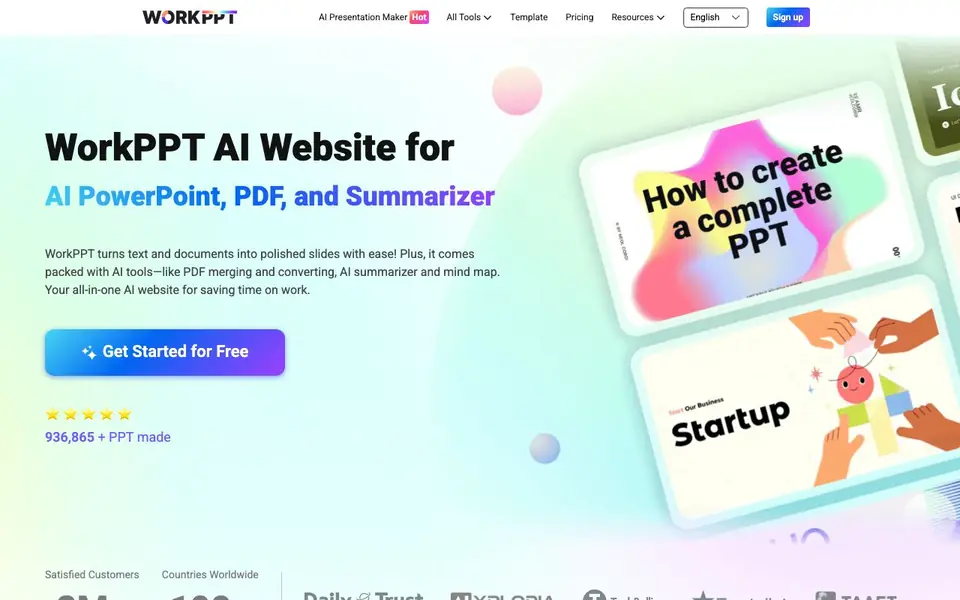
What is WorkPPT?
WorkPPT is an all-in-one AI website that focuses on turning your text, topics, or uploaded files into professional presentations. It also bundles over 10 productivity tools, including PDF merging and splitting, AI summarization, AI chat, and mind map creation. The goal is to save you time on routine work tasks.
To create slides, you enter a topic or text, or upload files like Word, Excel, PDF, or images. The AI expands your content, matches a smart template from over 5000 options, and auto-layouts the slides. You can then edit and polish the result to fit your brand. For PDFs, you can merge, split, convert to images, and add watermarks in a few clicks.
WorkPPT suits anyone who needs quick decks for meetings, reports, or training, plus document handling. The website mentions it has served over 936,000 presentations and customers in 190+ countries. It offers a free start, but detailed pricing plans are not listed on the homepage, so check the pricing page for specifics.
WorkPPT features
- Text to slides: Type a topic and get a full presentation in seconds with auto-layout.
- File to PPT: Upload Word, Excel, PDF, or images and the AI extracts key info into slides.
- 5000+ templates: Choose from a wide range for education, sales, marketing, and more.
- PDF tools: Merge, split, convert to images, and add text or image watermarks easily.
- AI summarizer: Turn long documents into clear takeaways in about 3 seconds.
What you can do with WorkPPT
- Create a sales pitch deck from a brief topic in minutes.
- Summarize a lengthy report into key points for your team.
- Merge multiple PDFs into one file for client submission.
- Generate a mind map to organize a project brainstorm.
How to get started with WorkPPT
- Go to the WorkPPT website and sign up for a free account.
- Choose the AI Presentation Maker and enter your topic or upload a file.
- Let the AI generate slides, then edit and download your deck.
Tips for better results with WorkPPT
- Start with a clear, specific topic or upload a well-structured file so WorkPPT can extract the right key points and match a suitable template for your deck.
- After WorkPPT generates your slides, review the auto-layout and edit text or visuals directly to fit your brand before exporting or presenting.
- Use WorkPPT's AI summarizer on long reports first to pull out the main takeaways, then feed those into the slide generator for a sharper presentation.
- When you need a quick deck, type a detailed outline instead of a single word; WorkPPT will expand it more accurately and reduce the editing time you spend later.
WorkPPT pricing
WorkPPT has a free way to start, with paid plans for heavier use. Check ppt.softtooler.com for current limits and prices.
What to check before you rely on WorkPPT
- Check the pricing page for plan limits, because the homepage only says freemium and does not list specific free or paid quotas.
- Verify what file formats WorkPPT can export to, since the website does not state output options like PPTX or PDF for your final deck.
- Review the privacy policy for how uploaded files are stored or used, as the site does not mention data handling or security details.
Who WorkPPT is for
WorkPPT suits professionals, students, marketers and trainers. If that is not you, the AI presentation makers below may fit better.
Similar tools compared with WorkPPT
| Tool | What it is | Pricing |
|---|---|---|
| WorkPPT | AI presentation, PDF, and summarizer suite | Freemium |
| Gamma | AI presentation, website, and document maker | Freemium |
| Beautiful.ai | AI presentation software for teams | See website |
| Pitch | Collaborative AI presentation workspace for teams | See website |
| Uizard | AI-powered UI design and prototyping tool | Freemium |
WorkPPT FAQ
What does WorkPPT do?
WorkPPT is an AI-powered tool that turns text, topics, or files into professional presentations. It also includes PDF management (merge, split, convert, watermark), AI summarization, AI chat, and mind map creation, all in one website.
Is WorkPPT free to use?
The website says you can 'Get Started for Free,' suggesting a free plan exists. However, it doesn't specify whether there are paid plans or limits on the free version. Check the pricing page on their site for details.
Who is WorkPPT for?
WorkPPT is for anyone who needs to create presentations quickly, such as professionals preparing meeting decks, students making reports, marketers crafting pitches, or trainers developing training materials. It also helps with document summarization and PDF tasks.
Can I convert files to PPT with WorkPPT?
Yes, you can upload Word, Excel, PDF, or image files, and the AI will extract key information to create clear slides. The website mentions this feature as part of its 'Convert File to PPT with AI' capability.
What file formats can I upload to WorkPPT to create a presentation?
WorkPPT accepts Word, Excel, PDF, and image files for conversion into slides. You can upload these directly and the AI will extract key information to build your presentation. For other formats, check the upload options within the tool itself.
Does WorkPPT offer a free plan and what does it include?
WorkPPT is freemium, so you can start for free. The homepage mentions a free start, but detailed limits of the free plan are not listed there. To see exactly what the free plan includes, visit the pricing page on the WorkPPT website.
Can I use WorkPPT on my mobile device or tablet?
The WorkPPT website does not specify which devices or platforms it supports. Since it is a web-based tool, it likely works in a browser on most devices, but for confirmation, check the website's help or FAQ sections for device compatibility details.


