

What is Voilà AI Assistant?
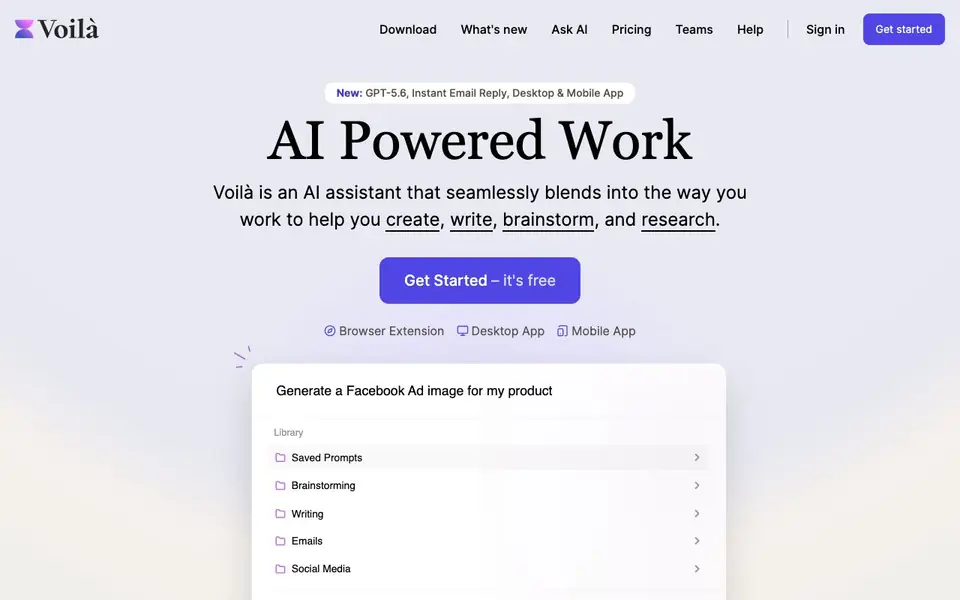
Voilà AI Assistant is an all-in-one AI tool that works where you do. It blends into your browser, desktop, or mobile app to help you create content, draft emails, summarize webpages, and generate images. You can chat with websites, documents, and pictures, and use a library of expert prompts or save your own.
To get started, you install the browser extension, desktop app, or mobile app. Then you can ask AI to read any webpage, document, or image and summarize, rewrite, translate, or reply. You can also use the prompt library for tasks like writing blog posts, ad copy, LinkedIn posts, resumes, and more. The tool includes instant email reply, grammar fixes, and YouTube transcript summaries.
Voilà suits professionals in marketing, sales, engineering, UX, and SEO who want to speed up writing and research. The website mentions it is trusted by over 100,000 industry leaders and has a 4.9 rating. It offers a free plan to get started, with paid options for more features.
Voilà AI Assistant features
- Read any webpage: Summarize, rewrite, translate, or reply to content from any website or URL.
- Instant Email Reply: Draft or improve emails with one-click AI-powered replies and templates.
- Chat with docs and images: Analyze or discuss content from documents, spreadsheets, and uploaded images.
- Expert prompt library: Access battle-tested prompts for writing, brainstorming, and research tasks.
- Image generation: Create visual content from text prompts directly in the assistant.
What you can do with Voilà AI Assistant
- Draft professional emails and replies quickly from your browser.
- Summarize long articles or YouTube transcripts for quick insights.
- Generate ad copy, landing page text, or social media posts.
- Analyze uploaded images or documents by chatting with them.
How to get started with Voilà AI Assistant
- Download the browser extension, desktop app, or mobile app from the website.
- Sign in or get started with the free plan.
- Use the prompt library or ask AI to read a webpage, document, or image to start creating.
Tips for better results with Voilà AI Assistant
- Install the Voilà browser extension first, then open any webpage and use the Ask AI feature to summarize or rewrite it directly in context, saving you from copying text manually.
- Save your most-used prompts in the Saved Prompts section of Voilà so you can reuse them for recurring tasks like email drafts or social posts, which speeds up your workflow significantly.
- Upload a document or image into Voilà and ask specific questions about its contents rather than requesting a general summary, as this gives you more targeted and useful answers for your research.
- Use Voilà's Instant Email Reply to draft responses from your inbox, then edit the tone or length before sending, since the AI output often needs a quick personal touch to match your voice.
Voilà AI Assistant pricing
Voilà AI Assistant has a free way to start, with paid plans for heavier use. Check getvoila.ai for current limits and prices.
What to check before you rely on Voilà AI Assistant
- Check the free plan's feature limits on the Voilà pricing page, since the website does not list specific caps for messages, image generations, or prompt library access.
- Verify which platforms the Voilà mobile and desktop apps support on your devices, as the website mentions Windows, Mac, iOS, and Android but does not state system requirements.
- Review Voilà's data privacy policy before using it with sensitive documents or emails, because the website does not clearly state how your uploaded content is stored or used.
Who Voilà AI Assistant is for
Voilà AI Assistant suits marketers, content writers, sales professionals and product teams. If that is not you, the AI writing tools below may fit better.
Similar tools compared with Voilà AI Assistant
| Tool | What it is | Pricing |
|---|---|---|
| Voilà AI Assistant | AI assistant for writing and research | Freemium |
| FreeSiTools | Free AI image prompt generator | Free |
| Jenni AI | AI academic writing and research assistant | Freemium |
| Wordtune | AI writing and paraphrasing assistant | Freemium |
| Grammarly | AI writing assistant for clear communication | Freemium |
Voilà AI Assistant FAQ
What can Voilà AI Assistant do?
It helps you write, brainstorm, and research. You can summarize webpages, draft emails, generate images, chat with documents, and use expert prompts for content like blog posts, ads, and resumes.
Is Voilà free to use?
The website says 'Get Started – it's free', which suggests there is a free plan. It also mentions pricing, so likely there are paid plans for more features, but the site doesn't detail the exact pricing tiers.
Where can I use Voilà?
You can use it as a browser extension, desktop app for Windows or Mac, and mobile app for iOS or Android. It works on any website and understands the context of your work.
Can Voilà help with team collaboration?
Yes, the website mentions team collaboration with shared workflows and templates. This is part of the Teams feature, though the site doesn't specify how it works in detail.
What can Voilà AI Assistant export or connect to?
The Voilà AI Assistant website does not mention specific export formats or integrations with other apps. It focuses on features like summarizing, rewriting, and generating content. For details on exporting or connecting to other tools, check the app's settings or help section after installing it.
On which devices and platforms does Voilà AI Assistant run?
Voilà AI Assistant runs on Windows, Mac, iOS, and Android. You can use it as a browser extension, desktop app, or mobile app. This means you can access it on your computer, phone, or tablet, making it easy to work across devices.
What does the free plan of Voilà AI Assistant include?
The Voilà AI Assistant website says it's free to get started, but it does not list exactly what the free plan includes. To find out the specific limits or features of the free plan, visit the pricing page or sign up to see what you get.


