
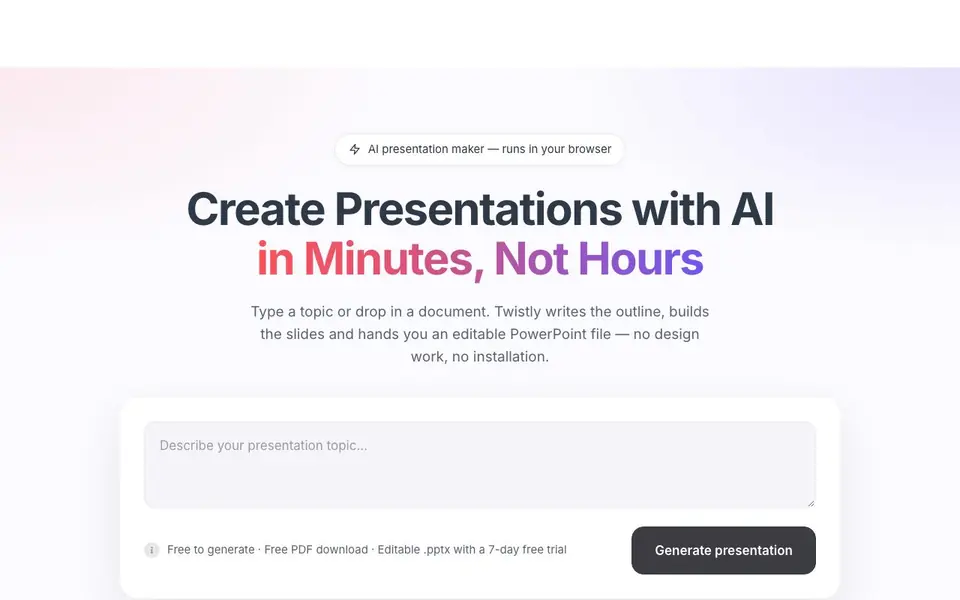
What is Twistly?
Twistly is an AI presentation maker that runs entirely in your browser. You type a topic or drop in a PDF, Word document, or outline, and it writes the content, designs the slides, and hands you a real, editable PowerPoint file. No design work and no installation needed.
To get started, you enter a topic or upload a document. Twistly generates an outline for your approval first. Once you approve, it builds the full deck and exports it as a native.pptx file that stays fully editable. You can also download a free PDF version. The whole process takes under 90 seconds.
Twistly supports 38 languages and offers 51 templates. It handles PDFs or Word files up to 300 MB. The free tier lets you generate presentations and download PDFs, while the editable.pptx export comes with a 7-day free trial. It's used at over 1,200 universities, including Harvard, MIT, and Stanford, and has a 4.7/5 rating from 440+ reviews on Microsoft AppSource.
Twistly features
- Editable.pptx export: Get a native PowerPoint file that you can fully edit after generation.
- Outline approval: Review and approve the slide outline before the deck is built.
- Document upload: Drop in a PDF or Word file up to 300 MB to base your presentation on it.
- Multi-language support: Create presentations in 38 different languages.
- Template library: Choose from 51 templates to match your desired style.
What you can do with Twistly
- Create a sales pitch deck from a one-line product description.
- Turn a 6-page PDF report into an 18-slide presentation.
- Convert a Word outline into a structured slide deck.
- Generate a university lecture presentation in under 90 seconds.
How to get started with Twistly
- Go to Twistly's website and click 'Start for Free'.
- Type a topic or upload a PDF, Word document, or outline.
- Approve the generated outline, then download your editable.pptx or free PDF.
Tips for better results with Twistly
- Start with a one-line topic or upload a PDF or Word file, then review the outline Twistly generates before approving it to steer the deck's structure.
- Use Twistly's 51 templates and 38 language options to match your audience, and pick a template before generating to avoid rework later.
- For a polished result, upload a well-organized document like a 6-page report, and let Twistly convert it into slides rather than typing a vague prompt.
- After Twistly exports your editable.pptx, open it in PowerPoint and adjust fonts, colors, and layout details to fit your brand before presenting.
Twistly pricing
Twistly has a free way to start, with paid plans for heavier use. Check twistly.ai for current limits and prices.
What to check before you rely on Twistly
- Check whether your free plan includes the editable.pptx export, since Twistly's website says that feature comes with a 7-day free trial, not the free tier.
- Verify the pricing page for any limits on the number of presentations per day or month, as the website does not state these details.
- Confirm how Twistly handles your uploaded documents and data privacy, since the website lists privacy policies but does not summarize its data practices here.
Who Twistly is for
Twistly suits students, professionals, educators and marketers. If that is not you, the AI presentation makers below may fit better.
Similar tools compared with Twistly
| Tool | What it is | Pricing |
|---|---|---|
| Twistly | AI presentation maker with editable PowerPoint export | Freemium |
| Gamma | AI presentation, website, and document maker | Freemium |
| Beautiful.ai | AI presentation software for teams | See website |
| Pitch | Collaborative AI presentation workspace for teams | See website |
| Uizard | AI-powered UI design and prototyping tool | Freemium |
Twistly FAQ
What does Twistly do?
Twistly is an AI presentation maker that runs in your browser. You give it a topic or a document, and it writes the outline, designs the slides, and exports a real, editable PowerPoint file.
Is Twistly free to use?
Yes, generating presentations and downloading PDFs is free. The editable.pptx export requires a 7-day free trial, after which you'd need a paid plan.
Can I edit the presentations Twistly creates?
Yes. Twistly exports native.pptx files that stay fully editable, so you can change text, images, and layouts in PowerPoint after generation.
What file types can I upload to Twistly?
You can upload PDFs and Word documents up to 300 MB. Twistly also accepts simple text prompts or outlines to generate your deck.
Does Twistly require an account to use?
Twistly runs entirely in your browser, so you can start generating a presentation right away. The website does not specify whether an account is required for the free tier, so check the sign-up flow on twistly.ai to confirm what you need to provide before generating.
Can I use Twistly on a mobile phone or tablet?
Twistly runs in your browser, which means it works on any device with a modern web browser, including phones and tablets. The website does not list specific device requirements, so test it on your device to see if the experience matches your needs.
Does Twistly offer a free plan with unlimited presentations?
Twistly's free tier lets you generate presentations and download PDFs at no cost. The website does not state whether the free plan has a limit on the number of presentations, so check the pricing page on twistly.ai for details on any usage caps.


