

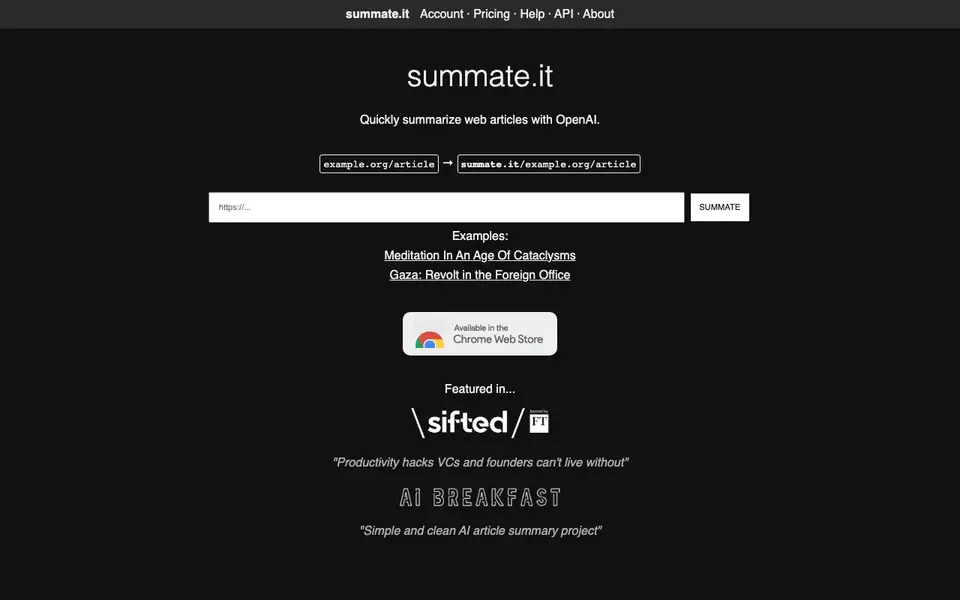
What is Summate.it?
Summate.it is a straightforward web service that summarizes articles for you. You give it a link to any web page, and it uses OpenAI's language models to produce a concise summary. The tool is designed for on-demand use, so you can get a digest of a long piece without reading the whole thing.
To use it, you simply take the article's URL and place it after summate.it in your browser's address bar. For example, if the article is at example.org/article, you visit summate.it/example.org/article. The service then fetches the page and returns a summary. It's that simple—no sign-up or complex setup required for basic use.
Summate.it is made by FiveFilters.org, a group known for practical web tools. It's useful for researchers, journalists, or anyone who needs to quickly grasp the key points of multiple articles. The website mentions an account system, pricing, and an API, but doesn't detail the costs or limits. It also has an email list for updates on the service.
Summate.it features
- Quick summarization: Generates a concise summary of any web article you provide a URL for.
- Simple URL-based access: Just prepend summate.it to an article URL to get a summary.
- OpenAI-powered: Uses OpenAI's language models to understand and condense the content.
- On-demand usage: Summarize articles as needed, without batch processing or scheduling.
- API availability: Offers an API for developers who want to integrate summarization into their own tools.
What you can do with Summate.it
- Summarize a long news article to get the main points quickly.
- Get a digest of a research paper before deciding to read it fully.
- Review multiple blog posts in a short time for a literature review.
- Create quick summaries of web content for your own notes or reference.
How to get started with Summate.it
- Copy the URL of the article you want to summarize.
- Paste it after summate.it in your browser's address bar (e.g., summate.it/example.org/article).
- Press Enter and read the generated summary on the page.
Tips for better results with Summate.it
- Use Summate.it by placing the full article URL directly after the domain in your browser, like summate.it/example.org/article, to get a quick summary without any setup.
- For best results with Summate.it, choose articles with clear headings and paragraphs, as the OpenAI model condenses content more accurately when the website text is well-structured.
- Test Summate.it on a few different article types, such as news, research, and blogs, to see how its summaries fit your needs before relying on it for regular work.
- Keep Summate.it handy for on-demand use, like skimming multiple posts or papers, since it works per URL rather than in batches, saving you time on individual reads.
Summate.it pricing
Summate.it’s homepage does not list prices. Check summate.it for current plans.
What to check before you rely on Summate.it
- Check whether Summate.it requires an account or has usage limits, since the website mentions an account system and pricing but does not state costs or restrictions.
- Verify if Summate.it's summaries meet your accuracy needs by comparing them to original articles, especially for research or journalism where precision matters.
- Confirm that Summate.it supports the article formats or platforms you use, as the website does not specify which web pages or content types it can process.
Who Summate.it is for
Summate.it suits researchers, journalists, students and busy professionals. If that is not you, the AI writing tools below may fit better.
Similar tools compared with Summate.it
| Tool | What it is | Pricing |
|---|---|---|
| Summate.it | Web article summarizer using OpenAI | See website |
| FreeSiTools | Free AI image prompt generator | Free |
| Jenni AI | AI academic writing and research assistant | Freemium |
| Wordtune | AI writing and paraphrasing assistant | Freemium |
| Grammarly | AI writing assistant for clear communication | Freemium |
Summate.it FAQ
How do I summarize an article with Summate.it?
You take the article's URL and add it to the end of summate.it in your browser. For instance, summate.it/example.org/article. The service then fetches the page and shows you a summary.
Is Summate.it free to use?
The website mentions pricing and an account system, but it doesn't state whether there's a free plan or what the costs are. You'd need to check the pricing page or contact them for details.
Who is Summate.it for?
It's for anyone who needs to quickly understand web articles without reading them fully—like researchers, journalists, students, or busy professionals who want to skim multiple sources.
Can I use Summate.it with my own applications?
Yes, there's an API mentioned on the website. You can integrate it into your own tools or workflows, but the site doesn't provide specific API documentation or usage limits.
Does Summate.it work on any device or browser?
Summate.it is a web service, so you can use it in any browser on any device that can access the internet. You just type the article URL after summate.it in the address bar. The website does not mention any dedicated apps or offline support, so check the site for updates if you need specific device compatibility.
What can Summate.it export or connect to?
Summate.it provides a summary directly in your browser after you enter the URL. The website mentions an API for developers, but it does not list any export formats or integrations with other apps like note-taking tools or email clients. For details on API capabilities, you would need to check the API section on the Summate.it website.
Does Summate.it require an account to use?
No, Summate.it does not require an account for basic use. You can simply prepend summate.it to an article URL and get a summary without signing up. The website does mention an account system, but it does not specify what features or limits apply to accounts, so check the site for more details if you plan to use it frequently.


