

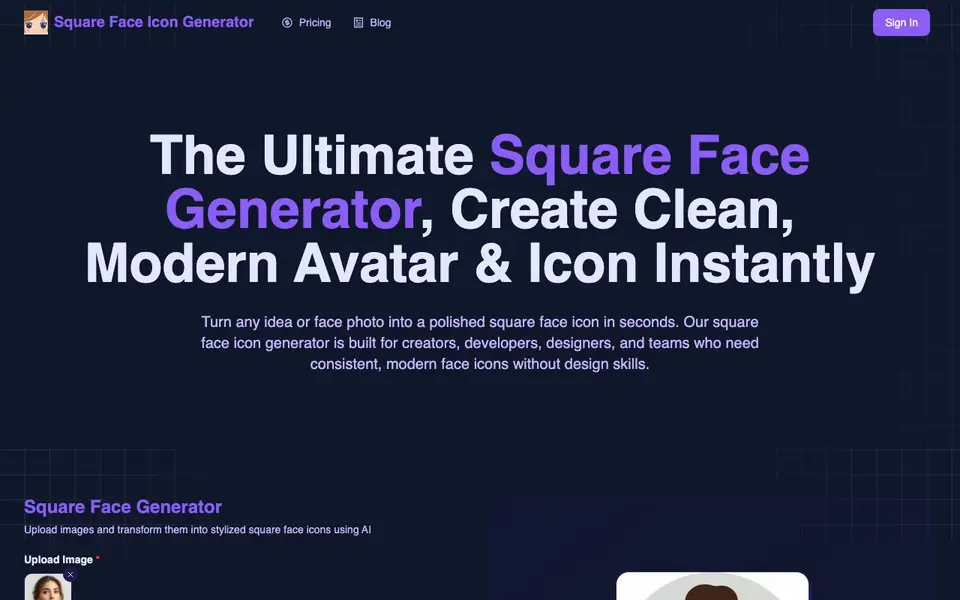
What is Square Face Icon Generator?
Square Face Icon Generator is an AI tool that creates stylized square face icons from either a text prompt or a photo you upload. It focuses on square proportions, symmetry, and facial balance, so the results look consistent and modern for digital use. You don't need design skills; the tool handles the artwork automatically.
To use it, you choose your input: type a description of the face you want or upload a real face photo. Then click the Generate button and wait a short time for the icon to be created. Finally, you confirm the result and download the high-quality square image, available as.png or.jpg, without a watermark.
This tool suits creators, developers, designers, and teams who need consistent face icons for apps, websites, or branding. You can generate multiple icons in the same style for collections. The website mentions it is built on a NextJS boilerplate for AI SaaS startups, and it requires login to try the generator.
Square Face Icon Generator features
- Prompt-to-Icon Generation: Describe the face you want, and the tool turns your words into a visual with accurate facial balance.
- Photo-to-Icon Conversion: Upload a real face photo and transform it into a stylized square icon while keeping the identity.
- Perfect Square Composition: Every output is optimized for square layouts with centered facial features.
- Instant Results: Generate icons in seconds with AI-accelerated rendering.
- High-Resolution Export: Download square face icons ready for web, mobile, or print use.
What you can do with Square Face Icon Generator
- Create a consistent set of avatar icons for your app or team.
- Turn a personal photo into a clean profile picture for social media.
- Generate a branded face icon for your product or website.
- Make multiple icons in the same style for a collection or series.
How to get started with Square Face Icon Generator
- Choose your input: enter a descriptive prompt or upload a face photo.
- Click the Generate button and wait a short time for the icon to render.
- Confirm the result and download the high-quality square icon to your device.
Tips for better results with Square Face Icon Generator
- Upload a clear, front-facing photo with even lighting to get the best square face icon results from Square Face Icon Generator.
- Use a detailed text prompt describing facial features, style, and mood to guide Square Face Icon Generator toward the exact icon look you want.
- Generate multiple icons in one session to build a consistent set for your app or brand, since the tool keeps the same visual style.
- Confirm your login and credit balance before generating, because Square Face Icon Generator requires login and each generation costs 10 credits.
Square Face Icon Generator pricing
Square Face Icon Generator’s homepage does not list prices. Check squarefaceicongenerator.net for current plans.
What to check before you rely on Square Face Icon Generator
- Check whether your account has enough credits before starting, since each generation uses 10 credits and the website does not list pricing or credit packages.
- Verify the website's privacy policy for uploaded photos, as it does not state how your images are stored or used.
- Confirm the download format and resolution meet your needs; the site mentions.png and.jpg without watermark but does not specify exact pixel sizes.
Who Square Face Icon Generator is for
Square Face Icon Generator suits creators, developers, designers and teams. If that is not you, the AI avatar generators below may fit better.
Similar tools compared with Square Face Icon Generator
| Tool | What it is | Pricing |
|---|---|---|
| Square Face Icon Generator | AI square face icon maker | See website |
| D-ID | AI video and interactive avatar platform | Free trial |
| Synthesia | AI video and avatar platform for business | Freemium |
| Fliki | AI video generator with lifelike voiceovers | Freemium |
| Hedra | Visual intelligence platform for creation | See website |
Square Face Icon Generator FAQ
Can I upload a real photo to make an icon?
Yes. The tool supports photo uploads and converts them into stylized square icons while preserving the person's identity. You can also use a text prompt instead if you prefer.
Do I need design skills to use this tool?
No. The generator is fully automated and beginner-friendly. You just provide a prompt or photo, and the tool handles the artwork for you.
Can I use the generated icons commercially?
Yes. Icons generated with the tool can be used for commercial projects, such as branding, apps, or products. The export is high-quality and without a watermark.
What image formats are supported for export?
The tool exports high-quality square images in.png or.jpg formats, suitable for web and apps. The website does not state if other formats are available.
Does Square Face Icon Generator require an account to use?
Yes, the website states that you need to log in to try the generator. The login requirement is mentioned on the main page, so you will need to create an account or sign in before you can generate icons with Square Face Icon Generator.
What does the free plan of Square Face Icon Generator include?
The website does not specify the details of a free plan for Square Face Icon Generator. It shows a credit cost of 10 credits per generation, but it does not explain how credits are obtained or whether a free tier exists. Check the pricing page or contact support for specifics.
Can I use Square Face Icon Generator on my mobile device?
The website does not mention any dedicated mobile app for Square Face Icon Generator. However, since it is a web-based tool, you can likely access it through a mobile browser. The site does not specify platform limitations, so try using it on your phone's browser to see if it works.


