

What is SlidesWizard?
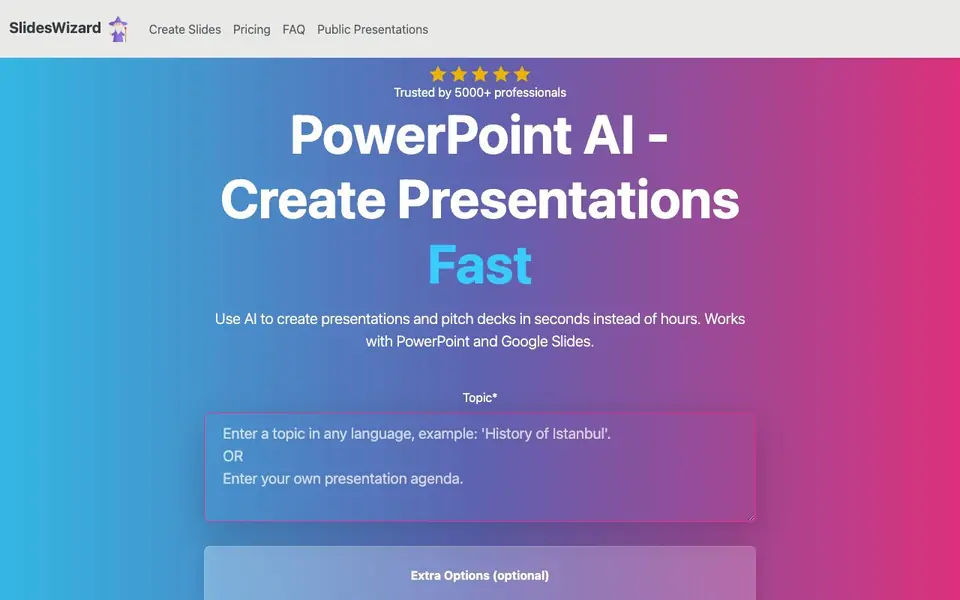
SlidesWizard is an AI tool that builds complete presentations for you. You give it a topic, and it handles the outline, slide layouts, images, and speaker notes. It works with PowerPoint and Google Slides, so you can export your finished deck to either format. The tool is aimed at professionals who want to skip the busywork of starting slides from scratch.
To use it, you type in your topic and any extra options you want. SlidesWizard then generates a presentation outline for free. After that, it picks the best layout for each slide, choosing from bullet points, text and image, timeline, Venn diagram, or pie chart. It also automatically finds relevant, high-quality images for each slide, so you do not have to search for visuals yourself.
SlidesWizard suits anyone who needs decks quickly, such as business professionals, students, or marketers. The free plan lets you create slides, view them online, and share them, but it adds a watermark. A pay-per-use option costs $2.50 per presentation and removes the watermark, plus lets you export to PowerPoint, Google Slides, or PDF. The website does not state whether you can create slides from your own notes.
SlidesWizard features
- Outline generation: Structures your presentation into a clear outline before building slides.
- Multiple slide layouts: Chooses from bullet points, text and image, timeline, Venn diagram, and pie charts.
- Automatic image selection: Adds relevant, high-quality visuals to each slide based on your content.
- Speaker notes: Generates notes for each slide to help you present.
- Export options: Download your deck as PowerPoint, Google Slides, or PDF with the paid plan.
What you can do with SlidesWizard
- Create a pitch deck for investors in minutes.
- Build a training presentation for your team.
- Prepare a classroom lecture with visuals and notes.
- Turn a blog post topic into a shareable slide deck.
How to get started with SlidesWizard
- Go to the SlidesWizard website and type your topic into the field.
- Add any extra options you want, then click to generate the presentation outline for free.
- Review the slides online, then pay $2.50 to remove the watermark and export to PowerPoint, Google Slides, or PDF.
Tips for better results with SlidesWizard
- Start with a clear, specific topic and add extra options like audience or tone to guide SlidesWizard's outline generation and slide layout choices.
- Review the free outline before SlidesWizard builds slides, and adjust your topic or options if the structure misses key points you need to cover.
- Use SlidesWizard's automatic image selection to save time, but check each visual for relevance and replace any that do not match your content or brand.
- Export your finished deck to PowerPoint or Google Slides with the paid plan, then refine formatting in your preferred tool before presenting.
SlidesWizard pricing
SlidesWizard has a free way to start, with paid plans for heavier use. Check slideswizard.io for current limits and prices.
What to check before you rely on SlidesWizard
- Confirm whether the free plan's watermark and online-only viewing meet your needs, since the website does not state if free exports are possible.
- Verify that SlidesWizard's automatic layouts and images fit your content, as the tool chooses them without your manual input.
- Check the pricing page for any limits on presentations or downloads, since the website lists only a $2.50 pay-per-use option and does not state plan caps.
Who SlidesWizard is for
SlidesWizard suits business professionals, students, marketers and educators. If that is not you, the AI presentation makers below may fit better.
Similar tools compared with SlidesWizard
| Tool | What it is | Pricing |
|---|---|---|
| SlidesWizard | AI presentation and pitch deck maker | Freemium |
| Gamma | AI presentation, website, and document maker | Freemium |
| Beautiful.ai | AI presentation software for teams | See website |
| Pitch | Collaborative AI presentation workspace for teams | See website |
| Uizard | AI-powered UI design and prototyping tool | Freemium |
SlidesWizard FAQ
How does SlidesWizard work?
You enter a topic and optional extra details. The AI creates a presentation outline, then builds slides with layouts, images, and speaker notes. You can view the result online and share it, or pay to download it.
Is SlidesWizard free?
Yes, there is a free plan that lets you create slides, view them online, and share them. It includes a watermark. For $2.50 per presentation, you can remove the watermark and export to PowerPoint, Google Slides, or PDF.
Can I create slides from my own notes?
The website does not state whether you can upload your own notes. It focuses on generating presentations from a topic you type in, so check the site for any updates on this feature.
What slide layouts does SlidesWizard use?
It automatically picks the best layout for each slide. Available layouts include bullet points, text and image, timeline, Venn diagram, and pie charts, depending on the content.
What file formats can SlidesWizard export to?
SlidesWizard lets you export your presentation to PowerPoint, Google Slides, or PDF, but only on the paid plan. The free plan does not include export options, so you can only view and share your slides online. Check the pricing page for details.
Does SlidesWizard require an account to use?
The SlidesWizard website does not mention whether you need an account to create presentations. You can generate a free outline directly on the site, but the full process may require signing up. Check the site's sign-up or login options for confirmation.
Can SlidesWizard be used on mobile devices?
SlidesWizard's website does not specify if it works on mobile devices. Since it is a web-based tool, you might be able to use it through a mobile browser, but the site does not confirm this. Try accessing slideswizard.io on your phone to see if it works.


