

What is Rytr?
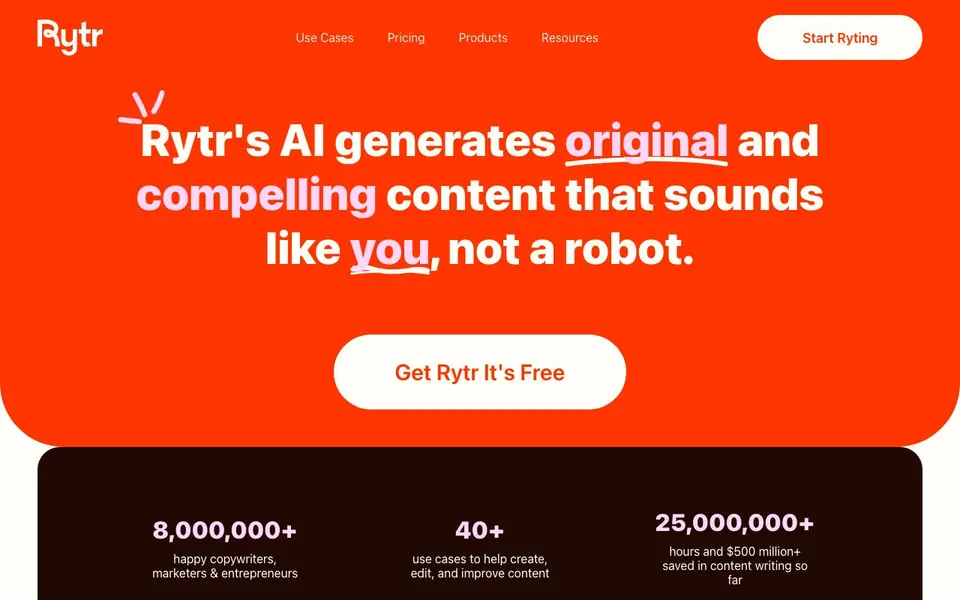
Rytr is an AI writing assistant designed to help you create high-quality content quickly. It offers over 40 use cases and templates, from emails and SEO meta titles to blog posts and social media captions. The tool aims to produce content that sounds like you, not a robot, by analyzing your writing style and mirroring your tone.
You start by choosing a use case, providing some input, and letting Rytr generate text. You can then edit, expand, or rephrase the output using features like Continue Ryting, Text Inflator, and Grammar Checker. The Chrome extension lets you use Rytr wherever you write online. You can also create custom tones for different projects or clients.
Rytr suits copywriters, marketers, entrepreneurs, and small businesses. It offers a free plan with 10,000 characters per month, and paid plans with unlimited generations, plagiarism checks, and more languages. The website highlights that millions of users rely on it for plagiarism-free work, but does not specify any limitations beyond character limits on the free plan.
Rytr features
- 40+ use cases: Choose from templates for emails, SEO, creative writing, and more to fit your task.
- Tone customization: Rytr analyzes your writing sample and mirrors your style, or you can build custom tones.
- Continue Ryting: Automatically continues your sentences or paragraphs to keep your writing flowing.
- Text Inflator: Expands a single sentence or paragraph into two with rewrites for more depth.
- Plagiarism checker: Ensures your content is unique and original, with checks available on paid plans.
What you can do with Rytr
- Write SEO meta titles and descriptions for your web pages.
- Draft email responses or reply to customer reviews and messages.
- Generate post and caption ideas for social media platforms.
- Create call-to-action text for your marketing campaigns.
How to get started with Rytr
- Sign up for a free account on Rytr's website—no credit card required.
- Choose a use case from the 40+ templates and enter your input.
- Generate content, then edit, expand, or rephrase it using the built-in tools.
Tips for better results with Rytr
- Start by selecting a specific use case and providing detailed input, as Rytr generates better content when you give it clear context and examples to work from.
- Use the Continue Ryting feature to extend your drafts naturally, then run the Grammar Checker to polish the output before you finalize any piece.
- Feed Rytr a sample of your own writing and create a custom tone, so the generated text matches your voice instead of sounding generic or robotic.
- For longer projects, break your work into sections and use the Text Inflator on each part, then rephrase with the Rewording Generator to keep variety and depth.
Rytr pricing
Rytr has a free way to start, with paid plans for heavier use. Check rytr.me for current limits and prices.
What to check before you rely on Rytr
- Check the free plan's 10,000 character monthly limit, since exceeding it will block further generation until the next cycle or require a paid upgrade.
- Verify that the plagiarism checker is only on paid plans, as the free tier does not include it, so you cannot confirm originality without upgrading.
- Confirm that the Chrome extension is included for free, but note that the website does not state whether it works on all sites or has any restrictions.
Who Rytr is for
Rytr suits copywriters, marketers, entrepreneurs and small business owners. If that is not you, the AI writing tools below may fit better.
Similar tools compared with Rytr
| Tool | What it is | Pricing |
|---|---|---|
| Rytr | AI writing assistant for content creation | Freemium |
| FreeSiTools | Free AI image prompt generator | Free |
| Jenni AI | AI academic writing and research assistant | Freemium |
| Wordtune | AI writing and paraphrasing assistant | Freemium |
| Grammarly | AI writing assistant for clear communication | Freemium |
Rytr FAQ
Is Rytr free to use?
Yes, Rytr has a free plan that includes 10,000 characters per month, access to 40+ use cases, 20+ tones, and the Chrome extension. Paid plans start at $7.50 per month for unlimited generations.
What can I create with Rytr?
You can create emails, SEO meta titles, replies to reviews, paragraph content, post and caption ideas, and calls to action. There are over 40 use cases and templates to choose from.
Can Rytr match my writing style?
Yes, Rytr analyzes a sample of your writing and mirrors your tone. You can also create multiple custom tones for different scenarios, projects, or clients.
Does Rytr check for plagiarism?
Yes, Rytr includes plagiarism checks. The Unlimited plan offers 50 checks per month, and the Premium plan offers 100 checks per month. The free plan does not specify plagiarism checks.
Does Rytr offer a Chrome extension, and what does it do?
Yes, Rytr provides a free Chrome extension that lets you use its AI writing features on any website where you type. The extension is included in all plans, including the free one, and helps you draft content without switching tabs.
Can Rytr check my content for plagiarism, and is it included in the free plan?
Rytr includes a plagiarism checker, but it is only available on paid plans. The free plan does not mention plagiarism checks. If you need this feature, you would need to upgrade to a paid plan to access it.
What languages does Rytr support for writing?
Rytr supports writing in over 40 languages, but this is only mentioned on the Premium plan. The free and Unlimited plans do not specify language options. For the full range of languages, you would need the Premium plan.


