

What is QuickCreator?
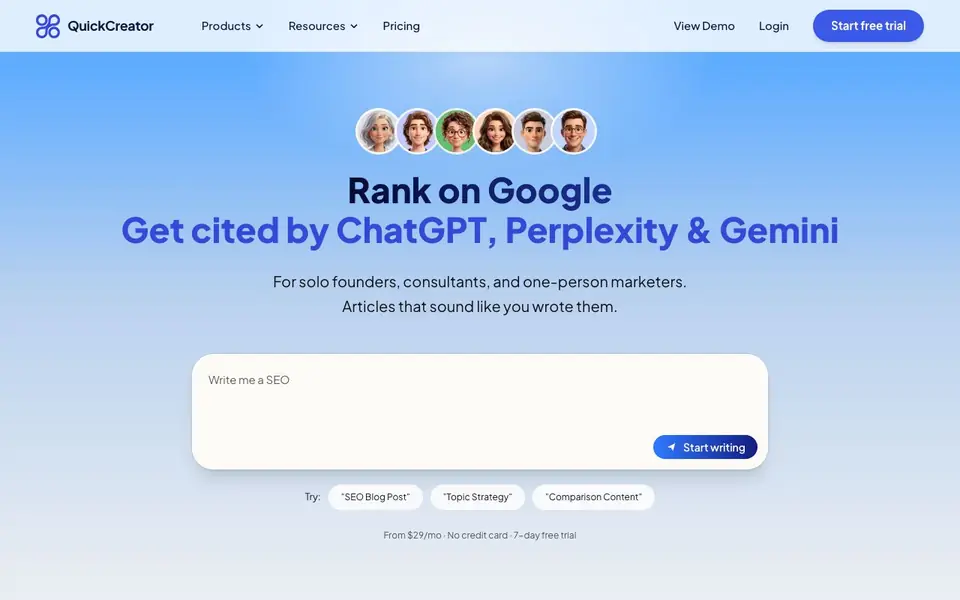
QuickCreator is an AI content team designed for solo founders, consultants, and one-person marketers. It uses six AI agents that each handle a specific role: brand positioning, topic strategy, market research, writing, optimization, and distribution. Together, they produce articles that sound like you wrote them and are built to rank on Google and get cited by AI search engines like ChatGPT, Perplexity, and Gemini.
You start by giving direction in plain language. The Brand Positioning Agent scans your site to learn your voice and defines your ideal customer. The Topic Strategy Agent turns one keyword into a ranked content roadmap. The Market Research Agent builds a reader profile, and the Content Writer Agent drafts in your voice, self-grading against E-E-A-T. The Optimization Agent acts as a senior editor you can talk to, and the Distribution Agent publishes to WordPress, Shopify, or Strapi, or hosts a site for you.
This suits solo founders who want SEO content without hiring a team. It also works for consultants and one-person marketers who need consistent publishing. The website mentions a 7-day free trial, no credit card required, and pricing from $29 per month. It does not state whether a permanent free plan exists.
QuickCreator features
- Brand voice learning: Scans your existing site to match your tone and style in every article.
- Topic roadmap: Turns one keyword into a ranked list of topics by search opportunity.
- Reader research: Builds a user journey to understand what your audience knows and fears.
- E-E-A-T self-grading: Scores drafts on experience, expertise, authority, and trust, then rewrites weak parts.
- One-click publishing: Sends articles to WordPress, Shopify, or Strapi, or hosts a content hub.
What you can do with QuickCreator
- Generate SEO blog posts that rank on Google for your niche.
- Create comparison content that gets cited by AI search engines.
- Build a content roadmap from a single seed keyword.
- Publish articles to your existing CMS without manual work.
How to get started with QuickCreator
- Sign up for a free trial on QuickCreator's website with no credit card.
- Give the Brand Positioning Agent your site URL and any PDFs or docs to learn your voice.
- Enter a seed keyword, review the topic roadmap, and let the agents draft, optimize, and publish.
Tips for better results with QuickCreator
- Start by giving QuickCreator a clear seed keyword and your site URL so the Brand Positioning Agent can learn your voice before any drafting begins.
- Review and edit the research brief from the Market Research Agent before letting the writer draft, so the article targets real reader questions.
- Use QuickCreator's Topic Strategy Agent to generate a ranked roadmap, then pick topics by buyer journey stage to publish in the right order.
- Talk to the Optimization Agent as a senior editor, asking for specific rewrites on E-E-A-T weak spots before you publish to your CMS.
QuickCreator pricing
QuickCreator offers a free trial before you pay. Check quickcreator.io for current plans.
What to check before you rely on QuickCreator
- Check whether the 7-day free trial includes all six agents or only a subset, since the website does not specify trial feature limits.
- Verify if the $29 per month plan covers unlimited articles or has a word or article cap, as the site does not list usage limits.
- Confirm that your existing CMS version is supported by QuickCreator's one-click publishing, since the site only names WordPress, Shopify, and Strapi.
Who QuickCreator is for
QuickCreator suits solo founders, consultants and one-person marketers. If that is not you, the AI writing tools below may fit better.
Similar tools compared with QuickCreator
| Tool | What it is | Pricing |
|---|---|---|
| QuickCreator | AI content team for solo founders | Free trial |
| FreeSiTools | Free AI image prompt generator | Free |
| Jenni AI | AI academic writing and research assistant | Freemium |
| Wordtune | AI writing and paraphrasing assistant | Freemium |
| Grammarly | AI writing assistant for clear communication | Freemium |
QuickCreator FAQ
What does QuickCreator do?
It uses six AI agents to write, optimize, and publish SEO articles in your brand voice. The agents handle topic strategy, research, drafting, editing, and distribution, so you just give direction in plain language.
Is there a free plan or trial?
The website mentions a 7-day free trial with no credit card required. Pricing starts at $29 per month. It does not state whether a permanent free plan is available.
Who is QuickCreator for?
It is built for solo founders, consultants, and one-person marketers who need to publish SEO content without hiring a full content team. You can manage the whole process yourself with AI assistance.
Can I publish to my existing website?
Yes. The Distribution Agent publishes to WordPress, Shopify, or Strapi in one click. If you don't have a CMS, it can host a content hub on your own domain with no front-end work.
Does QuickCreator have a mobile app or desktop app?
The QuickCreator website does not mention a mobile or desktop app. It appears to be a web-based tool you access through your browser. To confirm whether an app is available, check the QuickCreator website or contact their support team directly.
Can QuickCreator export articles to Google Docs or other formats?
The QuickCreator website does not mention exporting articles to Google Docs or other file formats. It focuses on publishing directly to WordPress, Shopify, or Strapi, or hosting a content hub. For export options not listed, check the QuickCreator website or contact their support.
Does QuickCreator require a credit card for the 7-day free trial?
No, the QuickCreator website states the 7-day free trial requires no credit card. You can start the trial without entering payment details. After the trial ends, you would need to choose a paid plan to continue using QuickCreator, with pricing starting at $29 per month.


