

What is Prezi?
Prezi is a presentation platform built for engagement. You can create a presentation from a description using AI, or import an existing PowerPoint, Doc, or PDF. The tool brings slides, live activities, and editing into one workspace, so you can plan polls, quizzes, Q&A, and word clouds ahead of time and launch them during your session without switching tabs.
During a live session, your audience joins through a QR code—no app or account needed. They can ask questions, vote, and answer polls, with the best questions rising via upvotes while you keep control through a moderation queue. Afterward, you share one link so people can revisit the presentation, review with flashcards and practice quizzes, or catch up via podcast or narrated video.
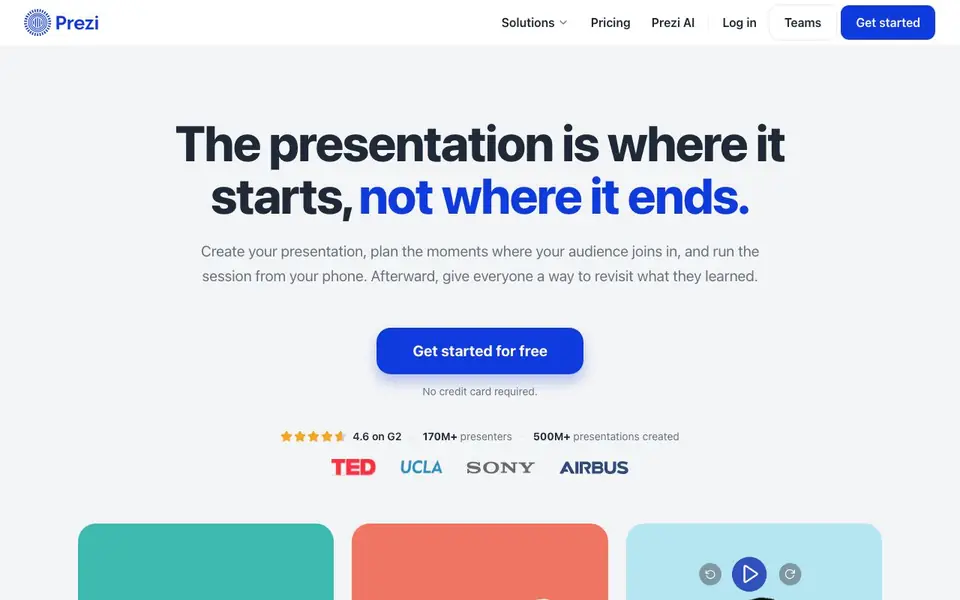
Prezi suits teachers, trainers, professors, and teams who need ideas to stick. Analytics show how long viewers engaged, which slides held attention, and where they dropped off. Prezi can interpret that behavior and recommend improvements for your next session. The site notes a 4.6 rating on G2, with 170M+ presenters and 500M+ presentations created.
Prezi features
- AI drafting: Describe what you need and Prezi drafts a presentation for you.
- Live activities: Add polls, quizzes, Q&A, and word clouds to your presentation flow.
- QR code participation: Audience joins with a scan—no app or account required.
- Post-session review: Share a link so people can revisit with flashcards and practice quizzes.
- Analytics report: See engagement time, attention by slide, and drop-off points.
What you can do with Prezi
- Create a training deck with built-in polls and quizzes.
- Run a live lecture where students vote and ask questions via QR code.
- Share a presentation link so absent team members catch up with a podcast.
- Review quiz results to spot gaps and improve your next session.
How to get started with Prezi
- Get started for free—no credit card required.
- Create a presentation with AI or import an existing file.
- Plan live activities, present, and share the link afterward.
Tips for better results with Prezi
- Describe your audience and goal in detail when using Prezi's AI drafting, so the generated presentation matches your session's purpose and tone from the start.
- Plan your polls, quizzes, and Q&A while building the deck in Prezi, then rehearse the flow once to ensure each activity launches smoothly during your live session.
- After your session, share the Prezi link and encourage viewers to use flashcards and practice quizzes, then check the analytics to see which slides held attention longest.
- Import an existing PowerPoint, Doc, or PDF into Prezi first, then add live activities and brand colors, saving time while keeping your original content intact.
Prezi pricing
Prezi has a free way to start, with paid plans for heavier use. Check prezi.com for current limits and prices.
What to check before you rely on Prezi
- Check the free plan's limits on presentation length, live activity features, and analytics access, since the website does not list specific restrictions.
- Verify whether Prezi's analytics and post-session review features require a paid plan, as the site does not state which features are free versus paid.
- Confirm your audience can join via QR code on their devices, and test the moderation queue and upvoting before a real session to avoid surprises.
Who Prezi is for
Prezi suits teachers, trainers, professors and team leaders. If that is not you, the AI presentation makers below may fit better.
Similar tools compared with Prezi
| Tool | What it is | Pricing |
|---|---|---|
| Prezi | AI presentation and audience engagement platform | Freemium |
| Gamma | AI presentation, website, and document maker | Freemium |
| Beautiful.ai | AI presentation software for teams | See website |
| Pitch | Collaborative AI presentation workspace for teams | See website |
| Uizard | AI-powered UI design and prototyping tool | Freemium |
Prezi FAQ
Does Prezi have a free plan?
Yes, you can get started for free with no credit card required. The site doesn't detail what the free plan includes or how paid plans differ, so check the pricing page for specifics.
Can I import my existing PowerPoint or PDF?
Yes, you can import your existing PowerPoint, Doc, or PDF and build from there. This lets you keep your current content and add Prezi's engagement features.
How does audience participation work?
Your audience scans a QR code to join—no app or account needed. They can answer polls, quizzes, and Q&A, and upvote questions they want answered. You keep control with a moderation queue.
What happens after a presentation ends?
You share a link so people can revisit the presentation. They can review with flashcards and practice quizzes, or catch up via podcast or narrated video. You also get analytics on engagement and quiz results.
What devices and platforms does Prezi run on?
Prezi runs in your web browser, so you can create and present from any computer with internet access. The website also mentions you can run a live session from your phone. There is no mention of a dedicated desktop app or offline mode, so check prezi.com for the latest platform details.
Can I export or download my Prezi presentation to share offline?
The Prezi website does not mention exporting to PowerPoint, PDF, or any offline file format. It focuses on sharing via a link, which lets viewers revisit the presentation as video, podcast, transcript, slides, or the full Prezi. For export options, check the help center or pricing page on prezi.com.
Does Prezi require an account for the audience to join a live session?
No, your audience does not need an account or app to join a live Prezi session. They simply scan a QR code to participate in polls, quizzes, Q&A, and word clouds. This applies whether they are in the room, on a call, or joining remotely, as stated on the Prezi website.


