

What is Plus AI?
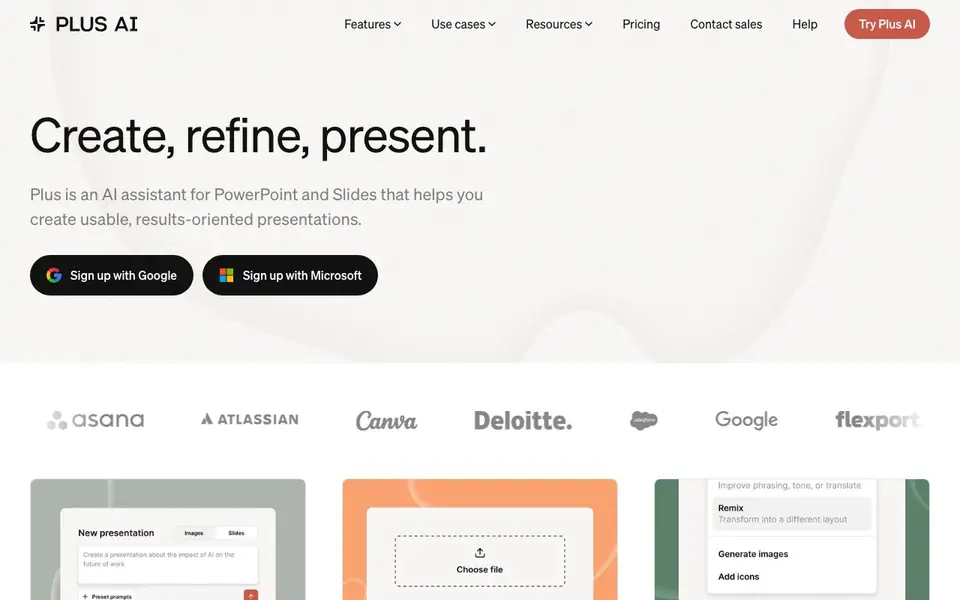
Plus AI is an AI assistant that works inside PowerPoint and Google Slides. You can generate entire presentations from a short prompt or by uploading a PDF, Word document, PowerPoint file, or text file. It also helps you edit existing slides by rewriting, reformatting, and adding images, icons, charts, and tables.
To get started, you sign up with Google or Microsoft and install the add-in. Then you describe your presentation in a few sentences or pick a preset. Plus AI builds the slides for you. You can refine them with one-click actions: rewrite for tone, remix into a new layout, or insert from hundreds of layouts. Custom instructions let you save context, and a preset library stores frequent prompts.
Plus AI suits professionals who make decks regularly, including sales teams, agencies, and trainers. It supports nearly any language for reading, writing, and translation. Everything you generate is yours forever. The website mentions a free trial and team plans with custom templates, but does not state specific pricing details.
Plus AI features
- Prompt to presentation: Describe your presentation in a few sentences and get a full deck.
- File upload: Convert PDF, Word, PowerPoint, or text files into editable slides.
- Rewrite and remix: Improve phrasing or reformat any slide into a chosen design.
- Custom instructions: Save context so Plus remembers your preferences when generating.
- Designer templates: Use handcrafted templates that work with all AI editing tools.
What you can do with Plus AI
- Create a pitch deck from a prompt for a client meeting.
- Turn a PDF report into a PowerPoint presentation.
- Remix a text-heavy slide into a visual layout.
- Generate slides in multiple languages for global teams.
How to get started with Plus AI
- Sign up with Google or Microsoft and install the Plus AI add-in for PowerPoint or Slides.
- Start from a prompt, choose a preset, or upload a file to generate your presentation.
- Use rewrite, remix, and insert tools to refine slides, then present directly.
Tips for better results with Plus AI
- Start with a detailed prompt that includes your audience, key message, and desired slide count so Plus AI generates a deck closer to your needs.
- Use the Remix feature on text-heavy slides to convert them into visual layouts, then refine with Rewrite to adjust tone and clarity.
- Save custom instructions and presets in Plus AI for recurring deck types like client proposals or weekly updates to speed up future work.
- Upload a PDF or Word file instead of typing a prompt when you have existing content, then edit the generated slides directly in PowerPoint or Google Slides.
Plus AI pricing
Plus AI offers a free trial before you pay. Check plusai.com for current plans.
What to check before you rely on Plus AI
- Check whether the free trial includes all features you need, since the Plus AI website does not list specific trial limits or duration.
- Verify that your team's custom templates and brand assets are supported in the plan you choose, as the website only mentions team plans without pricing details.
- Confirm that Plus AI's output formats and export options match your workflow, since the site does not state whether you can export to formats other than PowerPoint and Google Slides.
Who Plus AI is for
Plus AI suits sales professionals, marketers, trainers and agency teams. If that is not you, the AI presentation makers below may fit better.
Similar tools compared with Plus AI
| Tool | What it is | Pricing |
|---|---|---|
| Plus AI | AI presentation maker for PowerPoint and Slides | Free trial |
| Gamma | AI presentation, website, and document maker | Freemium |
| Beautiful.ai | AI presentation software for teams | See website |
| Pitch | Collaborative AI presentation workspace for teams | See website |
| Uizard | AI-powered UI design and prototyping tool | Freemium |
Plus AI FAQ
Is Plus AI free?
The website offers a free trial to start. It also mentions team plans and enterprise options, but specific pricing details are not listed on the homepage. Check the pricing page for current plans.
Can Plus AI convert a PDF into a PowerPoint?
Yes. You can upload a PDF, Word document, PowerPoint file, or text file, and Plus AI will turn it into a presentation you can edit in Google Slides or PowerPoint.
What makes Plus AI different from other AI presentation tools?
Plus AI works directly inside PowerPoint and Google Slides, so you don't need another app. It offers rewriting, remixing, custom instructions, and a preset library, plus templates designed by professionals.
Can I use Plus AI with my own templates?
Yes, for teams. Plus AI for Teams lets you import custom templates, add your logo, fonts, and colors, and share presets and custom instructions. Enterprise plans offer white-glove template conversion.
Does Plus AI work on Mac or Windows?
Plus AI runs as an add-in inside PowerPoint and Google Slides, so it works on any device where those apps are available, including Mac and Windows. The website does not list specific operating system requirements, so check the add-in store for your version of PowerPoint or Slides to confirm compatibility.
Can Plus AI export presentations to PDF or other formats?
Plus AI works inside PowerPoint and Google Slides, so any export options available in those apps, such as saving as PDF or PPTX, apply to your finished deck. The website does not mention any additional export formats beyond what PowerPoint and Slides already offer.
What does the Plus AI free trial include?
The Plus AI website mentions a free trial and team plans, but it does not specify what the trial includes, such as the number of presentations or access to all features. To find out the exact trial limits, sign up with Google or Microsoft and check your account or contact sales.


