
What is openspline?
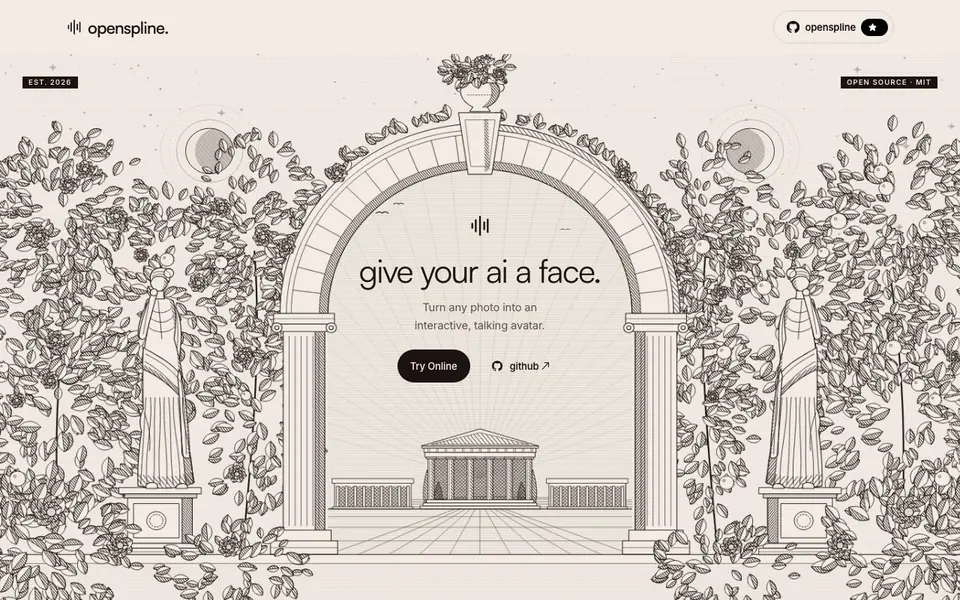
Openspline gives your AI a face. You can turn any photo into an interactive, talking avatar. The tool is open source under the MIT license, and you can run it on your own hardware or use the hosted cloud service.
For developers, the workflow is simple. You install the Python package, create an avatar from a portrait, and stream audio from your existing agent. The avatar generates synchronized video in real time. It works with stacks you already use, like LiveKit, OpenAI Realtime, Gemini Live, ElevenLabs, and Pipecat. You keep your models, prompts, and tools.
Openspline suits developers building customer support, AI tutors, interview practice, or sales conversations. You can self-host on your own NVIDIA GPU with Linux or WSL2, or use Openspline Cloud for ready-to-use avatars with custom faces, voices, and prompts. The cloud option needs no GPU setup and scales on demand.
openspline features
- Photo to avatar: Turn any portrait photo into a talking, interactive avatar.
- Realtime video sync: Send audio and get synchronized video of the avatar speaking.
- Five-line integration: Add a live face to your agent with just a few lines of code.
- Stack compatibility: Works with LiveKit, OpenAI Realtime, Gemini Live, ElevenLabs, and Pipecat.
- Self-hosting option: Run the open-source avatars on your own NVIDIA GPU with Linux or WSL2.
What you can do with openspline
- Add a friendly face to your customer support chat.
- Create AI tutors that explain concepts visually.
- Build realistic interview practice sessions.
- Make sales conversations more personal with a talking avatar.
How to get started with openspline
- Install the openspline Python package with pip.
- Create an avatar from a portrait photo using the client.
- Stream audio from your existing agent to get synchronized video.
Tips for better results with openspline
- Install the openspline Python package and start the GPU service before connecting your agent, so the avatar is ready to stream synchronized video without delay.
- Use openspline with your existing audio stream from LiveKit, OpenAI Realtime, or Pipecat to keep your models and tools while adding the avatar face.
- Test openspline with a simple portrait photo first to verify the avatar looks right and the video sync matches your audio before building a full integration.
- Self-host openspline on your own NVIDIA GPU with Linux or WSL2 to keep full control over your data and avoid relying on the cloud service.
openspline pricing
openspline’s homepage does not list prices. Check openspline.dev for current plans.
What to check before you rely on openspline
- Check the openspline website for pricing details, as it does not list any costs for the cloud service or self-hosting requirements beyond GPU specs.
- Verify the openspline documentation for exact supported Python versions and integration steps, since the site only shows a basic code snippet.
- Confirm data handling and privacy policies for openspline Cloud, as the website does not state how your photos or audio are stored or used.
Who openspline is for
openspline suits developers, customer support teams, educators and sales teams. If that is not you, the AI avatar generators below may fit better.
Similar tools compared with openspline
| Tool | What it is | Pricing |
|---|---|---|
| openspline | Turn photos into talking avatars | See website |
| D-ID | AI video and interactive avatar platform | Free trial |
| Synthesia | AI video and avatar platform for business | Freemium |
| Fliki | AI video generator with lifelike voiceovers | Freemium |
| Hedra | Visual intelligence platform for creation | See website |
openspline FAQ
What does Openspline do?
Openspline turns any photo into an interactive, talking avatar. You send audio from your AI agent, and it generates synchronized video of the avatar speaking in real time.
Is Openspline free to use?
The website does not state specific pricing. It offers an open-source MIT-licensed version you can self-host, plus a cloud service with ready-to-use avatars. Check the site for current pricing details.
Who is Openspline for?
It's for developers who want to add a visual face to their voice AI agents. Use cases include customer support, AI tutors, interviews, and sales conversations.
What integrations does Openspline support?
It works with LiveKit, OpenAI Realtime, Gemini Live, ElevenLabs, Pipecat, and any audio stream. You keep your existing voice, tools, and prompts.
Can Openspline export the generated avatar videos or integrate with other tools beyond the listed ones?
The Openspline website mentions integrations with LiveKit, OpenAI Realtime, Gemini Live, ElevenLabs, and Pipecat, plus any audio stream. It does not list specific export formats or additional integrations. For details on exporting or connecting to other tools, check the Openspline documentation or GitHub repository.
What devices or platforms can run Openspline, and does it require a specific GPU?
Openspline can be self-hosted on your own NVIDIA GPU with Linux or WSL2. The cloud service runs on scalable infrastructure without GPU setup. The website does not mention support for other operating systems or hardware. For the latest platform requirements, refer to the Openspline docs or GitHub.
Does Openspline require an account or API key to use, and what does the free plan include?
The Openspline website does not specify whether an account or API key is needed, nor does it detail a free plan. It mentions a hosted cloud service and a self-hosted open-source option. For pricing and account requirements, check the Openspline pricing page or contact the team via the website.


