

What is LanguageTool?
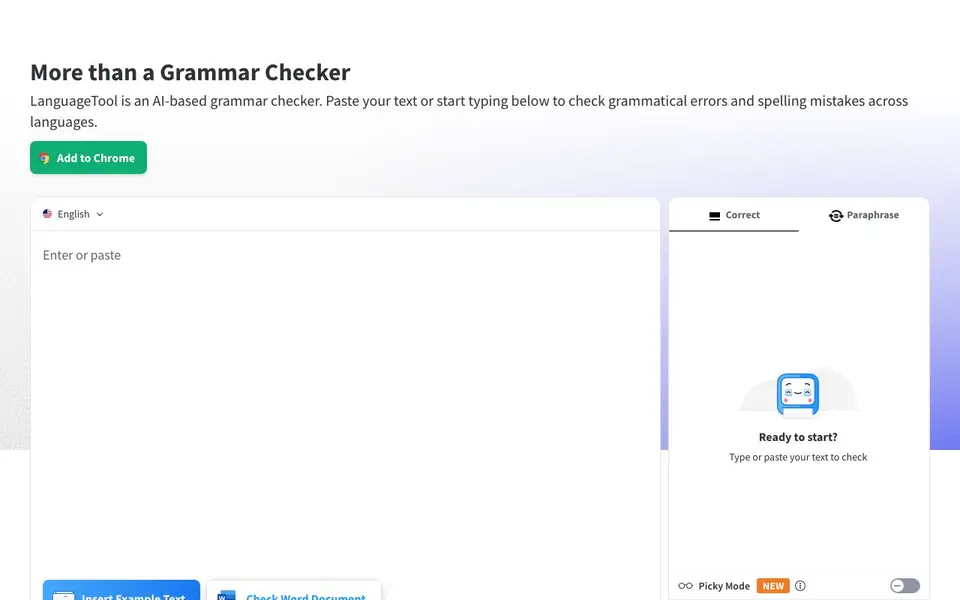
LanguageTool is an AI-based writing assistant that goes beyond basic grammar checking. It helps you catch grammatical errors, spelling mistakes, and punctuation issues as you type or paste text. The tool also offers paraphrasing suggestions to help you rephrase sentences according to your liking, making it useful for improving clarity and tone.
To get started, you can paste your text into the web editor or install browser add-ons for Chrome, Firefox, Edge, or Opera. The add-on works anywhere on the web, automatically detecting the language you're using and providing suggestions while you type emails, blog posts, or social media updates. For privacy, the browser add-on does not store your text. You can also integrate LanguageTool with Google Docs, Microsoft Word, Apple Pages, LibreOffice, and email clients like Gmail and Thunderbird.
LanguageTool suits writers, students, professionals, and anyone who writes in multiple languages. It offers a free account with basic features, and a Premium plan with unlimited paraphrasing and advanced suggestions. The "Picky Mode" provides extra tips on punctuation, style, and typography. The tool also tracks your writing statistics, showing languages used, errors made, and suggestions applied, so you can monitor your improvement over time.
LanguageTool features
- Grammar and spell checking: Finds and underlines mistakes in red, covering grammar, spelling, and punctuation across languages.
- Paraphrasing tool: Lets you rephrase any sentence according to your preference for better clarity or tone.
- Picky Mode: Offers advanced suggestions for punctuation, style, and typography beyond standard checks.
- Writing statistics: Tracks your productivity, languages used, errors made, and suggestions applied to show progress.
- Browser add-ons: Works anywhere on the web, auto-detects language, and respects privacy by not storing text.
What you can do with LanguageTool
- Check emails for grammar and tone before sending them.
- Improve blog posts or articles with style and punctuation suggestions.
- Paraphrase sentences to avoid repetition or adjust formality.
- Track your writing improvement over time with statistics.
How to get started with LanguageTool
- Go to the LanguageTool website and paste your text or start typing in the editor.
- Choose your language from the list or let the tool auto-detect it.
- Review the suggestions and apply corrections or paraphrases as needed.
Tips for better results with LanguageTool
- Paste your text into the web editor first to see LanguageTool's full suggestions, including Picky Mode for advanced punctuation and style tips beyond basic grammar checks.
- Install the browser add-on so LanguageTool checks your writing in emails, blog posts, and social media automatically, and it won't store your text for privacy.
- Use the paraphrasing tool to rephrase sentences for clarity or tone, but note that unlimited paraphrasing requires a Premium plan, so test the free version's limits first.
- Track your writing statistics in LanguageTool to see languages used, errors made, and suggestions applied, which helps you monitor improvement and focus on recurring mistakes.
LanguageTool pricing
LanguageTool has a free way to start, with paid plans for heavier use. Check languagetool.org for current limits and prices.
What to check before you rely on LanguageTool
- Check whether the free plan's paraphrasing limits meet your needs, since the website labels LanguageTool as freemium but doesn't list exact free versus Premium feature boundaries.
- Verify that LanguageTool supports the specific language variants you write in, like English (US) or German (Austria), from the full language list before relying on it.
- Confirm how your text is handled in the web editor versus the browser add-on, as the website states the add-on stores no text but doesn't clarify storage for pasted text.
Who LanguageTool is for
LanguageTool suits writers, students, professionals and multilingual users. If that is not you, the AI writing tools below may fit better.
Similar tools compared with LanguageTool
| Tool | What it is | Pricing |
|---|---|---|
| LanguageTool | AI grammar and paraphrasing assistant | Freemium |
| FreeSiTools | Free AI image prompt generator | Free |
| Jenni AI | AI academic writing and research assistant | Freemium |
| Wordtune | AI writing and paraphrasing assistant | Freemium |
| Grammarly | AI writing assistant for clear communication | Freemium |
LanguageTool FAQ
Is LanguageTool free to use?
Yes, LanguageTool offers a free account that includes basic grammar and spell checking. For unlimited paraphrasing and advanced features like Picky Mode, you can upgrade to the Premium plan.
Which languages does LanguageTool support?
LanguageTool supports over 30 languages and dialects, including English, German, Portuguese, Spanish, French, and Dutch. The tool automatically detects the language you're writing in and provides suggestions accordingly.
Can I use LanguageTool with my favorite apps?
Yes, LanguageTool offers browser add-ons for Chrome, Firefox, Edge, and Opera, plus integrations with Google Docs, Microsoft Word, Apple Pages, LibreOffice, and email clients like Gmail and Thunderbird. There are also apps for macOS and Windows.
Does LanguageTool store my text?
The browser add-on does not store your text, respecting your privacy. For texts you paste into the web editor, the site states they are securely stored, but the exact retention details are not specified on the homepage.
Can I use LanguageTool on my desktop without a browser?
Yes, LanguageTool offers desktop apps for macOS and Windows, as listed on the official website. These apps let you check text directly on your computer. For other operating systems, the website does not mention dedicated apps, so you would need to check the official site for the latest availability.
Does LanguageTool have a free plan and what does it include?
LanguageTool has a free plan that includes basic grammar and spelling checks, plus a personal dictionary and writing statistics. The free plan does not include unlimited paraphrasing or advanced suggestions like Picky Mode, which are part of the Premium plan. You can sign up for a free account on the website.
Can LanguageTool export my writing statistics or connect to other tools?
LanguageTool tracks your writing statistics, such as languages used and errors made, but the website does not mention exporting these statistics or connecting to external analytics tools. For integrations, it offers browser add-ons, email add-ons, and office plugins, but no API for personal use is mentioned. Check the official site for the latest integrations.


