

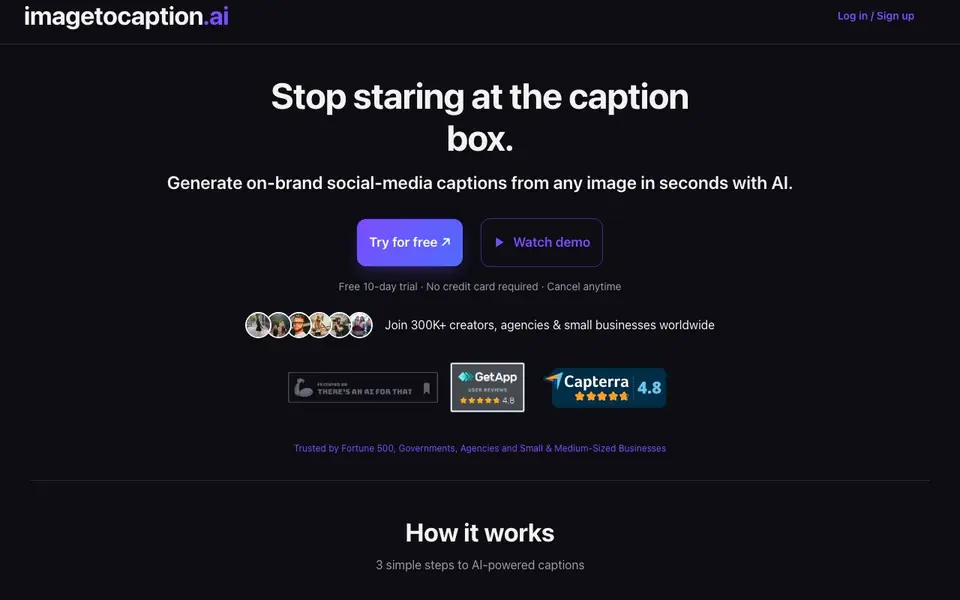
What is imagetocaption.ai?
imagetocaption.ai is a tool that writes social media captions for you based on the images or videos you upload. It is built for creators, agencies, and small businesses who want to post faster without losing their brand voice. The tool supports Instagram, TikTok, LinkedIn, Facebook, and Reels, and can write in 27+ languages.
You start by setting your brand voice. You paste your guidelines or link past posts, and the AI mirrors your tone. Then you drag in your media — photos, carousels, or Reels. The AI writes a caption plus hashtags. You can copy, tweak, or publish in one click.
The website says users save about 4 hours per week and see up to 28% more reach with fresh hashtags. It offers a 10-day free trial with no credit card. Paid plans start with 20 credits per month and go up to 400 credits. Video uploads are limited by plan, with max length from 30 seconds to 3 minutes.
imagetocaption.ai features
- Brand voice mirroring: Paste guidelines or link past posts to keep your tone consistent across all captions.
- Multi-platform captions: Generate captions for Instagram, TikTok, LinkedIn, Facebook, and Reels from one tool.
- Fresh hashtags: Models are updated regularly to suggest hashtags that can boost your reach.
- Multilingual support: Publish captions in 27+ languages with native-level nuance, no extra credits needed.
- Unlimited uploads: Drag in photos, carousels, or Reels with no resolution limits on any plan.
What you can do with imagetocaption.ai
- Create Instagram captions for product photos in seconds.
- Generate TikTok captions for short video clips with hashtags.
- Write LinkedIn captions for professional images and updates.
- Produce multilingual captions for a global audience.
How to get started with imagetocaption.ai
- Sign up and start your 10-day free trial — no credit card required.
- Set your brand voice by pasting guidelines or linking past posts.
- Upload your image or video, then copy, tweak, or publish the generated caption.
Tips for better results with imagetocaption.ai
- Paste your brand guidelines or link past posts into imagetocaption.ai before uploading media so the captions match your tone and style from the first generation.
- Upload your highest-resolution image or video to imagetocaption.ai, since the tool accepts any resolution and uses the visual details to write more accurate captions.
- Generate captions for the same image in multiple languages with imagetocaption.ai to reuse one post across global audiences without spending extra credits on translations.
- Review and tweak the hashtags imagetocaption.ai suggests before publishing, since fresh hashtags can boost reach but may not fit every post or platform perfectly.
- Use imagetocaption.ai for carousels and Reels as well as single photos, since it supports multiple media types and can save time across all your social channels.
- Test different brand voice settings in imagetocaption.ai with a few sample posts to see which one produces captions closest to your usual style before committing.
- Copy the generated caption into your scheduling tool or social platform directly from imagetocaption.ai to avoid retyping and keep your posting workflow fast.
- Run a quick check on the caption length and platform-specific formatting in imagetocaption.ai, since Instagram, TikTok, LinkedIn, and Facebook each have different limits.
imagetocaption.ai pricing
imagetocaption.ai offers a free trial before you pay. Check imagetocaption.ai for current plans.
What to check before you rely on imagetocaption.ai
- Check the trial terms on imagetocaption.ai before starting, since the site says it is free for 10 days but does not state what happens after the trial ends.
- Verify the credit system on imagetocaption.ai, as paid plans start at 20 credits per month, but the site does not list exact pricing or what one credit covers.
- Confirm the video upload limits for your plan on imagetocaption.ai, since max video length ranges from 30 seconds to 3 minutes but the site does not specify which plan has which limit.
- Review the privacy policy on imagetocaption.ai before uploading your images, as the site does not state how your media or brand guidelines are stored or used.
- Check if imagetocaption.ai supports exporting captions in a format you need, since the site only mentions copying or publishing in one click and does not list export options.
- Verify the platform integrations on imagetocaption.ai, as the site says you can publish in one click but does not name which social media apps are directly connected.
Who imagetocaption.ai is for
imagetocaption.ai suits creators, small businesses, agencies and social media managers. If that is not you, the AI writing tools below may fit better.
Similar tools compared with imagetocaption.ai
| Tool | What it is | Pricing |
|---|---|---|
| imagetocaption.ai | AI captions from any image | Free trial |
| FreeSiTools | Free AI image prompt generator | Free |
| Jenni AI | AI academic writing and research assistant | Freemium |
| Wordtune | AI writing and paraphrasing assistant | Freemium |
| Grammarly | AI writing assistant for clear communication | Freemium |
imagetocaption.ai FAQ
How does imagetocaption.ai work?
You set your brand voice first, then upload your media. The AI writes a caption and hashtags for you. You can copy, edit, or publish directly. It takes about 5 seconds per caption.
Is there a free plan?
The website offers a 10-day free trial with no credit card required. After that, you choose a paid plan. There is no mention of a permanent free plan.
What platforms does it support?
It supports Instagram, TikTok, LinkedIn, Facebook, and Reels. You can also generate captions for videos and general social media posts.
Can I use my own brand voice?
Yes. You paste your guidelines or link past posts, and the AI mirrors your tone, word choice, and emojis to keep your captions consistent.
Can imagetocaption.ai export captions to my social media scheduling tools?
The imagetocaption.ai website does not mention exporting captions directly to scheduling tools like Buffer or Hootsuite. It focuses on generating captions and hashtags that you can copy, tweak, or publish in one click. For details on integrations, check the tool's help or feature pages.
Does imagetocaption.ai work on mobile devices or only on desktop?
The imagetocaption.ai website does not specify whether it works on mobile devices or only on desktop. It describes dragging in media and generating captions, which suggests a browser-based interface, but for device compatibility, check the site's FAQ or support section.
What exactly does the free trial of imagetocaption.ai include?
The imagetocaption.ai free trial lasts 10 days and requires no credit card. During the trial, you can set your brand voice, upload unlimited images or videos (within plan limits), and generate captions with hashtags in 27+ languages. After the trial, paid plans start at 20 credits per month.


