

What is ImagePromptGuru.net?
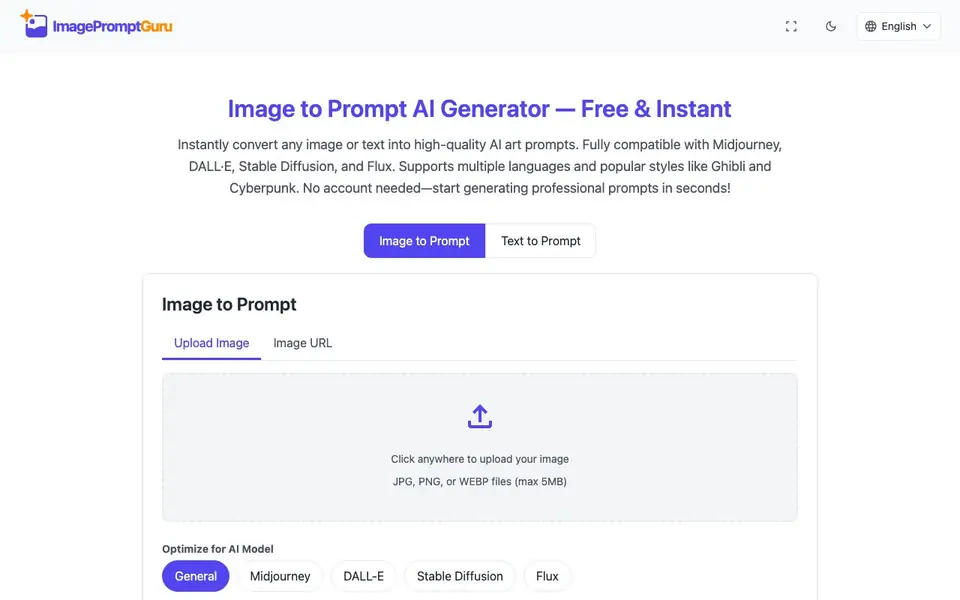
ImagePromptGuru is a free online tool that converts images or text into high-quality prompts for AI art generators. You can upload a photo or paste an image URL, and the tool analyzes the visual content to create a descriptive prompt. Alternatively, you can type a rough idea in your own language, and it rewrites it using best practices for AI art.
To use it, you upload an image (JPG, PNG, or WEBP up to 5MB) or enter a text description. You then pick your target AI model—General, Midjourney, DALL-E, Stable Diffusion, or Flux—and choose an output language from 18 supported options. Click Generate Prompt, and you get a ready-to-use prompt in English, optimized for that model's style.
The tool works without an account, and your prompt history stays in your browser for privacy. Images are processed in real time and discarded, so nothing is stored or used for training. It suits artists, designers, and hobbyists who want consistent, professional prompts without paying or signing up.
ImagePromptGuru.net features
- Image to Prompt: Upload a photo or image URL to get a descriptive prompt based on the visual content.
- Text to Prompt: Turn your rough written idea into a professionally phrased prompt for AI art.
- Model optimization: Choose Midjourney, DALL-E, Stable Diffusion, Flux, or a general setting for tailored prompts.
- Multilingual input: Describe your idea in any of 18 supported languages, and get English prompts.
- No account or cost: Use the tool freely with no registration, watermarks, or hidden fees.
What you can do with ImagePromptGuru.net
- Create detailed prompts from reference photos for Midjourney art.
- Turn a vague idea into a polished prompt for Stable Diffusion.
- Generate prompts in your native language and use them in English-based AI tools.
- Produce commercial-ready prompts for client projects without restrictions.
How to get started with ImagePromptGuru.net
- Upload an image or paste an image URL, or switch to Text to Prompt and type your idea.
- Select your target AI model and output language from the dropdown menus.
- Click Generate Prompt to get your optimized prompt, then copy it into your AI art tool.
Tips for better results with ImagePromptGuru.net
- Upload a clear, well-lit image under 5MB to give ImagePromptGuru the best visual detail to analyze, which leads to more accurate and descriptive prompts.
- Select the exact AI model you plan to use, such as Midjourney or Stable Diffusion, so ImagePromptGuru tailors the prompt structure and keywords to that generator's style.
- Describe your idea in your native language in the text mode, and let ImagePromptGuru rewrite it into professional English prompts, saving you time on phrasing.
- Use the image URL option instead of uploading when you have a photo online, as ImagePromptGuru processes it in real time and keeps your workflow fast.
ImagePromptGuru.net pricing
ImagePromptGuru.net is free to use according to its website.
What to check before you rely on ImagePromptGuru.net
- Confirm your image is JPG, PNG, or WEBP and under 5MB, since the website states no other formats or sizes are accepted for uploads.
- Check that the output language is English, as ImagePromptGuru generates prompts in English only, even though you can input in 18 languages.
- Verify your browser retains your prompt history locally, as the website does not state any cloud storage or sync across devices.
Who ImagePromptGuru.net is for
ImagePromptGuru.net suits digital artists, designers, AI art hobbyists and content creators. If that is not you, the AI writing tools below may fit better.
Similar tools compared with ImagePromptGuru.net
| Tool | What it is | Pricing |
|---|---|---|
| ImagePromptGuru.net | Free image and text prompt generator | Free |
| FreeSiTools | Free AI image prompt generator | Free |
| Jenni AI | AI academic writing and research assistant | Freemium |
| Wordtune | AI writing and paraphrasing assistant | Freemium |
| Grammarly | AI writing assistant for clear communication | Freemium |
ImagePromptGuru.net FAQ
Is ImagePromptGuru really free?
Yes, the website states the service is 100% free forever with no subscriptions, watermarks, or hidden costs. You can use it unlimited times without paying.
Do I need to create an account?
No account is required. Your prompt history is stored locally in your browser, so you get easy access with full privacy and no registration.
Which AI models does it support?
It optimizes prompts for major AI art generators including Midjourney, DALL-E, Stable Diffusion, Flux, and other generic AI art models. You can select your target model before generating.
Can I use the prompts for commercial work?
Yes, all generated prompts belong to you. The website says you can use them for personal projects, client work, or commercial AI art with no restrictions.
What image formats and sizes does ImagePromptGuru accept for image-to-prompt conversion?
ImagePromptGuru accepts JPG, PNG, and WEBP files up to 5MB. You can upload directly or paste an image URL. The tool processes the image in real time and discards it after generating the prompt, so your files are not stored.
Can ImagePromptGuru generate prompts in languages other than English?
ImagePromptGuru lets you input descriptions in 18 languages, including Spanish, Japanese, Chinese, Arabic, and more. However, the generated prompts are always in English, which is the standard for AI art generators. The tool optimizes the output for your chosen AI model.
Does ImagePromptGuru work on mobile devices or require a specific browser?
ImagePromptGuru is a web-based tool, so it works on any device with a modern browser, including smartphones and tablets. The website does not mention any specific browser requirements, so you can use it on your preferred browser without installing anything.


