

What is Humantext.pro?
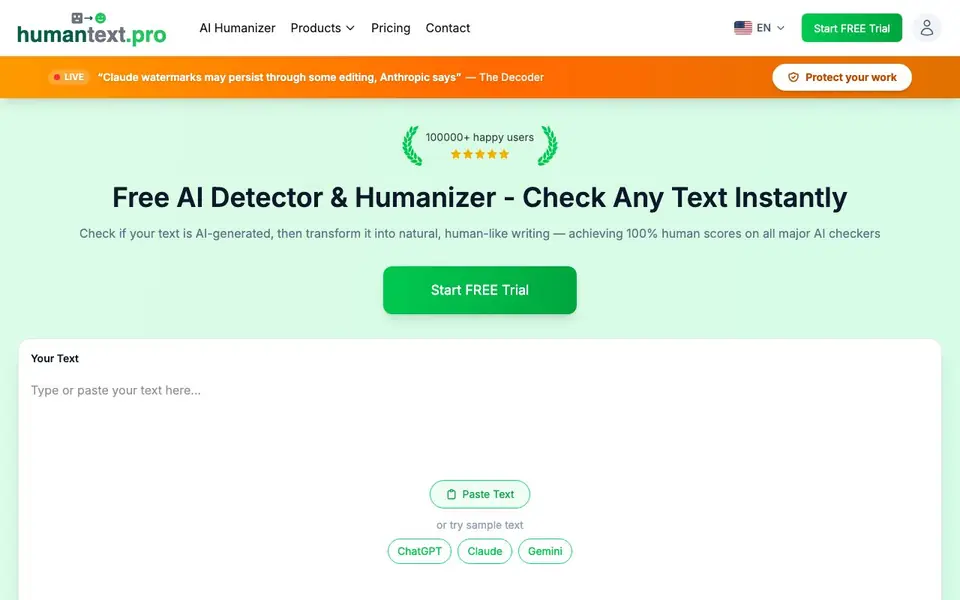
Humantext.pro is a free AI detector and humanizer. You paste your text and it tells you how likely it is that AI wrote it. Then it rewrites the text so it sounds more natural and human-like, aiming for high human scores on major AI checkers.
You start by pasting text or trying a sample. The tool checks your text against AI detectors and shows a human-written percentage. If you want, you click humanize and get a rewritten version that keeps your original meaning. It supports over 50 languages and works in seconds.
It suits students, freelance writers, and professionals who need to make AI-generated content pass as human-written. The website mentions it is verified with Turnitin, GPTZero, and Originality.ai. It also offers free AI detectors for images, videos, and voice, plus a free trial for the humanizer.
Humantext.pro features
- AI Detector: Checks if your text sounds AI-generated and shows a human-written percentage.
- AI Humanizer: Rewrites AI text to sound natural and human-like while preserving meaning.
- Universal AI Scanner: Detects AI in photos, videos, and voice clips with instant verdicts.
- Multi-language Support: Works with over 50 languages including English, Spanish, French, and Chinese.
- Privacy-First: Encrypts your content, stores it securely, and never shares it with third parties.
What you can do with Humantext.pro
- Check if an essay or assignment was written by AI before submitting it.
- Humanize AI-generated blog posts to avoid detection by tools like Turnitin.
- Scan images or videos to verify if they are AI-generated or deepfakes.
- Rewrite AI drafts to sound more natural for professional writing projects.
How to get started with Humantext.pro
- Paste your text into the tool or try a sample text.
- Click 'Check for AI' to see your human-written percentage and detector status.
- Click 'Humanize' to get a natural-sounding rewritten version instantly.
Tips for better results with Humantext.pro
- Paste your original AI-generated text into Humantext.pro and run the AI detector first to see your baseline human score before you humanize anything.
- Use Humantext.pro on shorter sections under 3,000 words at a time, since the input box has a word limit, and process longer documents in chunks.
- Compare the humanized output from Humantext.pro against your original meaning to ensure it preserved your key points, then edit any awkward phrasing manually.
- Test Humantext.pro with a sample text from ChatGPT, Claude, or Gemini to see how it handles different AI styles, and adjust your prompts or input accordingly.
Humantext.pro pricing
Humantext.pro has a free way to start, with paid plans for heavier use. Check humantext.pro for current limits and prices.
What to check before you rely on Humantext.pro
- Check whether the free trial of Humantext.pro includes full access to the humanizer or only the detector, since the website does not state trial limits clearly.
- Verify if Humantext.pro stores your pasted text in your history and how you can delete it, as the privacy policy mentions secure storage but not deletion options.
- Confirm if Humantext.pro's claimed 100% human scores on Turnitin and GPTZero apply to your specific text, since detection results vary by content and detector version.
Who Humantext.pro is for
Humantext.pro suits students, freelance writers, content creators and professionals. If that is not you, the AI writing tools below may fit better.
Similar tools compared with Humantext.pro
| Tool | What it is | Pricing |
|---|---|---|
| Humantext.pro | AI detector and text humanizer | Freemium |
| FreeSiTools | Free AI image prompt generator | Free |
| Jenni AI | AI academic writing and research assistant | Freemium |
| Wordtune | AI writing and paraphrasing assistant | Freemium |
| Grammarly | AI writing assistant for clear communication | Freemium |
Humantext.pro FAQ
How does Humantext.pro work?
You paste text, and the tool checks it against AI detectors to show a human-written percentage. Then you can humanize it, which rewrites the text to sound more natural while keeping the original meaning. It uses advanced linguistic modeling trained on human writing samples.
Does Humantext.pro help achieve human scores on Turnitin and other AI checkers?
Yes, the website says it achieves human scores on major AI detection tools including Turnitin, GPTZero, ZeroGPT, Copyleaks, QuillBot, Grammarly, and Originality.ai. It claims a 99% human score rate, though results can vary depending on your text.
How much does Humantext.pro cost?
The site offers a free trial and mentions free access to the humanizer without signup. It also lists pricing and contact pages, but the exact costs of paid plans are not stated on the homepage. Check the pricing page for details.
What languages does Humantext.pro support?
It supports over 50 languages, including English, Spanish, French, German, Portuguese, Chinese, Japanese, and more. This means you can check and humanize text in many languages, not just English.
Does Humantext.pro require an account to use the free AI detector?
Humantext.pro lets you scan images, videos, or voice files for AI without signing up, as stated on its website. For the text AI detector, the site does not specify whether an account is needed. Check the tool's homepage or start a free trial to see if signup is required for text checks.
What file formats can Humantext.pro export or download humanized text in?
Humantext.pro's website does not mention any specific export formats or download options for the humanized text. It focuses on pasting text and getting results directly on the page. For details on saving or exporting your output, check the tool's interface or contact their support.
Can Humantext.pro be used on mobile devices or does it require a desktop?
Humantext.pro's website does not specify whether it works on mobile devices or requires a desktop. Since it is a web-based tool, you can likely access it from any browser, but the site doesn't confirm mobile compatibility. Try opening it on your phone or tablet to see if it works for you.


