

What is GhostPen?
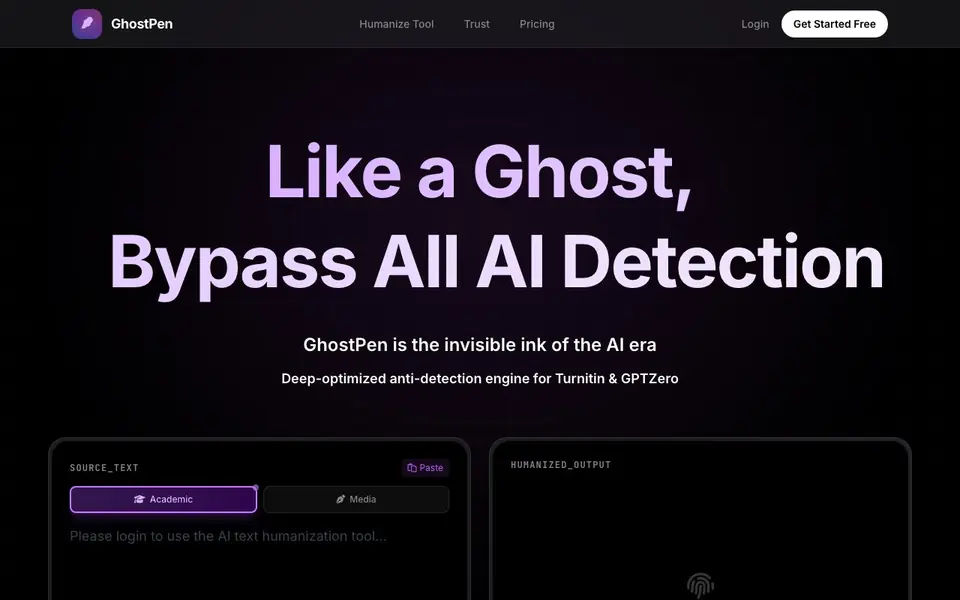
GhostPen is a tool that humanizes AI-written text. It restructures your writing to remove the patterns that detection tools look for, while keeping your original meaning. You can choose between Academic and Media modes to match your writing style.
To use it, you paste your AI-generated draft into the editor, pick a mode, and click the humanize button. The engine adjusts syntax and perplexity to mimic natural human writing. You then review the result and submit it. The tool works with essays, blogs, emails, and reports.
GhostPen is aimed at students and writers who need to pass AI detectors. The site claims it bypasses Turnitin, GPTZero, and Originality.ai. It offers a free trial with 1,000 words, and paid packs that never expire. The site also states that your text is permanently deleted after processing and that they never train AI on your data.
GhostPen features
- Academic and Media modes: Choose a writing mode to refine phrasing and tone for your specific content type.
- Anti-detection engine: Deep-optimized to bypass Turnitin, GPTZero, and Originality.ai.
- Meaning preservation: Restructures your text without changing the original meaning.
- No data retention: All text is permanently incinerated after processing, and your data is never used for training.
- Direct developer support: Get instant human responses from the developer for any billing or technical issues.
What you can do with GhostPen
- Humanize an AI-written essay before submitting it to a class.
- Rewrite AI-generated blog posts so they pass Originality.ai for a client.
- Adjust an AI-drafted email to sound more natural and personal.
- Batch-process articles for SEO sites to improve indexing and rankings.
How to get started with GhostPen
- Paste your AI-generated text into the GhostPen editor.
- Choose Academic or Media mode to match your writing style.
- Click the humanize button, review the output, and copy your result.
Tips for better results with GhostPen
- Paste your draft into GhostPen and select Academic or Media mode based on your content type, then review the output carefully to ensure it still says what you intended.
- Use GhostPen's free 1,000-word trial on a short piece first to test how well it bypasses your specific detector, like Turnitin or GPTZero, before committing to a paid plan.
- After humanizing with GhostPen, read the result aloud and edit any awkward phrasing or factual errors, since the tool restructures syntax but you are responsible for the final quality.
- For long documents, process them in sections with GhostPen rather than all at once, so you can compare each output against your original and catch any meaning shifts early.
GhostPen pricing
GhostPen has a free way to start, with paid plans for heavier use. Check getghostpen.com for current limits and prices.
What to check before you rely on GhostPen
- Check the free trial's 1,000-word limit and that paid packs never expire, but note the website does not state whether the free trial includes both Academic and Media modes.
- Verify that GhostPen's claims about bypassing Turnitin, GPTZero, and Originality.ai hold for your specific detector version, since detection tools update frequently and results may vary.
- Confirm the site's data deletion policy is acceptable for your work, as it states text is permanently incinerated after processing, but does not specify how deletion is verified or audited.
Who GhostPen is for
GhostPen suits students, freelance writers, SEO specialists and content creators. If that is not you, the AI writing tools below may fit better.
Similar tools compared with GhostPen
| Tool | What it is | Pricing |
|---|---|---|
| GhostPen | AI text humanizer that bypasses detectors | Freemium |
| FreeSiTools | Free AI image prompt generator | Free |
| Jenni AI | AI academic writing and research assistant | Freemium |
| Wordtune | AI writing and paraphrasing assistant | Freemium |
| Grammarly | AI writing assistant for clear communication | Freemium |
GhostPen FAQ
What does GhostPen do?
GhostPen rewrites AI-generated text to make it sound more human. It removes the patterns that AI detectors look for, so your writing can pass tools like Turnitin, GPTZero, and Originality.ai.
Is GhostPen free?
GhostPen has a free trial that gives you 1,000 words on signup with no expiration. Paid packs start at $4.90 for 10,000 words, and there is a 7-day money-back guarantee.
Who is GhostPen for?
It is for students, freelance writers, and content creators who need to humanize AI text. The site mentions essays, blogs, emails, and reports as common use cases.
Does GhostPen keep my data?
No. The site states that all text is permanently incinerated after processing and that they never train AI on your data. Your work stays yours alone.
What can GhostPen export or connect to?
GhostPen is a web-based tool, so you use it directly in your browser. The website does not mention any integrations with other apps or export options beyond copying the humanized text. To check for any updates, visit the GhostPen website or contact their support.
Does GhostPen have a mobile app or desktop software?
GhostPen runs in your web browser, so you can use it on any device with internet access, including phones, tablets, and computers. The website does not mention a dedicated mobile app or desktop software. For the latest information, check the GhostPen website.
What does the GhostPen free plan include?
GhostPen's free trial gives you 1,000 words on signup, with no expiration. It includes standard mode and limited features. You can use it to humanize short texts. For more words or advanced features, you can purchase a paid pack, like the Semester Pass with 150,000 words.


