

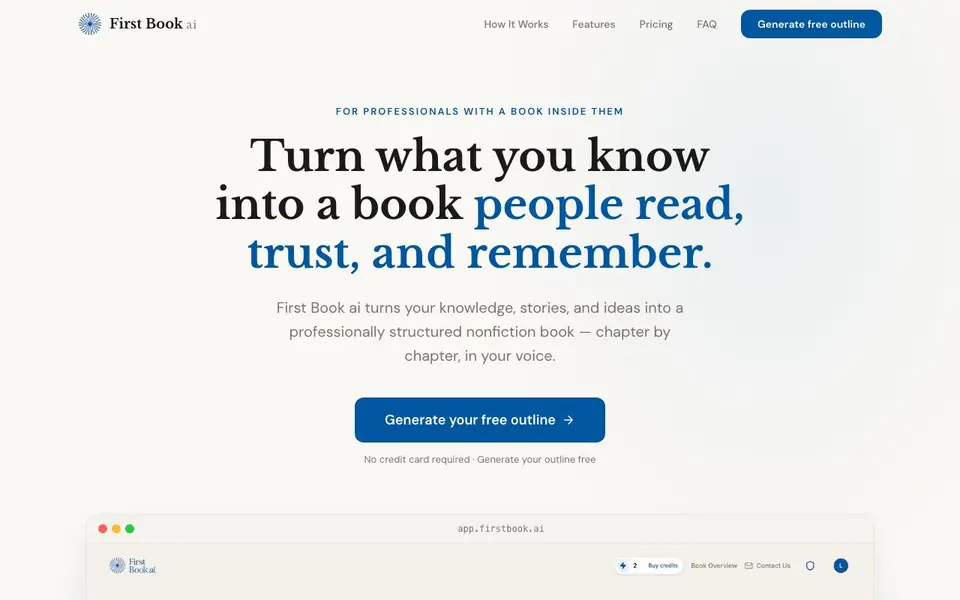
What is First Book ai?
First Book ai is a tool that helps you write a nonfiction book without facing a blank page. It takes your knowledge, stories, and ideas and shapes them into a professionally structured manuscript. The tool is built for professionals, coaches, and consultants who want to publish a book to build authority but lack the time or writing experience.
You start by sharing your expertise, audience, and unique stories through a structured onboarding process. First Book ai then generates an 8-chapter outline with strategic intent behind each section. You review and edit the outline, approve it, and the tool writes each chapter in your voice, using your anecdotes. You can read, approve, or request changes for every chapter, so you stay in control from start to finish.
The tool includes a cover image, export options to Word, EPUB, Markdown, or PDF, and claims most authors finish a publish-ready manuscript in 2–4 weeks. It is trusted by over 2,400 authors and has a 4.2-star rating on AppSumo. The website does not state pricing details beyond a free outline generation, so check the pricing page for plan costs.
First Book ai features
- Structured onboarding: Captures your expertise, audience, and stories without needing a blank page.
- 8-chapter outline: Generates a book structure with strategic intent behind every section for you to review.
- Voice capture: Uses a writing sample so chapters read as if you wrote them yourself, not like AI.
- Chapter-by-chapter control: Lets you review, edit, or rewrite each chapter before it's final.
- Publish-ready exports: Provides one-click export to Word, EPUB, Markdown, or PDF, plus a cover image.
What you can do with First Book ai
- Write a business book to win clients and land speaking gigs.
- Turn coaching material into a structured manuscript for clients.
- Create a first draft of a nonfiction book you've been planning for years.
- Generate a publish-ready manuscript for self-publishing on platforms like KDP.
How to get started with First Book ai
- Share your expertise, audience, and stories through the structured onboarding.
- Review and edit the generated 8-chapter outline, then approve it.
- Read, approve, or request changes on each chapter as it's written, then export your manuscript.
Tips for better results with First Book ai
- Provide detailed, specific stories and examples during onboarding so First Book ai can weave your unique anecdotes into each chapter instead of generic filler.
- Review and edit the 8-chapter outline carefully before approving it, since the structure drives everything First Book ai writes afterward.
- Give First Book ai a clean, representative writing sample that matches the tone you want for the book, so the chapters sound like you, not like AI.
- Request changes chapter by chapter as you go, rather than waiting until the end, to keep the manuscript on track and avoid large rewrites later.
First Book ai pricing
First Book ai has a free way to start, with paid plans for heavier use. Check firstbook.ai for current limits and prices.
What to check before you rely on First Book ai
- Check the pricing page for actual plan costs, since the website only mentions a free outline and does not state what the paid tiers include.
- Verify what happens to your data and stories after you upload them, as the website does not explain data privacy or retention policies.
- Confirm whether the free outline includes full manuscript access or only a sample, and whether export formats like Word and PDF are available on the free tier.
Who First Book ai is for
First Book ai suits professionals, coaches, consultants and aspiring authors. If that is not you, the AI writing tools below may fit better.
Similar tools compared with First Book ai
| Tool | What it is | Pricing |
|---|---|---|
| First Book ai | AI nonfiction book co-author and outline generator | Freemium |
| FreeSiTools | Free AI image prompt generator | Free |
| Jenni AI | AI academic writing and research assistant | Freemium |
| Wordtune | AI writing and paraphrasing assistant | Freemium |
| Grammarly | AI writing assistant for clear communication | Freemium |
First Book ai FAQ
What does First Book ai do?
It turns your knowledge, stories, and ideas into a professionally structured nonfiction book. You provide the expertise and anecdotes, and the tool generates an outline and writes chapters in your voice, chapter by chapter.
Is there a free plan?
Yes, you can generate a free outline without a credit card. The website does not state whether a full free plan exists, so check the pricing page for details on paid plans.
Who is First Book ai for?
It's for professionals, coaches, consultants, and aspiring experts who have valuable knowledge but lack the time or writing skills to write a book. It's especially helpful for those who struggle with writer's block or structuring a long manuscript.
What can I export from First Book ai?
You can export your manuscript to Word, EPUB, Markdown, or PDF in one click. The tool also generates a professional cover image for your book's theme, ready for self-publishing platforms like KDP.
Does First Book ai require a credit card to start using it?
No, First Book ai lets you generate a free outline without a credit card. The website states 'No credit card required' for the outline generation. For full manuscript features and pricing details, you should check the pricing page on the First Book ai website.
Can First Book ai export my book to formats for Amazon KDP?
Yes, First Book ai exports your manuscript to Word, EPUB, Markdown, or PDF in one click. The website says these exports are ready for self-publishing, including on platforms like KDP. It also provides a high-resolution cover image download for your book's theme.
Does First Book ai work on mobile devices or only on a computer?
The First Book ai website does not mention specific device or platform support. It appears to be a web-based tool, as the site references app.firstbook.ai for generating outlines. For clarity on mobile compatibility, check the First Book ai website or contact their support.


