

What is Draft Dash - AI Article Writer with Real Sources?
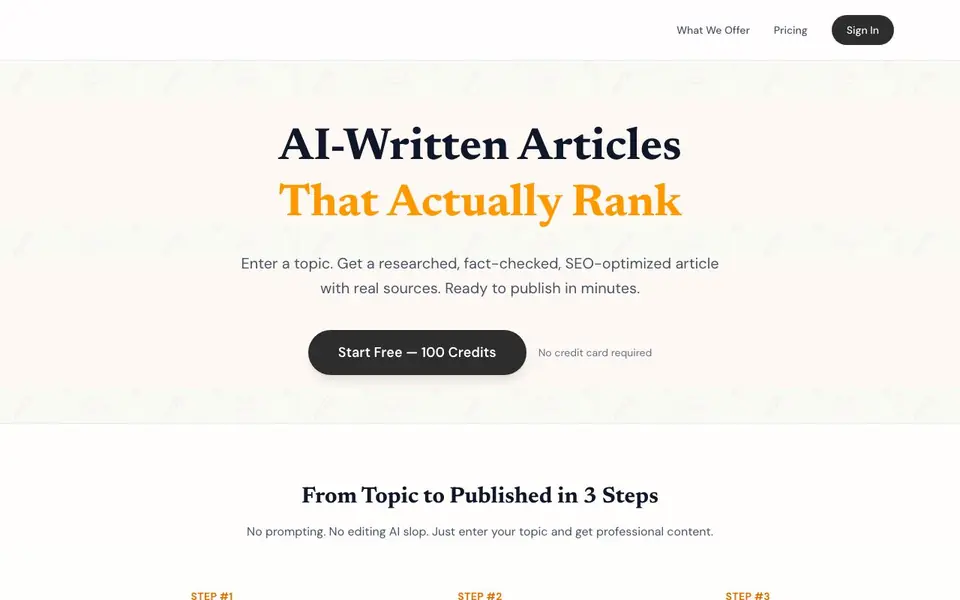
Draft Dash is an AI article writer that focuses on producing trustworthy, search-friendly content. Instead of generating text from scratch, it starts with live web research, pulling current data, statistics, and expert sources. This means you get articles backed by real information, not made-up facts.
You begin by typing a topic. Draft Dash then researches the web and offers three unique article angles, each optimized for search rankings. After you pick an angle, it writes a 1,500-3,500 word article with proper headings, FAQ sections, data tables, and citations. You can copy or download the finished piece directly.
The tool is built for anyone who publishes content regularly, like bloggers, marketers, or SEO specialists. It filters out common AI-sounding phrases, so the writing feels more human. You can start with 100 free credits without a credit card, which gives you a chance to test the quality before committing.
Draft Dash - AI Article Writer with Real Sources features
- Real-Time Research: Pulls current data and statistics from the web for every article.
- Fact-Checked Citations: Verifies claims and adds proper citations so you can trust the content.
- SEO Optimization: Includes headings, FAQ sections, data tables, and keyword targeting automatically.
- No AI Slop Filter: Removes phrases like 'delve' and 'landscape' for more natural writing.
- Multiple Angles: Offers three unique article angles per topic to choose from.
What you can do with Draft Dash - AI Article Writer with Real Sources
- Write a blog post on a trending topic with up-to-date stats.
- Create an SEO-optimized article for your website without manual research.
- Generate a fact-checked piece for a client or publication.
- Produce a long-form guide with citations and data tables.
How to get started with Draft Dash - AI Article Writer with Real Sources
- Enter your topic on the Draft Dash website.
- Pick one of three article angles that best fits your goal.
- Copy or download the finished article with citations.
Tips for better results with Draft Dash - AI Article Writer with Real Sources
- Enter a specific, narrow topic to get sharper research and more relevant sources. Broad topics produce generic angles that may not match your audience's intent.
- Compare the three article angles Draft Dash offers before picking one. Choose the angle that best aligns with your target keywords and reader questions to maximize search performance.
- Review the citations and data tables Draft Dash includes before publishing. Verify that the sources are current and authoritative, and replace any outdated or weak references with your own.
- Use Draft Dash's output as a foundation, then rewrite the introduction and conclusion in your own voice. This adds originality and helps the article feel less templated to readers.
Draft Dash - AI Article Writer with Real Sources pricing
Draft Dash - AI Article Writer with Real Sources has a free way to start, with paid plans for heavier use. Check draftdash.net for current limits and prices.
What to check before you rely on Draft Dash - AI Article Writer with Real Sources
- Check the pricing page for what the free 100 credits cover and what happens after they run out, since the website does not list paid plan costs or limits.
- Confirm whether the downloaded article includes all citations and data tables in your preferred format, as the site does not specify export file types.
- Review the privacy policy to see how your research topics and generated content are stored or used, since the website does not state data retention practices.
Who Draft Dash - AI Article Writer with Real Sources is for
Draft Dash - AI Article Writer with Real Sources suits bloggers, content marketers, SEO specialists and freelance writers. If that is not you, the AI writing tools below may fit better.
Similar tools compared with Draft Dash - AI Article Writer with Real Sources
| Tool | What it is | Pricing |
|---|---|---|
| Draft Dash - AI Article Writer with Real Sources | AI article writer with real sources | Freemium |
| FreeSiTools | Free AI image prompt generator | Free |
| Jenni AI | AI academic writing and research assistant | Freemium |
| Wordtune | AI writing and paraphrasing assistant | Freemium |
| Grammarly | AI writing assistant for clear communication | Freemium |
Draft Dash - AI Article Writer with Real Sources FAQ
How does Draft Dash ensure articles are fact-checked?
Draft Dash starts with live web research to find current data and expert sources. Then its audit system verifies claims and adds proper citations, so you can trust the information before publishing.
Is there a free plan?
Yes, you can start with 100 free credits without a credit card. This lets you try the tool and see the quality of articles before deciding on a paid plan.
Who is Draft Dash best for?
It suits anyone who publishes articles regularly, such as bloggers, content marketers, SEO specialists, and freelance writers. The tool handles research and fact-checking, saving you time.
What kind of articles can I create?
You can create SEO-optimized articles from 1,500 to 3,500 words on any topic you enter. Each article includes headings, FAQ sections, data tables, and citations, ready to copy or download.
Can I export Draft Dash articles to WordPress or Google Docs?
Draft Dash lets you copy or download the finished article directly from the website. The site does not mention specific integrations like WordPress or Google Docs, so you would need to check the platform or contact support for export options beyond copy and download.
Does Draft Dash work on mobile devices or only on desktop?
Draft Dash is a web-based tool, so you can access it through a browser on any device with internet, including mobile phones and tablets. The website does not specify dedicated mobile apps, but the browser version should work on most devices.
What does the free plan of Draft Dash include besides 100 credits?
With Draft Dash's free plan, you get 100 credits without needing a credit card. These credits let you test the tool by generating articles with real-time research, citations, and SEO features. The website does not list additional free plan details, so check the pricing page for more specifics.


