

What is DeepReel?
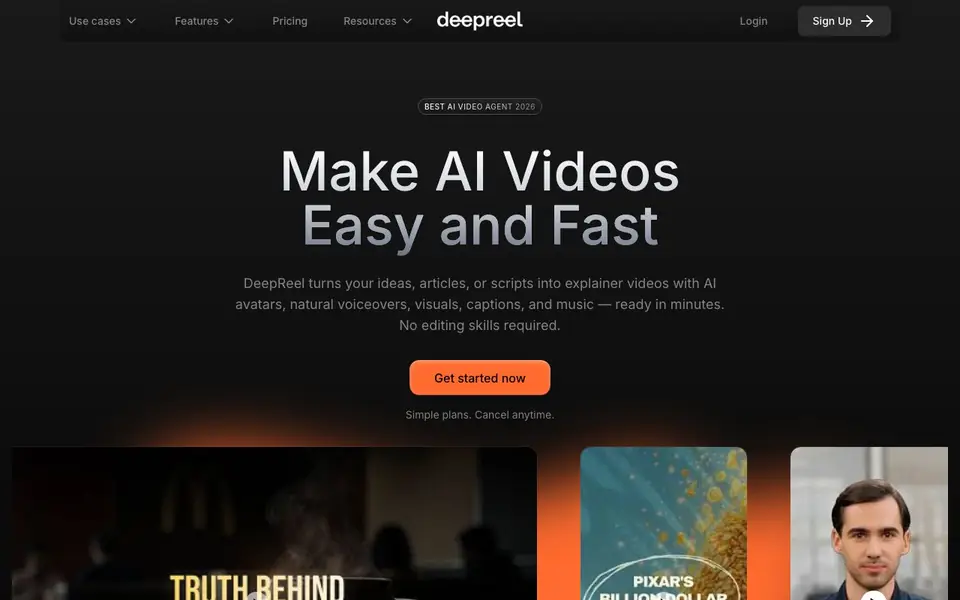
DeepReel is an AI video creation platform that turns your ideas, articles, or scripts into explainer videos. It uses lifelike AI avatars, natural voiceovers, visuals, captions, and music to produce ready-to-share videos in minutes. You do not need any editing skills to get started.
You begin by choosing your text source, avatar, and video settings. DeepReel's AI Video Genie then writes the script, finds visuals, adds music, and generates captions automatically. You review the draft video, make any edits you want, and then generate the final video for download or sharing.
DeepReel suits content creators, financial firms, lawyers, and small businesses. It can convert blog posts, URLs, PDFs, Word files, and text files into videos. You can also create a custom avatar by cloning your face and voice. The platform includes a social media scheduler for posting to your accounts.
DeepReel features
- Prompt to Video: Type a prompt and get a complete video with script, visuals, music, and captions automatically.
- Blog to Video: Convert blog posts, articles, and websites into explainer videos with extracted images and graphics.
- Custom Avatar: Create your own AI avatar from a photo and clone your voice for a personalized touch.
- AI Scriptwriter: Writes engaging hooks and scripts personalized for your business and audience.
- Social Media Scheduler: Schedule and post videos to every social account directly from the platform.
What you can do with DeepReel
- Convert your blog posts into engaging explainer videos for your audience.
- Turn dense PDF reports into simplified video summaries with extracted charts.
- Create personalized AI avatar videos for your business without filming.
- Generate professional videos from simple prompts for social media content.
How to get started with DeepReel
- Choose your text source, avatar, and video settings.
- Review the draft video and make any edits you need.
- Generate the video, then download or share it.
Tips for better results with DeepReel
- Start with a clear, specific prompt that states your topic, audience, and desired tone. DeepReel's AI Video Genie uses this to write a tighter script and pick better visuals.
- Review the draft video before generating the final version. Use DeepReel's simple editor to tweak timings, swap visuals, or refine the script so the output matches your intent.
- Clone your face and voice once for a custom avatar, then reuse it across videos. This keeps your brand consistent and saves time on repeated recordings.
- Feed DeepReel a URL, PDF, or Word file instead of typing a long script. It extracts the key points and visuals automatically, which gives you a more structured video.
- Use the social media scheduler to plan posts for multiple accounts at once. This turns your generated videos into a consistent content pipeline without extra manual work.
DeepReel pricing
DeepReel’s homepage does not list prices. Check deepreel.com for current plans.
What to check before you rely on DeepReel
- Check whether DeepReel's free plan or trial limits video length, resolution, or the number of exports per month. The website does not list specific plan limits or pricing details.
- Verify if your chosen avatar or cloned voice can be used commercially, especially for client work. The site does not state licensing terms for avatars or generated videos.
- Confirm the export formats and resolution available for download. DeepReel mentions downloading or sharing, but the site does not specify supported file types or quality options.
Who DeepReel is for
DeepReel suits content creators, small businesses, financial firms and lawyers. If that is not you, the AI avatar generators below may fit better.
Similar tools compared with DeepReel
| Tool | What it is | Pricing |
|---|---|---|
| DeepReel | AI video creation platform for businesses | See website |
| D-ID | AI video and interactive avatar platform | Free trial |
| Synthesia | AI video and avatar platform for business | Freemium |
| Fliki | AI video generator with lifelike voiceovers | Freemium |
| Hedra | Visual intelligence platform for creation | See website |
DeepReel FAQ
What can DeepReel turn into videos?
DeepReel can convert blog posts, articles, URLs, PDFs, Word files, and text files into videos. It also works with simple prompts, so you can type an idea and get a full video automatically.
Do I need editing skills to use DeepReel?
No. DeepReel is designed for people without editing experience. The AI Video Genie writes the script, finds visuals, adds music and captions, and produces a polished first draft you can tweak in a simple editor.
Can I create my own AI avatar?
Yes. DeepReel lets you create a custom avatar by cloning your face and voice from a photo. You can also choose from over 100 diverse stock AI avatars if you prefer not to use your own.
How much does DeepReel cost?
The website mentions simple plans you can cancel anytime, but it does not state specific pricing details on the homepage. You would need to check the pricing section or sign up to see current plan options.
What file formats can DeepReel import for video creation?
DeepReel can turn blog posts, URLs, PDFs, Word files, and text files into videos. You can also use a simple prompt or your own script. The website does not list other formats, so if you need a specific file type, check the platform's upload options or contact support.
Does DeepReel offer a free plan or trial?
The DeepReel website mentions simple plans and says you can cancel anytime, but it does not specify whether a free plan or trial is available. To find out what you can test before paying, check the pricing page or sign-up flow for any free tier or trial details.
Can I use DeepReel on my mobile device or tablet?
DeepReel's website does not mention specific device support. It appears to be a web-based platform, so you may be able to access it through a browser on your phone or tablet. For the best experience, check the site on your device or contact support for confirmation.


