

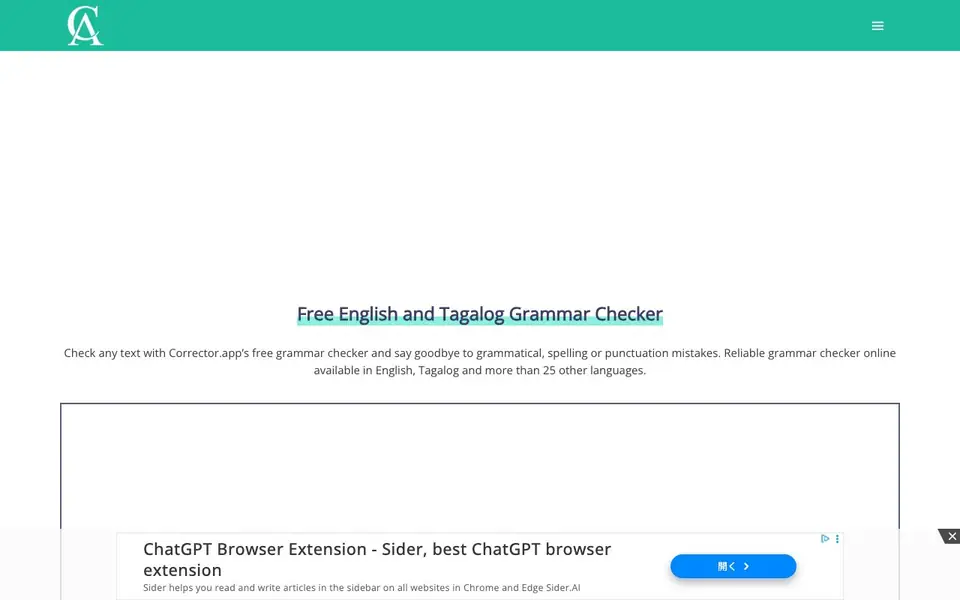
What is Corrector App?
Corrector App is a free online grammar checker that works in English, Tagalog, and more than 25 other languages. It highlights grammar mistakes, spelling errors, and punctuation issues in your text. You can also get word suggestions to improve how your writing flows.
To use it, you paste or type your text into the box on the website. The tool then highlights any errors it finds. You click on a correction to apply it, and it explains the mistake so you understand what went wrong. No account or download is needed.
This tool suits anyone writing articles, emails, essays, letters, or documents who wants to avoid errors. It also spots typos that might come from AI-generated text. The website mentions it is free to use across more than 150 countries.
Corrector App features
- Grammar checking: Finds and explains grammar mistakes in your text so you can fix them.
- Spell checking: Catches misspelled words and offers suggestions for the correct spelling.
- Punctuation checking: Highlights punctuation errors and helps you correct them.
- Word suggestions: Recommends alternative words to make your sentences read better.
- AI typo detection: Spots typos that often appear in AI-generated content.
What you can do with Corrector App
- Check an email for grammar mistakes before you send it.
- Proofread an essay to catch spelling and punctuation errors.
- Improve the flow of a blog post with word suggestions.
- Review AI-generated text for typos and errors.
How to get started with Corrector App
- Go to Corrector App's website and find the text box.
- Type or paste your text into the box, up to 15,000 characters.
- Click on any highlighted correction to apply it or see the explanation.
Tips for better results with Corrector App
- Paste your text directly into Corrector App and click each highlighted error to see the explanation before accepting the fix, so you learn why the change is needed.
- Use Corrector App on AI-generated text specifically to catch typos and awkward phrasing that often slip through, then apply its word suggestions to improve flow.
- Switch the language variant in Corrector App to match your audience, such as English (US) versus English (Great Britain), to get more accurate spelling and grammar checks.
- Keep your text under 15,000 characters per check in Corrector App, and break longer documents into smaller sections to avoid hitting the limit and to review corrections more carefully.
- checks
Corrector App pricing
Corrector App is free to use according to its website.
What to check before you rely on Corrector App
- Check whether Corrector App's free label covers all features or if some advanced options require payment, since the website does not list any pricing tiers or limits.
- Verify if Corrector App stores or shares the text you paste, because the website does not state its data retention or privacy policy for submitted content.
- Confirm that Corrector App supports the file format you need to export, as the site only mentions pasting text and does not specify any export or download options.
Who Corrector App is for
Corrector App suits writers, students, professionals and non-native speakers. If that is not you, the AI writing tools below may fit better.
Similar tools compared with Corrector App
| Tool | What it is | Pricing |
|---|---|---|
| Corrector App | Free online grammar and spell checker | Free |
| FreeSiTools | Free AI image prompt generator | Free |
| Jenni AI | AI academic writing and research assistant | Freemium |
| Wordtune | AI writing and paraphrasing assistant | Freemium |
| Grammarly | AI writing assistant for clear communication | Freemium |
Corrector App FAQ
Is Corrector App really free?
Yes, the website says it is totally free. You do not need an account or to download anything. It is available for free in more than 150 countries.
What languages does it support?
It supports English (with several regional variants like US, UK, Australia, and Canada), Tagalog, and more than 25 other languages including Spanish, French, German, Chinese, Arabic, and Japanese.
How do I use the grammar checker?
You type or paste your text into the box on the website. The tool highlights grammar, spelling, and punctuation errors. You click on a correction to apply it, and it explains the mistake.
Can it detect AI-generated text?
The website mentions it can spot AI-generated typos. It does not describe a full AI content detector, so for detailed AI detection you may need to check other tools.
Does Corrector App require creating an account or downloading software?
No, Corrector App works directly in your web browser. You can paste or type your text into the box on the website and start checking immediately. The website does not mention any need for an account or a download, so you can use it without signing up or installing anything.
Can Corrector App check text in languages other than English and Tagalog?
Yes, Corrector App supports more than 25 languages, including Arabic, Chinese, French, German, Italian, Japanese, Russian, Spanish, and many others. The website lists these languages in its language selector, so you can switch to the one you need and check your text for errors.
Does Corrector App offer a mobile app or work on smartphones and tablets?
The Corrector App website does not mention a dedicated mobile app. However, since it is an online tool that runs in a browser, you can likely access it on any device with a web browser, including smartphones and tablets. For the best experience, check the site on your device to see if it works smoothly.


