

What is ContentPod?
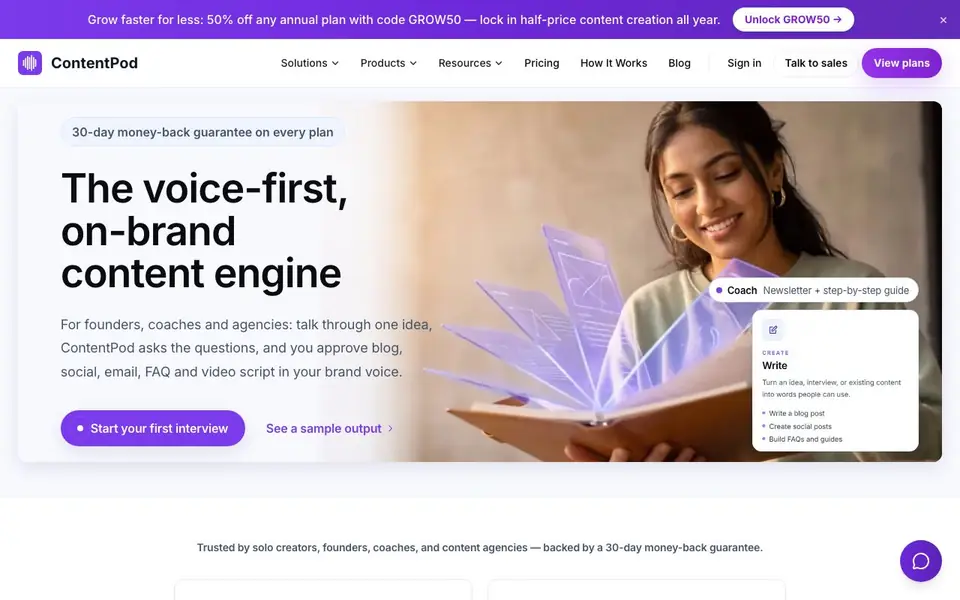
ContentPod is a voice-first content engine for founders, coaches, and agencies. Instead of typing prompts, you answer a guided voice interview. The tool captures your examples, objections, and phrasing, then turns that conversation into eight channel-ready assets: LinkedIn posts, X threads, blog articles, email newsletters, FAQs, Instagram captions, video scripts, and Facebook posts.
To get started, you begin your first interview. ContentPod asks the questions, so you don't face a blank page. After you talk, the tool transforms your words into drafts that keep the same angle across every channel. You review, edit, regenerate, and copy before anything goes live. The drafts preserve your expert language and come with extras like SEO outlines, subject lines, preview text, and shot notes.
ContentPod suits solo creators, founders, coaches, and content agencies. It helps you build a content playbook from one real conversation, covering social media, SEO content, thought leadership, newsletters, repurposing, and lead magnets. The website mentions a 30-day money-back guarantee on every plan and a 50% discount code for annual plans.
ContentPod features
- Guided voice interviews: Answer questions aloud so your examples and phrasing are captured before AI writes.
- Eight channel-ready assets: One conversation produces drafts for LinkedIn, X, Instagram, Facebook, blog, email, FAQ, and video.
- Brand voice preservation: Outputs keep your expert language and point of view, not generic AI text.
- Human review controls: You can review, edit, regenerate, and copy drafts before anything goes live.
- SEO and channel extras: Blog drafts include SEO outlines; emails come with subject lines, preview text, and CTAs.
What you can do with ContentPod
- Turn a sales call objection into a LinkedIn post and X thread.
- Create a newsletter draft with subject line and CTA from one interview.
- Generate a video script with hook and shot notes for your channel.
- Repurpose a podcast idea into eight linked social and blog assets.
- Build a lead magnet guide from your best advice in one conversation.
How to get started with ContentPod
- Start your first voice interview on the ContentPod website.
- Answer the guided questions, sharing your examples and objections.
- Review the eight generated drafts, edit or regenerate, then copy them to your channels.
Tips for better results with ContentPod
- Record your interview in a quiet space and speak naturally, including specific examples and objections, so ContentPod captures your authentic phrasing and details for stronger drafts.
- Review each generated asset in ContentPod and edit or regenerate individual pieces before publishing, since one conversation produces eight drafts that may need channel-specific tweaks.
- Use ContentPod to turn a single sales call or podcast idea into multiple assets, then batch your interviews weekly to build a consistent content pipeline without starting from blank pages.
- Leverage the included extras like SEO outlines, subject lines, and shot notes in ContentPod to save time, but always customize these elements to match your audience and platform norms.
ContentPod pricing
ContentPod is a paid product. Check contentpod.co for current plans and whether a demo or trial is offered.
What to check before you rely on ContentPod
- Check the pricing page for exact plan costs and what features each tier includes, since the website only shows a paid label and a discount code, not full price details.
- Verify whether your chosen plan includes commercial rights for client work if you are an agency, as the testimonial mentions this but the site does not list it clearly.
- Confirm how your voice recordings and drafts are stored and deleted, because the website does not state its data retention or privacy policies explicitly.
Who ContentPod is for
ContentPod suits founders, coaches, content agencies and solo creators. If that is not you, the AI writing tools below may fit better.
Similar tools compared with ContentPod
| Tool | What it is | Pricing |
|---|---|---|
| ContentPod | Voice-first content engine for brands | Paid |
| FreeSiTools | Free AI image prompt generator | Free |
| Jenni AI | AI academic writing and research assistant | Freemium |
| Wordtune | AI writing and paraphrasing assistant | Freemium |
| Grammarly | AI writing assistant for clear communication | Freemium |
ContentPod FAQ
How does ContentPod work?
You talk through one idea in a guided voice interview. ContentPod asks questions to capture your expertise, then transforms the conversation into eight channel-ready assets like blog posts, social media posts, emails, and video scripts.
What can I create with ContentPod?
From one interview, you get drafts for LinkedIn, X, Instagram, Facebook, a blog article with SEO outline, an email newsletter with subject line, an FAQ set, and a video script with shot notes.
Is there a free plan or trial?
The website does not state a free plan or trial. It mentions paid plans with a 30-day money-back guarantee and a 50% discount code for annual plans.
Who is ContentPod for?
It's for founders, coaches, and agencies who want to create content without starting from a blank page. The site says it's trusted by solo creators, founders, coaches, and content agencies.
What can ContentPod export or connect to after creating content?
ContentPod lets you copy each draft directly from the platform, but the website does not mention exporting to other tools or connecting to apps like Notion, WordPress, or social schedulers. To see if this is planned or available, check the product pages or contact their sales team.
Does ContentPod run on mobile devices or only on desktop?
ContentPod is a web-based tool, so you can access it from any device with a browser, including phones and tablets. The website does not specify dedicated mobile apps, so for the best experience, use a modern browser on your preferred device.
What does the paid plan for ContentPod include, and is there a free trial?
ContentPod is a paid tool, and the website mentions a 30-day money-back guarantee on every plan, plus a 50% discount code for annual plans. It does not mention a free trial or a free plan. To see exact plan features and pricing, visit the Pricing page.


