
What is YouMind?
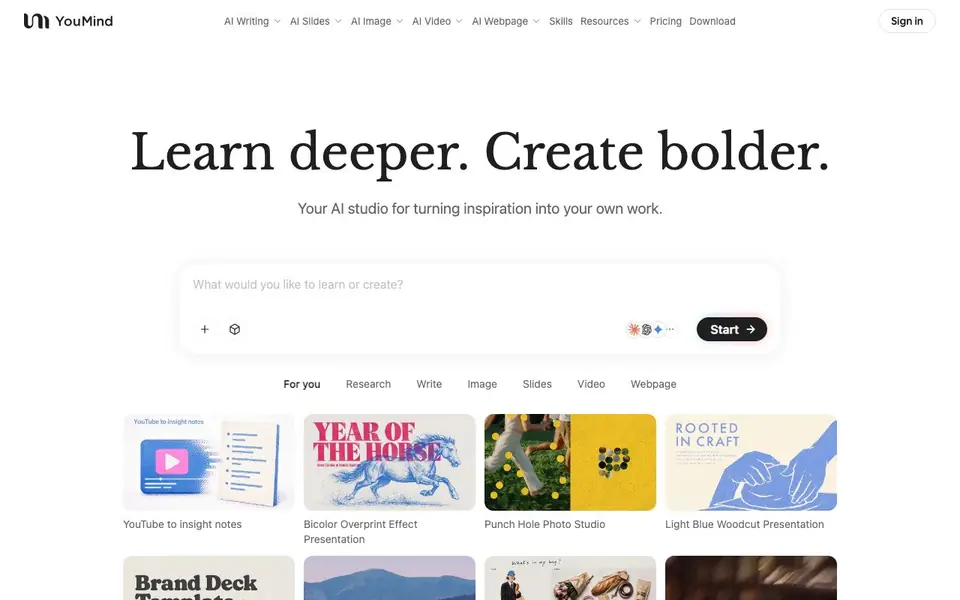
YouMind is an AI-powered studio that combines learning and creating in one place. You can save articles, videos, podcasts, and notes, then ask questions and connect ideas to build your own understanding. It goes beyond simple summaries, helping you develop a deeper grasp of any topic.
Start by bringing in something that inspires you—a question, an article, or a video. YouMind lets you explore different perspectives with AI, then turn what you've learned into your own work. You can draft articles, design slides, generate images, create videos, and build webpages, shaping each piece until it expresses what you want to say.
YouMind suits creators, students, teachers, and professionals who want to research and produce content in one workflow. The site shows examples like a teacher making a physics lesson video and a small business owner creating posters. It's available as apps for iOS, Android, and macOS, plus a browser extension.
YouMind features
- Save sources: Collect articles, videos, podcasts, and notes in one place for easy access.
- AI exploration: Ask questions and connect ideas to develop your own understanding of topics.
- Article writing: Turn your research into written drafts that you can refine with AI.
- Slide creation: Generate presentation slides from your learning or ideas.
- Image and video generation: Create visuals and videos based on your content and prompts.
What you can do with YouMind
- Research a topic and turn findings into a blog article.
- Create a presentation from saved articles and notes.
- Generate a video for a lesson or explainer.
- Design a webpage for a project or portfolio.
How to get started with YouMind
- Download the YouMind app for iOS, Android, or macOS, or add the browser extension.
- Save articles, videos, podcasts, or notes that inspire you.
- Ask questions and explore with AI, then start creating your own article, slides, image, video, or webpage.
Tips for better results with YouMind
- Start each project by saving your raw materials—articles, videos, or notes—into YouMind before asking questions, so the AI can connect ideas across all your sources.
- Use YouMind to explore multiple perspectives on a topic by asking follow-up questions, then refine your own understanding before you draft any content.
- When you create slides or videos in YouMind, shape each draft with specific prompts about tone, style, or audience, and iterate until the output matches your intent.
- Turn a single saved source, like a YouTube video or podcast, into notes first in YouMind, then build an article or presentation from those notes to keep your work grounded.
- Leverage YouMind's browser extension to capture content as you browse, so you can build a personal library that the AI can draw from for future projects.
YouMind pricing
YouMind’s homepage does not list prices. Check youmind.com for current plans.
What to check before you rely on YouMind
- Check whether YouMind's free tier covers the features you need, since the website does not list specific plan limits or pricing details.
- Verify how YouMind handles your saved articles, videos, and notes for data privacy, as the site does not state its data retention or sharing policies.
- Confirm that YouMind's export formats for articles, slides, images, or videos match your workflow, because the website does not specify available file types.
Who YouMind is for
YouMind suits students, teachers, content creators and small business owners. If that is not you, the AI research tools below may fit better.
Similar tools compared with YouMind
| Tool | What it is | Pricing |
|---|---|---|
| YouMind | AI studio for learning and creating | See website |
| OpenSI | AI model comparison and pricing tool | See website |
| ChatPDF | AI chat and summarizer for PDFs | Freemium |
| Consensus | AI search engine for research papers | See website |
| Scite | AI research assistant with smart citations | Free trial |
YouMind FAQ
What can I create with YouMind?
You can create articles, slides, images, videos, and webpages. The site shows examples like presentations, posters, and landing pages, all made by users.
Is YouMind free to use?
The website does not state pricing details. You can check the Pricing page on YouMind's site for current plans.
Who is YouMind for?
It's for anyone who wants to learn and create, including students, teachers, YouTubers, small business owners, and professionals like product managers and career coaches.
How does YouMind help with learning?
You save sources like articles and videos, then ask questions and explore different perspectives with AI. This helps you build your own understanding, not just get summaries.
What can YouMind export or connect to?
YouMind lets you create articles, slides, images, videos, and webpages, but the website does not specify export formats or direct integrations with other tools. To see what you can do with your finished work, check the app's export options or help section within YouMind.
Which devices and platforms does YouMind run on?
YouMind is available as apps for iOS, Android, and macOS, plus a browser extension. The website does not mention a Windows app or a Linux version. You can use the browser extension on compatible browsers, but check the download page for the latest platform support.
Does YouMind require an account to use it?
The YouMind website does not explicitly state whether an account is required. However, since it offers apps and a browser extension, you likely need to sign in to sync your saved sources and creations across devices. Check the sign-in page or app download details for confirmation.


