
What is X-Design?
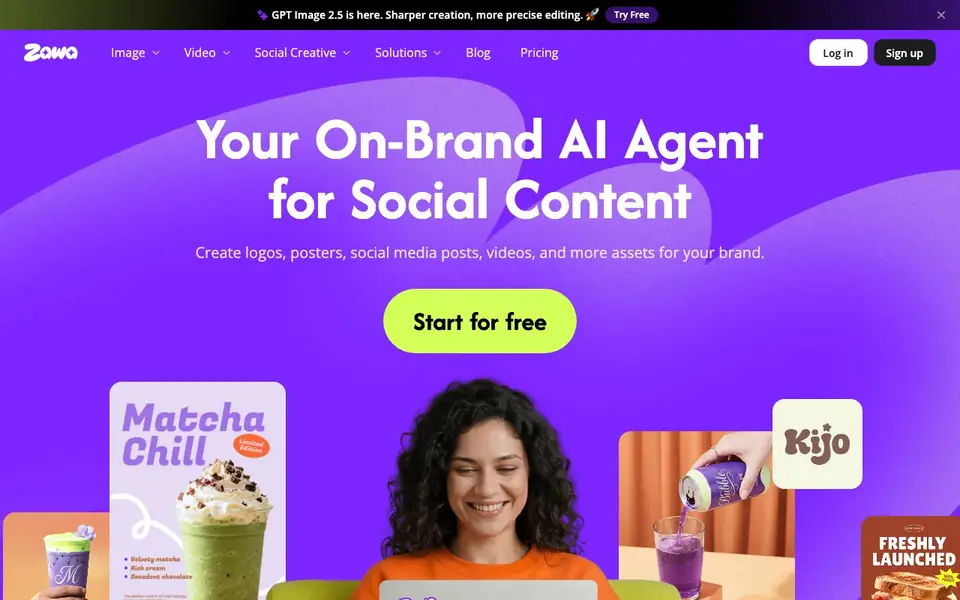
Zawa, formerly X-Design, is an AI-powered brand kit generator and editor for businesses. It lets you create logos, posters, social media posts, videos, and other brand assets quickly. The tool focuses on keeping everything consistent with your brand, so you can produce professional-looking content without design skills.
You start by defining your brand kit, which stores your colors, fonts, and logos. Once set, Zawa applies these assets across all projects automatically. You can generate new designs, edit existing photos, or turn basic phone photos into professional product shots. The editor provides layered files, so you can tweak any element after generation.
Zawa suits small business owners, marketers, and content creators who need fast, on-brand visuals. It offers tools like background removal, image upscaling, object removal, and video enhancement. The website mentions a free start with no card required, but detailed pricing plans are not listed on the homepage.
X-Design features
- Brand Kit: Store your brand assets once and apply them automatically to all designs.
- Logo Generator: Create polished logos tailored to your brand in seconds.
- Visual Mockups: Generate one-click mockups for menus, posters, and packaging.
- Image Background Remover: Remove backgrounds from photos with AI precision.
- AI Product Photography: Turn basic phone photos into clean, professional product shots.
What you can do with X-Design
- Create a full brand identity with logo, colors, and typography in minutes.
- Generate social media posts that match your brand style automatically.
- Remove backgrounds from product photos for e-commerce listings.
- Design menus and flyers for restaurants and cafés with built-in templates.
How to get started with X-Design
- Sign up for a free account on Zawa's website.
- Set up your brand kit with your logo, colors, and fonts.
- Choose a tool like Logo Generator or Poster Generator and create your first asset.
Tips for better results with X-Design
- Set up your brand kit with your exact colors, fonts, and logos before generating anything, so every design Zawa creates stays consistent from the first click.
- Use Zawa's layered files after generation to tweak individual elements like text or placement, instead of regenerating the whole design when you need a small change.
- For product photos, upload clean, well-lit phone shots into Zawa's AI product photography tool, then adjust the background or setting to match your brand style.
- Test Zawa's mockup generator on your menu or poster templates first, then reuse those layouts for social posts to save time while keeping your brand uniform.
- checks
X-Design pricing
X-Design has a free way to start, with paid plans for heavier use. Check zawa.ai for current limits and prices.
What to check before you rely on X-Design
- Check the pricing page directly before committing, since the homepage only says free to start with no card and does not list plan details or limits.
- Verify what export formats and file types Zawa supports for your final assets, as the website does not specify these anywhere.
- Review Zawa's privacy policy to confirm how your uploaded brand assets and photos are stored or used, since the homepage does not state this.
Who X-Design is for
X-Design suits small business owners, marketers, content creators and restaurant and café owners. If that is not you, the AI design tools below may fit better.
Similar tools compared with X-Design
| Tool | What it is | Pricing |
|---|---|---|
| X-Design | AI brand kit and social content generator | Freemium |
| Looka | AI logo maker and brand identity platform | Freemium |
| Uizard | AI-powered UI design and prototyping tool | Freemium |
| Clipdrop | AI photo editing and image generation suite | See website |
| Interior AI | AI interior design and virtual staging app | Freemium |
X-Design FAQ
What can I create with Zawa?
You can create logos, posters, social media posts, videos, and product mockups. The tool also offers photo editing features like background removal and upscaling, all designed to keep your brand consistent.
Is Zawa free to use?
Zawa offers a free start with no card required, according to its website. For detailed pricing and plan features, check the Pricing page on the site.
Who is Zawa for?
Zawa is designed for small businesses, including restaurants, cafés, and retail stores. It helps owners and marketers create professional, on-brand visuals without hiring a designer.
How does Zawa keep my designs on-brand?
You store your brand assets in a locked-in brand kit. Zawa automatically applies these assets to every project, so your designs stay aligned with your brand from the first click.
What file formats can Zawa export my designs in?
Zawa's website does not list specific export formats. It mentions layered files for editing, but for details on exporting options like PNG, JPG, or PDF, check the app's export menu or contact Zawa's support team.
Does Zawa have a mobile app or is it web-only?
Zawa's homepage includes a 'Download app' link, suggesting a mobile app is available. The website does not specify which platforms it supports, so check the app store or Zawa's help center for device compatibility details.
What does Zawa's free plan include exactly?
Zawa's website says you can start for free with no card required, but it does not list the specific limits of the free plan. To see what features are included, sign up and check your available tools or visit Zawa's pricing page.


