
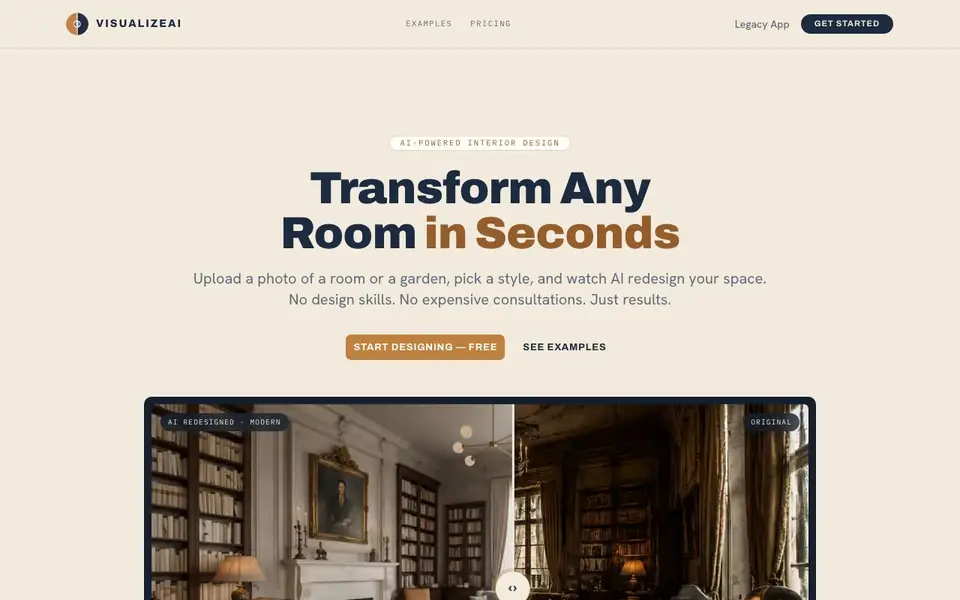
What is VisualizeAI?
VisualizeAI is an AI-powered interior design tool that transforms photos of rooms, gardens, and other spaces into redesigned versions based on your chosen style. You don't need design skills or expensive consultations—just upload a photo, select from over 30 styles, and the AI generates a photorealistic result you can download and share.
Getting started is simple. First, you upload a photo of any room—bedroom, kitchen, living room, office, or even a garden. Then you pick a style from options like modern, japandi, scandinavian, boho, art deco, mediterranean, industrial, and minimalist. The AI then produces a redesign in seconds, which you can compare side-by-side with the original using a drag slider.
VisualizeAI suits homeowners planning redecorations, interior designers presenting ideas, and realtors showcasing property potential. The website mentions commercial usage rights are included with paid credit packs, making renders usable for listings and marketing. New users get 6 free credits to try it, and you can buy one-time credit packs when you need more.
VisualizeAI features
- Photo upload: Upload a photo of any room or garden to start the redesign process.
- Style selection: Choose from 30+ design styles including modern, japandi, scandinavian, and boho.
- Photorealistic renders: AI generates realistic redesigns of your space in seconds.
- Before/after comparison: Drag a handle to compare the original photo with the AI redesign.
- Commercial usage: Paid credit packs include rights to use renders for listings and marketing.
What you can do with VisualizeAI
- Redesign your living room with a boho style before redecorating.
- Visualize a kitchen remodel with a modern farmhouse look.
- Show clients different design options for a home office.
- Create marketing images of a property with a tropical garden.
How to get started with VisualizeAI
- Upload a photo of any room or garden.
- Pick a design style from 30+ options.
- Get your photorealistic redesign in seconds, then download and share.
Tips for better results with VisualizeAI
- Upload a well-lit photo of the room from a straight-on angle, with minimal clutter, so VisualizeAI can accurately interpret the space and generate a cleaner redesign.
- Try multiple styles on the same photo, like japandi and industrial, to compare different looks before committing to a final design direction.
- Use VisualizeAI's side-by-side comparison slider to evaluate the redesign against your original photo, checking that the layout and key features remain realistic.
- Start with your 6 free credits to test a few styles and see which ones match your vision, then buy a credit pack only when you need more renders.
- For commercial work, remember that VisualizeAI's paid credit packs include usage rights, so you can safely use the renders in listings or presentations.
VisualizeAI pricing
VisualizeAI has a free way to start, with paid plans for heavier use. Check visualizeai.pro for current limits and prices.
What to check before you rely on VisualizeAI
- Check that your photo is high-resolution and free of heavy shadows or filters, since VisualizeAI's output quality depends on the input image clarity.
- Verify your remaining credit balance before starting a batch of renders, because each design variant costs 1 credit and the free 6 credits are limited.
- Confirm that the style you want is among the 30+ listed on the website, as the exact style list is not fully detailed and may vary.
- Review VisualizeAI's pricing page for any terms about commercial usage, since the site states rights are included with paid packs but does not specify all conditions.
Who VisualizeAI is for
VisualizeAI suits homeowners, interior designers and realtors. If that is not you, the AI design tools below may fit better.
Similar tools compared with VisualizeAI
| Tool | What it is | Pricing |
|---|---|---|
| VisualizeAI | AI interior design and room visualizer | Freemium |
| Looka | AI logo maker and brand identity platform | Freemium |
| Uizard | AI-powered UI design and prototyping tool | Freemium |
| Clipdrop | AI photo editing and image generation suite | See website |
| Interior AI | AI interior design and virtual staging app | Freemium |
VisualizeAI FAQ
How does VisualizeAI work?
You upload a photo of any room, select a design style, and the AI generates a photorealistic redesign in seconds. No design skills are needed.
What styles are available?
There are 30+ styles including modern, japandi, scandinavian, boho, art deco, mediterranean, industrial, and minimalist.
Can I use the renders commercially?
Yes, commercial usage rights are included with any paid credit pack, so you can use renders for real estate listings, design presentations, and marketing materials.
Is there a free trial?
New users start with 6 free credits—no card required. When you need more, you buy one-time credit packs with no subscription.
Can VisualizeAI export my redesigned room as a high-resolution image for printing or sharing?
VisualizeAI lets you download and share the photorealistic redesigns it generates. The website does not specify the exact file format or resolution for exports, so for details on image quality or print suitability, check the app or contact support.
Does VisualizeAI work on my phone or tablet, or is it only for desktop computers?
VisualizeAI is a web-based tool, so you can access it from any device with a browser, including phones and tablets. The website does not mention dedicated mobile apps, but the platform should work on your mobile browser.
What does the free plan in VisualizeAI include, and do I need to enter a credit card to start?
New VisualizeAI users get 6 free credits to try the tool, and no card is required to start. Each design variant uses 1 credit, so you can generate about 6 redesigns for free. After that, you buy one-time credit packs.


