
What is Venngage?
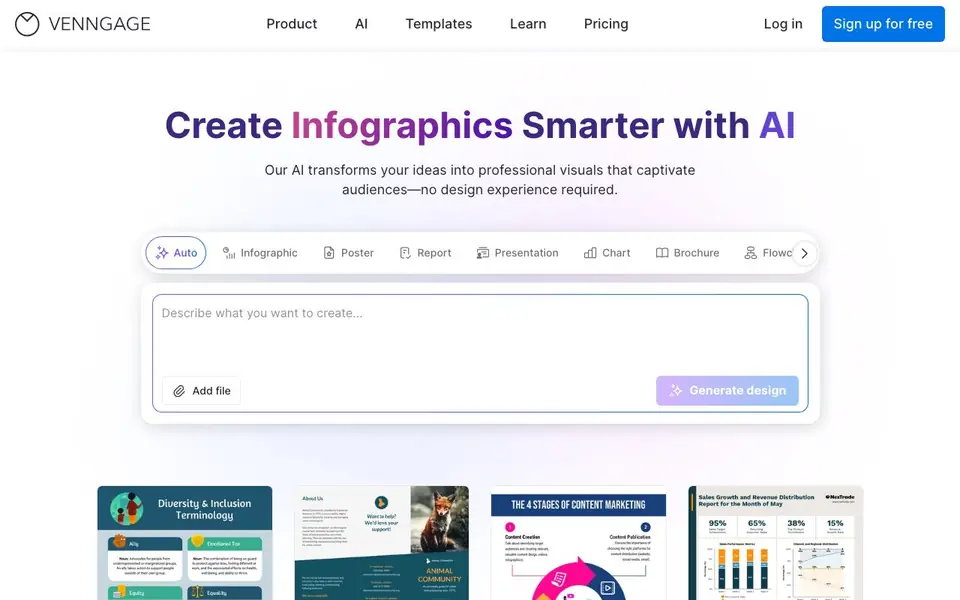
Venngage is an online design platform focused on infographics and visual content. Its AI features help you generate layouts, icons, images, and copy from simple text prompts. You can also apply your brand colors and fonts automatically across designs.
To get started, you sign up for free and pick a template or describe your idea. The DesignAI Generator creates a structured layout, and you can edit with drag-and-drop tools. AI-powered editing can summarize content, fill in on-brand text, and generate custom icons or images. Accessibility tools check contrast and readability for WCAG compliance.
Venngage suits marketers, business teams, and creators who need professional visuals quickly. It offers thousands of templates, millions of royalty-free assets, and export options like PNG, PDF, and PPTX. The website mentions free sign-up, but does not detail pricing plans.
Venngage features
- DesignAI Generator: Turns plain text descriptions into structured layouts with smart design suggestions.
- AI Branding Automation: Applies your brand colors, fonts, and logos to every design with one click.
- AI-Powered Editing: Auto-summarizes content and fills in on-brand text to speed up creation.
- AI Generated Icons and Images: Creates custom icons and illustrations from natural language prompts.
- AI Accessibility Checker: Audits contrast, legibility, and readability in real time for WCAG compliance.
What you can do with Venngage
- Create an infographic from a text description in seconds.
- Design a branded report or proposal with consistent styling.
- Generate custom icons for a presentation or social media post.
- Export a WCAG-compliant accessible PDF for a public document.
How to get started with Venngage
- Sign up for free on Venngage's website.
- Choose a template or describe your idea to the AI generator.
- Edit with drag-and-drop tools, apply branding, and export your design.
Tips for better results with Venngage
- Start with a detailed text prompt that includes your topic, audience, and desired tone, so Venngage's DesignAI Generator can produce a layout that matches your intent.
- Use Venngage's AI Branding Automation to apply your brand colors and fonts before editing, ensuring every design stays consistent without manual adjustments.
- Generate custom icons and images with Venngage by describing the style and subject clearly, then refine the results with drag-and-drop tools to fit your layout.
- Run Venngage's AI Accessibility Checker on your final design to catch contrast or readability issues, then export a WCAG-compliant PDF for public documents.
Venngage pricing
Venngage has a free way to start, with paid plans for heavier use. Check venngage.com for current limits and prices.
What to check before you rely on Venngage
- Check whether your free Venngage plan includes AI features like DesignAI Generator and AI Branding Automation, since the website does not list plan-specific limits.
- Verify if your Venngage plan allows exporting in PPTX or PDF formats, as the website mentions these options but does not specify which plans support them.
- Review Venngage's privacy policy to see how your uploaded content and AI-generated assets are stored or used, since the website does not state data handling details.
Who Venngage is for
Venngage suits marketers, business teams, content creators and designers. If that is not you, the AI design tools below may fit better.
Similar tools compared with Venngage
| Tool | What it is | Pricing |
|---|---|---|
| Venngage | AI infographic and visual content maker | Freemium |
| Looka | AI logo maker and brand identity platform | Freemium |
| Uizard | AI-powered UI design and prototyping tool | Freemium |
| Clipdrop | AI photo editing and image generation suite | See website |
| Interior AI | AI interior design and virtual staging app | Freemium |
Venngage FAQ
What can I create with Venngage?
You can make infographics, posters, reports, presentations, charts, brochures, flowcharts, social media graphics, proposals, resumes, flyers, book covers, newsletters, and banners.
Does Venngage have a free plan?
Yes, the website says you can sign up for free. It does not state what the free plan includes or how paid plans differ, so check the pricing page for details.
How does the AI help with design?
The AI can generate layouts from text, create custom icons and images, rewrite or translate copy, and check accessibility. It also applies your brand style automatically.
Who is Venngage for?
It is designed for creators, marketers, and teams who need professional visuals quickly without design experience. The site emphasizes collaboration and brand consistency for larger teams.
Can Venngage export my designs to PowerPoint or PDF?
Yes, Venngage supports exporting your visuals as PNG, PDF, and PPTX files. This means you can download your infographic or report as an image, a PDF document, or a PowerPoint presentation. The website lists these export options, so you can use them for sharing or further editing.
Does Venngage require an account to use its AI features?
To start using Venngage, you need to sign up for free. The website mentions that you can sign up for free and then use the AI tools, such as the DesignAI Generator and AI branding automation. Without an account, you won't be able to access the platform's features.
What file types can I import into Venngage?
The Venngage website mentions an option to "Add file" when generating a design, but it does not specify which file types are supported. To know exactly what you can import, you should check the platform's help center or try adding a file during your free sign-up to see the accepted formats.


