
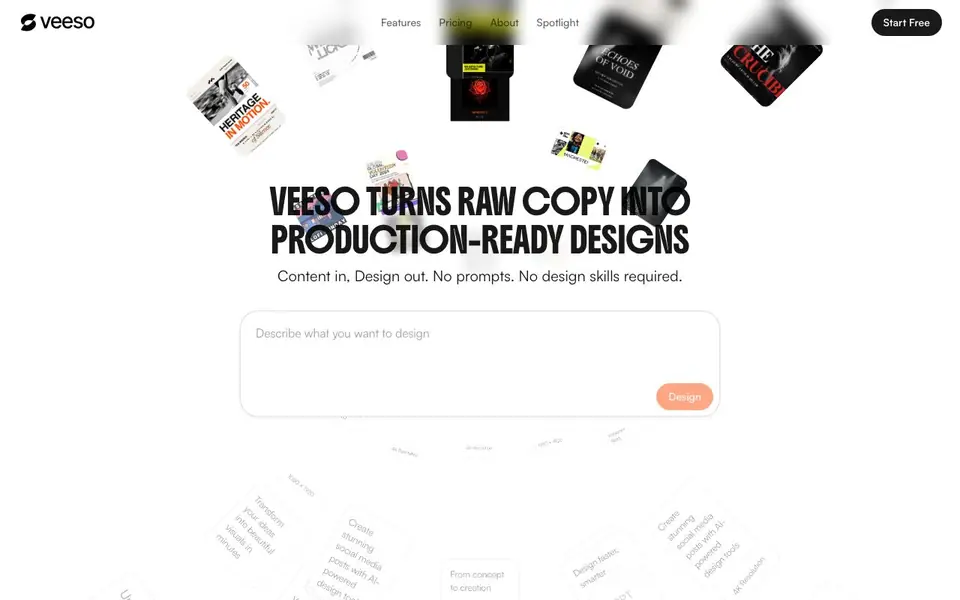
What is Veeso AI?
Veeso AI is a design tool that starts with your text, not a blank canvas or a template search. You paste your content, and the AI automatically arranges it into a production-ready layout with clean typography. It is not an image generator; it focuses on turning your words into deliverable designs you can actually use.
You begin by pasting your copy and choosing what you want to create, such as a social post, presentation, or document. Veeso generates a design that keeps every word you wrote. You can then edit the text directly in the design, without image-editing skills. When you are done, export as high-quality images, PDFs, or share straight to social media.
The tool also includes image editing features like background removal, HD upscaling up to 4x, and over 15 AI art styles. It is built for marketers, founders, content creators, and e-commerce owners who need consistent, on-brand visuals quickly. The website highlights batch generation and 60-second turnaround, but does not specify exact limits or pricing details beyond a free start.
Veeso AI features
- Content-First Design: Paste your copy and Veeso auto-layouts it into a polished design, preserving your wording.
- Direct Text Editing: Edit text right in the design canvas without needing image-editing software.
- Multi-Format Export: Export designs as high-quality images, PDFs, or share to social media in one click.
- Background Removal: Precisely remove backgrounds from products, portraits, and complex scenes.
- HD Upscaling: Enhance image resolution up to 4x with AI detail restoration.
What you can do with Veeso AI
- Create social media posts for Instagram, Facebook, and other platforms.
- Design presentations, pitch decks, and marketing decks from your copy.
- Generate e-commerce product pages and promotional posters in multiple languages.
- Produce brand identity materials, event promos, and infographics quickly.
How to get started with Veeso AI
- Go to Veeso AI's website and click Start Free.
- Paste your content and describe what you want to design.
- Generate, edit text directly, and export or share your design.
Tips for better results with Veeso AI
- Paste your complete, polished copy into Veeso AI before generating, since the tool preserves every word you write and arranges it without rewriting or trimming your text.
- Edit text directly in the Veeso AI canvas after generation to refine wording, spacing, or emphasis, avoiding the need to switch to separate image-editing software.
- Choose your output format early, such as social post, presentation, or document, so Veeso AI can apply the appropriate layout and typography for that deliverable type.
- Use Veeso AI's background removal and HD upscaling features on images you import, then combine them with your text-based designs for polished, production-ready visuals.
- Export your finished Veeso AI designs as high-quality images or PDFs, or share them straight to social media, to move from creation to delivery in one workflow.
Veeso AI pricing
Veeso AI has a free way to start, with paid plans for heavier use. Check veeso.ai for current limits and prices.
What to check before you rely on Veeso AI
- Check the free plan's limits on number of designs, exports, or batch generations, since the website labels Veeso AI as freemium but does not state specific quotas.
- Verify whether the free tier includes all export formats and social sharing options, as the site lists these features without clarifying plan restrictions.
- Confirm data and privacy terms for your uploaded content, because Veeso AI's website does not detail how your text or images are stored or used.
- Check if the tool supports your required output resolutions and file types, as the site mentions 4K and PDFs but does not list every export format available.
Who Veeso AI is for
Veeso AI suits marketers, founders, content creators and e-commerce owners. If that is not you, the AI design tools below may fit better.
Similar tools compared with Veeso AI
| Tool | What it is | Pricing |
|---|---|---|
| Veeso AI | AI design generator for production-ready visuals | Freemium |
| Looka | AI logo maker and brand identity platform | Freemium |
| Uizard | AI-powered UI design and prototyping tool | Freemium |
| Clipdrop | AI photo editing and image generation suite | See website |
| Interior AI | AI interior design and virtual staging app | Freemium |
Veeso AI FAQ
What is Veeso AI?
Veeso AI is a design tool that turns your written content into polished, editable designs. You paste copy, and it auto-layouts social posts, slides, and documents with nice typography, no design skills needed.
How is Veeso different from AI image generators?
Veeso is not image generation. It focuses on production-ready designs from your text, keeping every word you wrote. You edit text directly, unlike image generators that produce raster images you cannot easily change.
Who is Veeso AI built for?
It is built for marketers, founders, content creators, product managers, social media leads, and e-commerce owners who need professional-looking visuals without hiring a designer. The website shows testimonials from these roles.
Is Veeso free to use?
The website has a 'Start Free' button, suggesting a free plan exists. It does not state specific pricing details or whether there are paid tiers, so check the pricing page for current options.
What file formats can Veeso AI export?
Veeso AI lets you export your designs as high-quality images, PDFs, or share them directly to social media. The website mentions these options but does not list specific image formats like PNG or JPEG. For exact format details, check the export options inside the tool.
Does Veeso AI work on mobile devices?
The Veeso AI website does not mention whether it has a mobile app or if it works on smartphones or tablets. It appears to be a web-based tool, but to confirm if you can use it on your phone, try accessing the site from your mobile browser or check the website for any platform information.
What does the free plan of Veeso AI include?
Veeso AI is labeled as freemium, meaning you can start for free, but the website does not specify what the free plan includes or its limits. To find out what you can do without paying, sign up and see what features are available, or look for pricing details on the site.


