
What is Uluch?
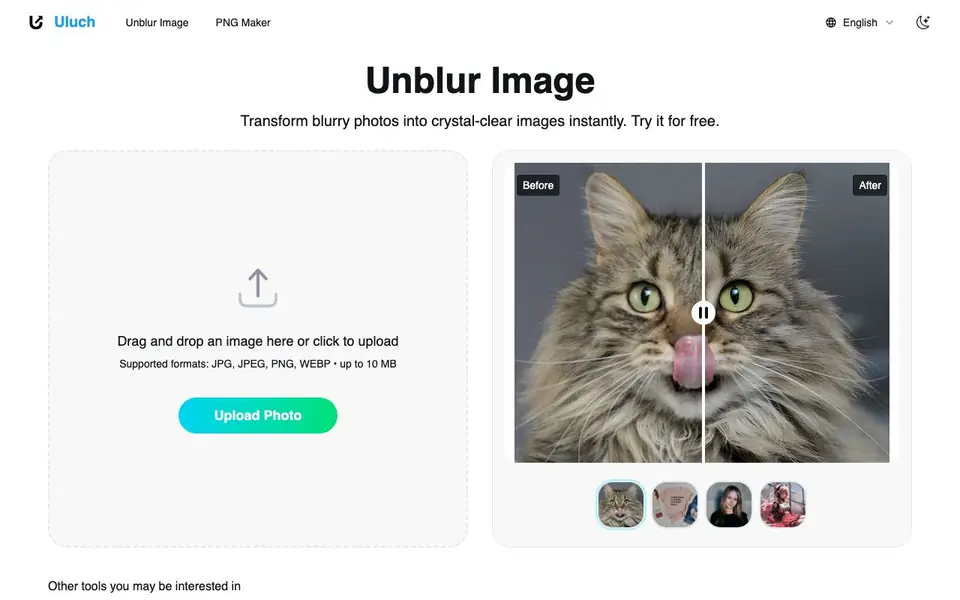
Uluch is an online tool that uses AI to fix blurry photos. You upload an image, and the AI sharpens it, restoring details like faces, fur, and product textures. It works on portraits, product shots, pet photos, group pictures, and social media avatars.
To use it, you drag and drop a JPG, JPEG, PNG, or WEBP file (up to 10 MB) onto the page. The tool processes it instantly, showing a before-and-after comparison. No complex steps or software installation needed.
It's designed for photographers, content creators, marketers, and anyone who needs clear images quickly. The site mentions it's free to try, and many users praise it for saving blurry wedding shots, travel photos, and old scanned family pictures.
Uluch features
- Instant unblur: Upload a blurry photo and get a sharp version in seconds.
- Portrait enhancement: Fixes blurry faces while preserving natural skin tones and expressions.
- Product photo sharpening: Makes e-commerce and marketing images look professional and crisp.
- Pet photo detail: Restores sharp details in fur, whiskers, and other fine textures.
- Group photo restoration: Clears up faces, clothing, and backgrounds in multi-person shots.
What you can do with Uluch
- Fix blurry wedding photos to deliver sharp images to clients.
- Enhance product photos for an e-commerce store to boost sales.
- Sharpen pet photos to capture fur and whisker details clearly.
- Restore old scanned family photos to see facial expressions clearly.
How to get started with Uluch
- Go to the Uluch website and click the upload area.
- Drag and drop your blurry image (JPG, JPEG, PNG, or WEBP, up to 10 MB).
- Wait a few seconds for the AI to process, then view the sharpened result.
Tips for better results with Uluch
- Upload the highest resolution version of your blurry photo that is under 10 MB, since Uluch works best when it has more original detail to work with.
- Use Uluch on portraits and product shots first, as its AI is tuned for faces and textures, and compare the before-and-after view to judge the result.
- Try Uluch on a few different photo types, like pets or group shots, to see which ones it sharpens best, and keep the original file as a backup.
- For old scanned family photos, scan them at the highest possible resolution before uploading to Uluch, so the AI has more data to restore clarity from.
- checks
Uluch pricing
Uluch has a free way to start, with paid plans for heavier use. Check uluch.com for current limits and prices.
What to check before you rely on Uluch
- Check the website for any stated limits on the free plan, such as number of uploads or watermarks, since the site only mentions a 10 MB file size limit.
- Verify whether Uluch stores or deletes your uploaded photos after processing, as the website does not clearly state its data retention or privacy policy.
- Confirm the output file format and resolution before relying on Uluch for professional work, since the site does not specify what you get after unblurring.
Who Uluch is for
Uluch suits photographers, content creators, marketers and family photo archivists. If that is not you, the AI photo editors below may fit better.
Similar tools compared with Uluch
| Tool | What it is | Pricing |
|---|---|---|
| Uluch | AI photo unblurring and sharpening tool | Freemium |
| SiPhotoEditor | AI photo editor by description | Paid |
| SiImageGen | AI image generator and photo editor | Freemium |
| Clipdrop | AI photo editing and image generation suite | See website |
| Photoroom | AI photo editor for e-commerce product visuals | Freemium |
Uluch FAQ
How does the unblur image tool work?
You upload a blurry photo, and the AI analyzes it to restore sharp details, like faces and textures. It processes the image in seconds and shows a before-and-after comparison.
Can I unblur image files for free?
Yes, the site says you can try it for free. There's no mention of a paid plan, but you can start by uploading a photo and see the result.
What types of blur can the tool fix?
It handles various blur types, including out-of-focus portraits, motion blur in product shots, and blurry scans of old photos. The AI is designed to enhance clarity in faces, fur, and fine details.
What's the maximum file size for unblur image processing?
The website states that supported formats are JPG, JPEG, PNG, and WEBP, with a maximum file size of 10 MB. Larger files may not be accepted.
Does Uluch require creating an account to unblur images?
The Uluch website does not mention needing an account to use the unblur tool. You can upload an image directly on the page and see results instantly. For any account-related details, check the site's sign-in or upload area before starting.
What does the free plan on Uluch include?
Uluch is labeled as freemium, and the website says you can try it for free. The free version lets you upload JPG, JPEG, PNG, or WEBP files up to 10 MB and get instant unblurred results. The site does not specify limits on number of images or resolution for free users, so check the pricing page for details.
Can Uluch export unblurred images in formats other than the original?
The Uluch website does not mention export options or additional formats for downloaded images. It focuses on uploading and processing your photo, then showing a before-and-after comparison. For export specifics, look for a download button or help section on the site after processing.


